
Sony DVP-NS330
2. Unpacking / Menu
Review Pages
2. Unpacking / Menu
3. Reading Tests
4. Error Correction Tests
5. Conclusion
Sony DVP-NS330 DVD Player - page 2
Unpacking - Control Menu
The european retail package includes the unit, the remote control, two batteries, and the stereo with video cable. We would like to see a coaxial cable included as well.

On the unit's front panel, we can see the power button on the left, and on the right the eject button placed next to the play/search/skip multi knob. On the right also are the stop and pause buttons. Lower are the the "PICTURE MODE" and the "SURROUND" shortcut buttons.
Below we can see the inside of the NS-330, after opening the cover, an action which is not recommended since you avoid the manufacturer's warranty. (Click on the image for an enlarged view).

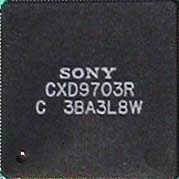
Below are the two main chips used in the unit.


On the rear panel are the audio/video outputs. Analytically there are: a coaxial (digital) audio output, a stereo audio output (L & R) with video and last the universal (Scart) line out. There is no 5.1CH decoder, but this is something we wouldn't necessarily expect to find on a low-priced DVD player.

For excellent sound, we recommend you use the coaxial output for digital sound, with the use of an A/V 5.1CH (or more) amplifier. Sony offers a wide variety of home theater solutions.
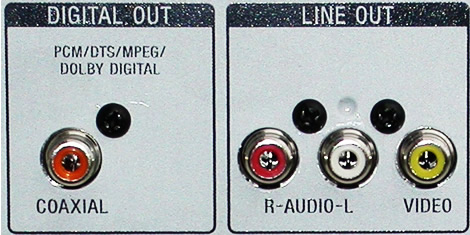
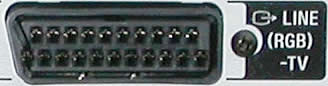
If you are about to connect the DVD player straight to your TV you can use one of the two provided connections, composite video output and audio (RCA), or the scart, which also includes stereo sound. Here, we would like to note the lack of an S-Video output.
 The
retail package also includes the remote control. Click on the image for an
enlarged view. It is a very ergonomic control and simple to use. It also
provides control over your TV, as well as control of the majority of
the player's functions.
The
retail package also includes the remote control. Click on the image for an
enlarged view. It is a very ergonomic control and simple to use. It also
provides control over your TV, as well as control of the majority of
the player's functions.
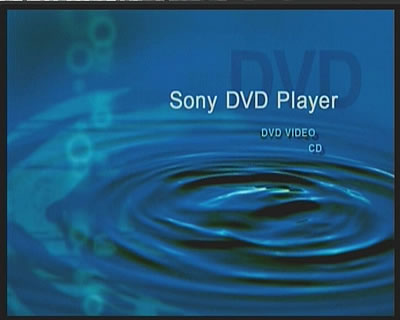
Below is the main screen from the player, the first one you see every time you turn the player on.
-
DVD movie playback
Below are some pictures from the unit's menu. As can been seen, there are some settings that can be accomplished during playback. Easy track/chapter navigation, picture and sound settings are included in the first menu.

In addition, parental control is available for password-protecting the player, bit rate information can be displayed on screen, and subtitle language is easily adjusted.


For accessing the advanced menu illustrated below, playback must be stopped.


-
MP3 playback
The player can play MP3 files. Sony provides a convenient and user-friendly menu for fast navigation through the MP3 files or folders on a data disc (CD-R/RW). Below is an example with an MP3 audio CD where there are two different folders. In the first photo is shown the menu for the disc, and in the second the submenu.


The player's settings menu is very easy to learn and it is similar to that of most of the Sony players.
Review Pages
2. Unpacking / Menu
3. Reading Tests
4. Error Correction Tests
5. Conclusion




