Breaking News

LIAN LI Announces Edge Platinum V2, Edge Gold V2, and GPU Cable Thermal Monitoring via Edge Hub ADV Razer Unveils the Huntsman V3 Pro Mini 8KHz ASRock DeskSlim Series Delivers RTX PRO Blackwell Performance in a Compact 5L Workstation Samsung Introduces Galaxy Tab S12 Series PlayStation Plus Monthly Games for October 2026

logo

  • Share Us
    • Facebook
    • Twitter
  • Home
  • Home
  • News
  • Reviews
  • Essays
  • About
    • Submit News

    • Contact Us
    • Privacy

    • Promotion
    • Advertise

    • RSS Feed

Search form

RikoMagic MK22 Android Media Player review

Jan 26,2017 0

3. First boot


Review Pages

1. Features, package
2. Device details
3. First boot
4. Firmware update, KODI
5. Video, audio tests, connectivity benchmarks
6. SUmmary


After having connected all the cables and accessories including a hard drive, we are ready to boot the device. It came alive in about 40 sec and the main launcher is what you see below. The Rikomagic MK22 has a straightforward GUI, and it is based on the Android 6.0.1 OS.

By pressing the "+" icon you can add shortcuts to the installed apps. Many apps are already installed, as you see below:

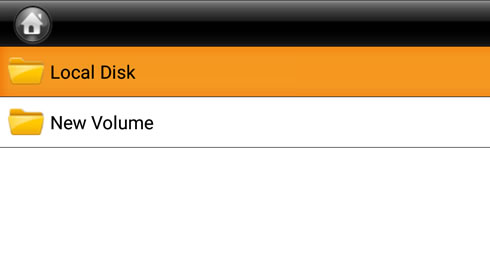
The built-in File Manager doens't support network folders:
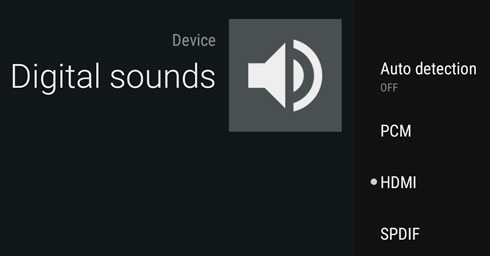
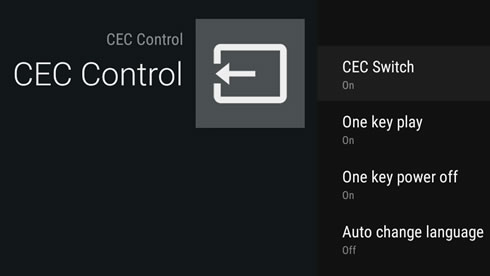
Under settings you can access various sub-options:


You can also enter Android Marshmallow settings and access all usual options:

A single unified 11.38GB partition is used for both apps and storage from the 16GB eMMC flash, and the system runs Android 6.0.1 on top of Linux kernel 3.14.29. The firmware is rooted. The pre-installed apps occupy 0.89GB of the avilable user storage:


Review Pages

1. Features, package
2. Device details
3. First boot
4. Firmware update, KODI
5. Video, audio tests, connectivity benchmarks
6. SUmmary


Pages

  • « first
  • ‹ previous
  • 1
  • 2
  • 3
  • 4
  • 5
  • 6
  • next ›
  • last »

Tags:
Previous Post
Review: NVIDIA Geforce GTX 1080Ti
Next Post
ASUS EXPEDITION GTX1050TI-4G review

Related Posts

  • RikoMagic V5 Android Media Player review

Latest Reviews

Fanxiang MP83 M.2 NVMe SSD Enclosure
Enterprise & IT

Fanxiang MP83 M.2 NVMe SSD Enclosure

Ugreen CM642 USB4.0 Enclosure
PC components

Ugreen CM642 USB4.0 Enclosure

be quiet! Dark Power 14 IO
PC components

be quiet! Dark Power 14 IO

SanDisk High Endurance 512GB microSDXC
Cameras

SanDisk High Endurance 512GB microSDXC

Samsung PRO Ultimate 512GB microSDXC
Cameras

Samsung PRO Ultimate 512GB microSDXC

Popular News

MSI’s Latest AMD X870E MAX & EVO Series Motherboards

MSI’s Latest AMD X870E MAX & EVO Series Motherboards

COLORFUL Launches iGame B850M ULTRA Series Micro-ATX Motherboards

COLORFUL Launches iGame B850M ULTRA Series Micro-ATX Motherboards

COLORFUL Presents Limited Edition Chitu MAG-60 Magnetic Keyboard Inspired by the Year of the Horse

COLORFUL Presents Limited Edition Chitu MAG-60 Magnetic Keyboard Inspired by the Year of the Horse

COLORFUL Launches iGame B850I MINI OC V14 Motherboard

COLORFUL Launches iGame B850I MINI OC V14 Motherboard

COLORFUL Presents iGame Z890 ULTRA-S W and iGame Z890M ULTRA Z Motherboards

COLORFUL Presents iGame Z890 ULTRA-S W and iGame Z890M ULTRA Z Motherboards

COLORFUL Expands B850 Motherboard Lineup with New CVN, Battle-Ax, and MEOW Models

COLORFUL Expands B850 Motherboard Lineup with New CVN, Battle-Ax, and MEOW Models

ASRock Adds Support for One Sub-Channel DRAM Module on Intel DDR5 Motherboards

ASRock Adds Support for One Sub-Channel DRAM Module on Intel DDR5 Motherboards

COLORFUL Launches the iGame X870E VULCAN W OC Motherboard

COLORFUL Launches the iGame X870E VULCAN W OC Motherboard

Main menu

  • Home
  • News
  • Reviews
  • Essays
  • About
    • Submit News

    • Contact Us
    • Privacy

    • Promotion
    • Advertise

    • RSS Feed
  • About
  • Privacy
  • Contact Us
  • Promotional Opportunities @ CdrInfo.com
  • Advertise on out site
  • Submit your News to our site
  • RSS Feed