
Breaking News

Western Digital Accelerates Storage Innovation for AI Era Leica LUX Case for the iPhone 17 Pro/Pro Max ASUS Announces ROG Strix Aiolos Viltrox Launches AF 16mm F1.8 L for Full Frame Casio to Release G-SHOCK with Minimalist Metal Design and Even Better Fit

logo

  • Share Us
    • Facebook
    • Twitter
  • Home
  • Home
  • News
  • Reviews
  • Essays
  • Forum
  • Legacy
  • About
    • Submit News

    • Contact Us
    • Privacy

    • Promotion
    • Advertise

    • RSS Feed
    • Site Map

Search form

JETART VC3600

Jun 6,2006 0

2. Installation


Review Pages

1. Introduction
2. Installation
3. Performance
4. Conclusion


For our tests, we used an ATI based X1900GT VGA card from Powercolor. During our testing of this graphics card, we had found that the temperature levels were rather high, so it was going to be quite interesting to see if the VC3600 could help out with such a difficult situation.

First, we removed the stock cooling system and cleaned the chipset's surface of any thermal compound.
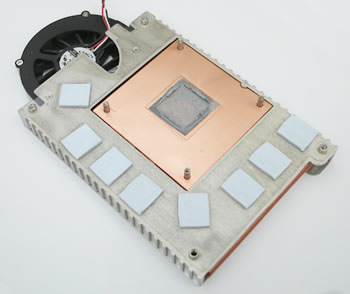
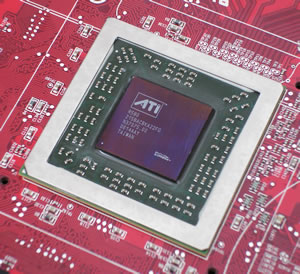
Next, we applied the thermal tape, included in the retail package, to the memory heatsinks and peeled off the protective white strip.
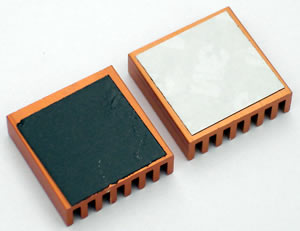
We then mounted the memory heatsinks onto each memory chip on the card, as shown below:
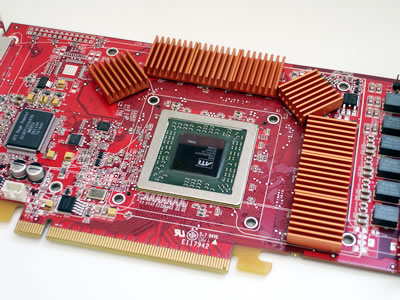
The next step was to apply the thermal compound, also included in the retail package, to the GPU.

Before installing the VC3600 onto the card, you have to determine which holes line up with your VGA card.
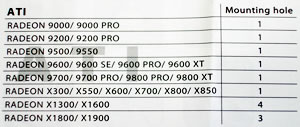
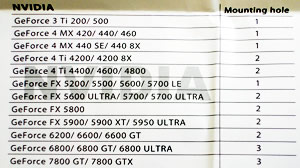
Do this by referring to the chart in the manual, to tell you in which mounting holes the spacers and screws need to be installed.
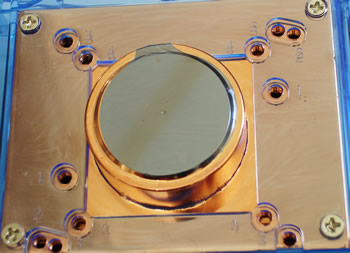
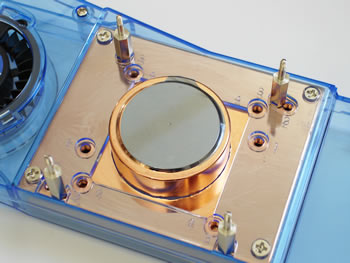
Don't forget to put the black cushions on the spacers before installing the VC3600 onto the card.
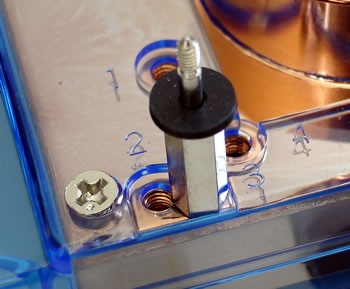
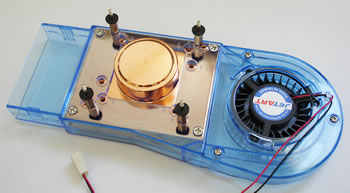
Now the VC3600 is ready to be installed on the VGA card. Place the VC3600 on a flat surface and then put the card on top of it, lining up the holes.

Put the transparent insulation spacers and then the spring nut on each screw, as shown below:
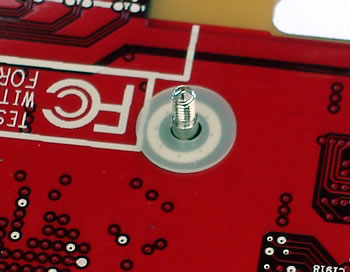

Tighten the nuts and the installation of the VC3600 is almost complete.

All that is left, is to attach the adjustable axle so that it fits properly on your card.
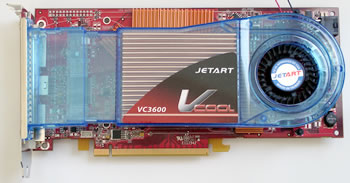
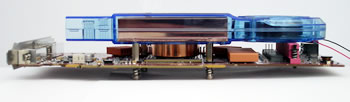
As you can see, there is a lot of space between the VC3600 and the card for better airflow.

 

Review Pages

1. Introduction
2. Installation
3. Performance
4. Conclusion


Pages

  • « first
  • ‹ previous
  • 1
  • 2
  • 3
  • 4
  • next ›
  • last »

JETART

Tags: JETART
Previous Post
Memorex Pro Gold Archival CD-R Media
Next Post
PowerColor X1900GT

Related Posts

Latest Reviews

Akaso Brave 8 Lite
Cameras

Akaso Brave 8 Lite

Soundpeats Air 5
Consumer Electronics

Soundpeats Air 5

XbotGo Chamaleon
Consumer Electronics

XbotGo Chamaleon

be quiet! Dark Perk Mice
Gaming

be quiet! Dark Perk Mice

Acemagic W1
PC components

Acemagic W1

Popular News

COLORFUL Introduces CVN B850I GAMING FROZEN Motherboard

COLORFUL Introduces CVN B850I GAMING FROZEN Motherboard

COLORFUL Presents CVN X870 ARK FROZEN Motherboard for AMD Ryzen 9000 CPUs

COLORFUL Presents CVN X870 ARK FROZEN Motherboard for AMD Ryzen 9000 CPUs

TEAMGROUP Launches EXPERT P34F Find My External SSD

TEAMGROUP Launches EXPERT P34F Find My External SSD

ASRock AM5 Motherboards Now Fully Support AMD Ryzen 9 9950X3D & 9900X3D Processors

ASRock AM5 Motherboards Now Fully Support AMD Ryzen 9 9950X3D & 9900X3D Processors

Samsung announces Galaxy Tab S11 and Galaxy S25 FE series

Samsung announces Galaxy Tab S11 and Galaxy S25 FE series

Viltrox Showcases Upcoming Lens Lineup and New TTL Flash at IBC 2025

Viltrox Showcases Upcoming Lens Lineup and New TTL Flash at IBC 2025

CORSAIR announces Vanguard Pro 96 and Vanguard 96 Gaming Keyboards

CORSAIR announces Vanguard Pro 96 and Vanguard 96 Gaming Keyboards

Panasonic Introduces the First Ultra-Telephoto Zoom Lens in the LUMIX S Series

Panasonic Introduces the First Ultra-Telephoto Zoom Lens in the LUMIX S Series

Main menu

  • Home
  • News
  • Reviews
  • Essays
  • Forum
  • Legacy
  • About
    • Submit News

    • Contact Us
    • Privacy

    • Promotion
    • Advertise

    • RSS Feed
    • Site Map
  • About
  • Privacy
  • Contact Us
  • Promotional Opportunities @ CdrInfo.com
  • Advertise on out site
  • Submit your News to our site
  • RSS Feed

