Breaking News

G.SKILL Showcases DDR5-9200 1.1V 16GBx2 High-Speed CU-DIMM Memory Kit Sony Introduces BRAVIA 9 II and BRAVIA 7 II RGB TVs and the BRAVIA Theatre Trio Creative Announces Sound Blaster AE-X Acer Expands Gaming Portfolio With Predator Atlas 8 Handheld Powered by Intel COLORFUL Presents Limited Edition iGame GeForce RTX 5070 Ultra OC 12GB x 007 First Light Edition

logo

  • Share Us
    • Facebook
    • Twitter
  • Home
  • Home
  • News
  • Reviews
  • Essays
  • Forum
  • Legacy
  • About
    • Submit News

    • Contact Us
    • Privacy

    • Promotion
    • Advertise

    • RSS Feed
    • Site Map

Search form

Google Chrome Lite Pages Speed Up HTTPS sites on Slow Connections

Google Chrome Lite Pages Speed Up HTTPS sites on Slow Connections

Enterprise & IT Mar 12,2019 0

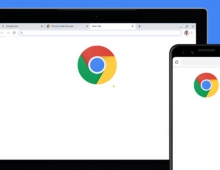
Google announced today a new Chrome feature named Lite Pages that will improve page loading times for HTTPS pages on Chrome for Android.

Lite Pages will be part of Chrome for Android's existing "Data Saver" feature, which until now only supported speeding up HTTP pages.

Google uses built-in optimizations and its huge servers to improve page loading. The specific optimization techniques depend on what region the user is in and on how the developer wrote and served that particular page. When Chrome optimizes an HTTPS page, only the URL is shared with Google; other information – cookies, login information, and personalized page content – is not shared with Google.

These optimizations are only applied when the network’s effective connection type is “2G” or “slow-2G,” or when Chrome estimates the page load will take more than 5 seconds to reach first contentful paint given current network conditions and device capabilities. Chrome applies these criteria equally to all pages. For all but the slowest sites, Google expects this to affect a very small percentage of page loads.

To show users when a page has been optimized, Chrome now shows in the URL bar that a Lite version of the page is being displayed. Users can tap this indicator to see more information and to access an option to load the original version of the page. Chrome automatically disables Lite pages on a per-site or per-user basis when it detects that users frequently opt to load the original page.

To try out Lite pages on Chrome for Android, enable Data Saver from the settings menu and load a page on a very slow network.

If you’re using a faster network, set #force-effective-connection-type to any 2G option at chrome://flags. To prevent automatic disabling of the feature as a result of users opting out, enable #ignore-previews-blocklist.

Lite Pages, Google says, can improve page loading times by up to 90 percent on slow connections where they'd usually take tens of seconds, if not minutes.

Google says that when Lite Pages kicks in, Chrome will only replace static content such as images and text, but it will not touch other sensitive data, which will still be negotiated directly only between the user's Chrome browser and the destination sites.

Webmasters can prevent Chrome from loading their sites into a Lite Pages mode and stripping out ads by declaring certain parameters in the site's headers.


Tags: Chrome browser
Previous Post
HP Introduces Smart Printers and Time-Saving Tools for Small Businesses
Next Post
Uber to Pay $20M to Drivers in Lawsuit Settlement

Related Posts

  • Google Adds More Intuitive Privacy and Security Controls in Chrome

  • Google is Temporarily Rolling Back SameSite Cookie Changes

  • Google to Resume Chrome and Chrome OS Release Updates

  • Google Pauses Chrome Updates; Firebase App Tools Under Investigation

  • Chrome 81 Adds Near Field Communications, Augmented Reality

  • Latest Google Chrome Browser Can Block Cross-site Tracking

  • Google Suspends Paid Chrome Extensions; Short-Term Payday Lending Apps Still Available on Google Play

  • Chrome Now Offers Better Password Protections

Latest News

G.SKILL Showcases DDR5-9200 1.1V 16GBx2 High-Speed CU-DIMM Memory Kit
PC components

G.SKILL Showcases DDR5-9200 1.1V 16GBx2 High-Speed CU-DIMM Memory Kit

Sony Introduces BRAVIA 9 II and BRAVIA 7 II RGB TVs and the BRAVIA Theatre Trio
Consumer Electronics

Sony Introduces BRAVIA 9 II and BRAVIA 7 II RGB TVs and the BRAVIA Theatre Trio

Creative Announces Sound Blaster AE-X
PC components

Creative Announces Sound Blaster AE-X

Acer Expands Gaming Portfolio With Predator Atlas 8 Handheld Powered by Intel
Gaming

Acer Expands Gaming Portfolio With Predator Atlas 8 Handheld Powered by Intel

COLORFUL Presents Limited Edition iGame GeForce RTX 5070 Ultra OC 12GB x 007 First Light Edition
GPUs

COLORFUL Presents Limited Edition iGame GeForce RTX 5070 Ultra OC 12GB x 007 First Light Edition

Popular Reviews

Akaso 360 Action camera

Akaso 360 Action camera

Dragon Touch Digital Calendar

Dragon Touch Digital Calendar

be quiet! Pure Loop 3 280mm

be quiet! Pure Loop 3 280mm

Noctua NF-A12x25 G2 fans

Noctua NF-A12x25 G2 fans

Endorfy Thock V2 Wireless Keyboard

Endorfy Thock V2 Wireless Keyboard

Soft2bet and the unseen hardware that makes instant play possible

Soft2bet and the unseen hardware that makes instant play possible

Crucial T710 2TB NVME SSD

Crucial T710 2TB NVME SSD

JSAUX 65Wh Rog Ally Battery

JSAUX 65Wh Rog Ally Battery

Main menu

  • Home
  • News
  • Reviews
  • Essays
  • Forum
  • Legacy
  • About
    • Submit News

    • Contact Us
    • Privacy

    • Promotion
    • Advertise

    • RSS Feed
    • Site Map
  • About
  • Privacy
  • Contact Us
  • Promotional Opportunities @ CdrInfo.com
  • Advertise on out site
  • Submit your News to our site
  • RSS Feed