Ugreen CM642 USB4.0 Enclosure
2. Retail Package
The retail box calls out UASP/TRIM support, aluminum housing with a built-in turbofan, and multi-OS compatibility.

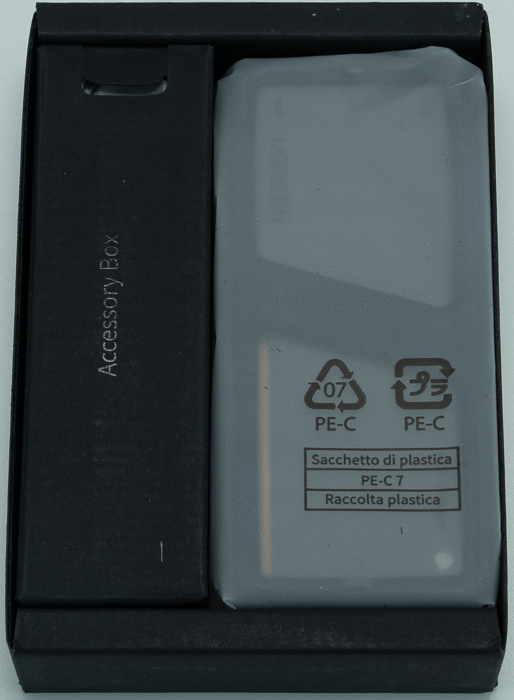
Inside, the enclosure sits in its own molded tray next to a separate "Accessory Box," with the silicone sleeve pre-fitted and sealed.
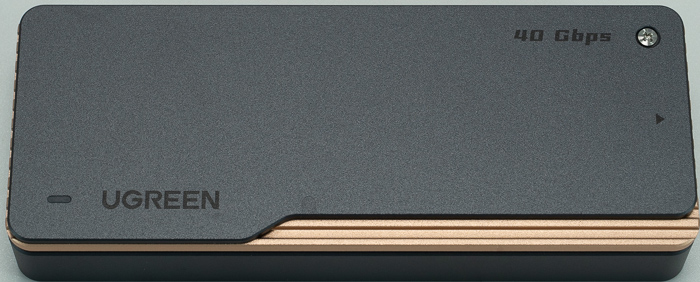
With the sleeve on, the top face shows the UGREEN logo, an LED activity indicator, and a "40 Gbps" badge next to the case screw.

Removing the sleeve reveals the bare aluminum shell — gunmetal grey with a genuinely distinctive copper/rose-gold accent stripe along one edge, rather than generic gray metal.
The regulatory label on the underside confirms: Model CM642, P/N 15976, Input 5.0V⎓3.0A Max, manufactured by Ugreen Group Limited (Shenzhen), with UK and EU representative addresses listed, and FCC/CE/UKCA certification marks.

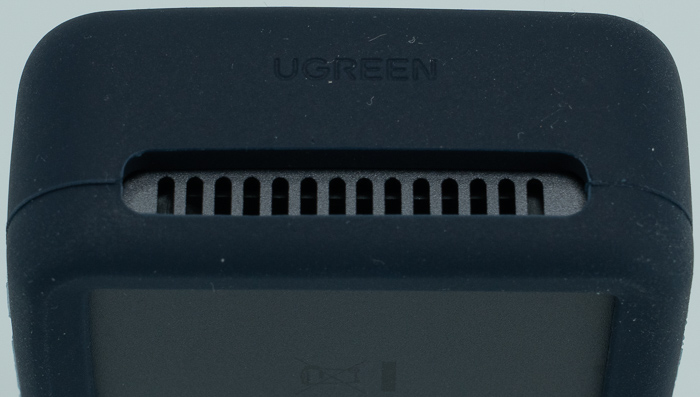
The USB-C port end has visible copper heatsink fins built right into the port housing, flanked by vents on both sides; the opposite end has a matching UGREEN-branded vent, confirming the fan draws air through both ends rather than venting passively from one side.

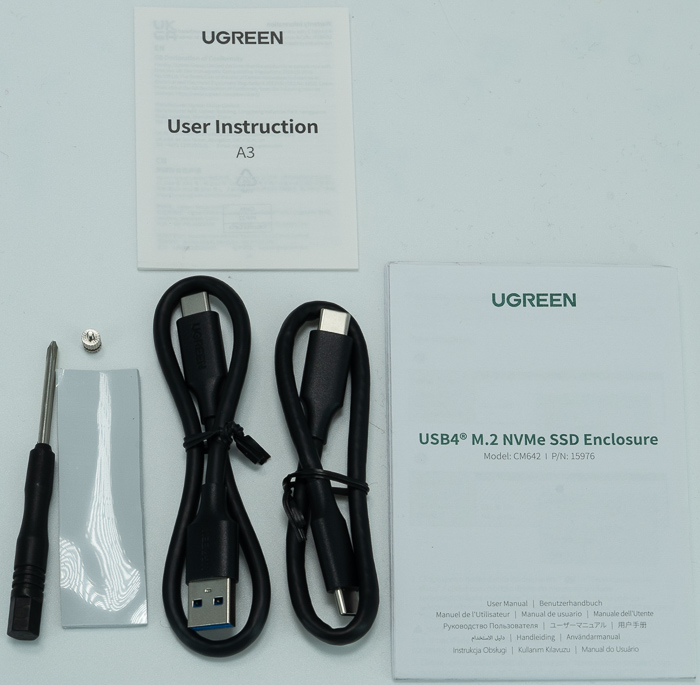
In the box
- 1× USB4® M.2 NVMe SSD Enclosure\
- 2× USB-C Cable
- 1× Silicone Pad (for thermal conduction)
- 1× User Manual (in 14 languages), Screwdriver, Screws
Data safety warnings
- Back up all data before use
- Always safely eject the SSD before removing it from the enclosure
- Never disconnect the drive while copying data — risk of file loss or drive damage
- Data loss from improper operation or deliberate damage is not covered by warranty
Installation
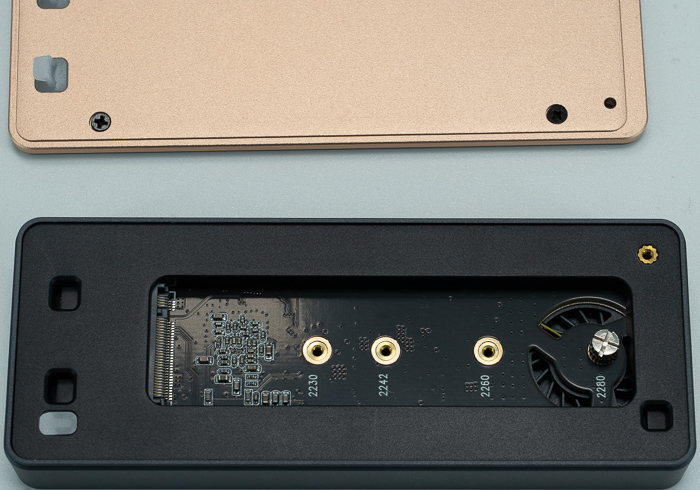
A single non-captive screw opens the case — be careful not to lose it, and use a screwdriver with a standard (non-micro) head, which UGREEN thoughtfully includes.

Inside, the PCB clearly labels drive-length mounting points for 2230/2242/2260/2280, with the turbofan positioned at the 2280 end.
The removable cover's inner face has a copper-colored thermal contact plate that presses onto the installed SSD, with a thermal pad placed directly on top of the drive before closing the case to ensure good contact.

Below are the needed steps to get everything going on:
- Remove the silicone protective case, loosen the screws, slide open the cover
- Remove the pre-installed screws inside the enclosure
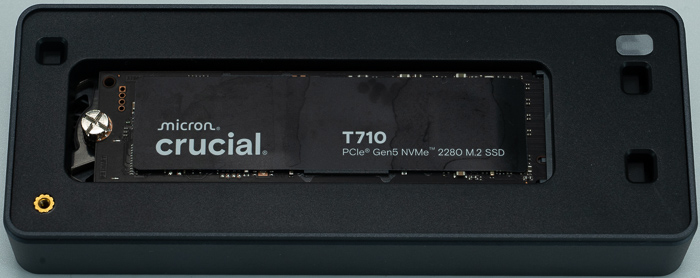
- Slowly insert the M.2 SSD into the slot, reinstall and tighten the screw
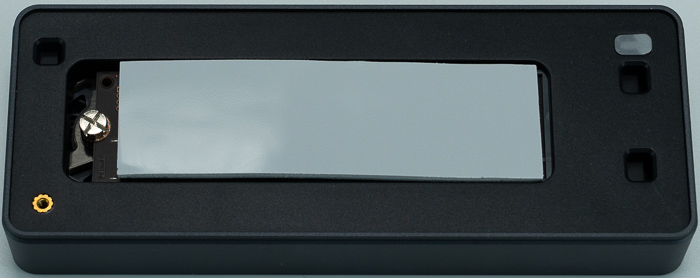
- Peel the protective film off the included thermal pad, stick it to the SSD, then peel the film off the other side
- Reinstall the enclosure cover and screw, then put the silicone case back on
- Connect to a computer, phone, game console, camera, or other terminal device
Drive formatting guidance (Windows/macOS/Linux):
- Windows: Disk Management → Initialize Disk → choose MBR (drives under 2TB) or GPT (2TB+) → create a New Simple Volume → format as NTFS
- macOS: Disk Utility → Erase → choose APFS (or ExFAT specifically if the drive will be shared between macOS and Windows) — macOS generally doesn't require partitioning
- Linux: Applications → Disks → Format Partition, then Mount — the manual explicitly notes this can get complicated and directs users to UGREEN customer service for help

Official operating notes (verbatim guidance from UGREEN):
- For optimal performance, connect to a USB4® or higher port
- Under heavy sustained load, the built-in fan will run in high-speed mode, which may increase fan noise — UGREEN calls this out directly, especially relevant in quiet environments
- Do not connect to a device whose operating voltage exceeds 5V±5%
- Do not drop, crush, hit, or throw the product
- Do not use in a moist environment (short-circuit risk)
- Contains small parts — keep away from children
This is a genuinely more thorough and honest manual than most budget-enclosure documentation — the explicit "fan gets louder under load" warning and the macOS/Windows cross-compatibility formatting tip (ExFAT) are the kind of practical detail that saves a buyer some head-scratching.