Western Digital SmartWare Pro Backup Utility
WD today unveiled WD SmartWare Pro, a software tool that
gives users the power to back up their files to any USB
external hard drive or the cloud using their personal
Dropbox.
Additionally, in the event that a file is deleted, lost, or
a previous version of a file is needed, WD SmartWare Pro
makes it easy to restore and retrieve backed-up data.
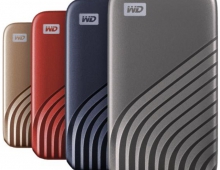
WD SmartWare Pro has a simple installation interface. Once the software is setup and the drives are connected, the software visually presents users' files and folders in a control center where they can manage multiple external hard drives and their Dropbox account. WD SmartWare Pro is compatible with WD products such as My Passport and WD Elements portable hard drives, as well as external USB drives from other manufacturers. Additionally, WD SmartWare Pro works with WD network attached storage drives such as My Book Live.
The software has two backup settings. The "continuous backup" setting sets up an automatic, continuous backup that works in the background so that whenever a user adds or changes a file it is instantly backed up on the external drive. The "scheduled backup" setting allows users to set up a regular pre-programmed backup schedule, including an hourly, daily or monthly setting for easy backup to their external drive or Dropbox. With WD SmartWare Pro users can also back up files located in their Dropbox to an external hard drive.
File restoration and retrieval is quick with WD SmartWare Pro through the "retrieve interface". The software can be configured to save up to 25 older versions of a file. Users can navigate the retrieve interface to restore all the backed up files or select a particular file or folder to restore.
WD SmartWare Pro is currently available as a free 30-day trial at www.wdstore.com. After the 30-day trial a standard license, valid for use with up to three computers, is available for a promotional price of $19.95 US. A premium license, valid for use with up to ten computers, is available for a special promotional price of $39.95 US. Manufacturer's Suggested Retail Price (MSRP) is $29.95 US for the standard license and $49.95 US for the premium license.
WD SmartWare Pro has a simple installation interface. Once the software is setup and the drives are connected, the software visually presents users' files and folders in a control center where they can manage multiple external hard drives and their Dropbox account. WD SmartWare Pro is compatible with WD products such as My Passport and WD Elements portable hard drives, as well as external USB drives from other manufacturers. Additionally, WD SmartWare Pro works with WD network attached storage drives such as My Book Live.
The software has two backup settings. The "continuous backup" setting sets up an automatic, continuous backup that works in the background so that whenever a user adds or changes a file it is instantly backed up on the external drive. The "scheduled backup" setting allows users to set up a regular pre-programmed backup schedule, including an hourly, daily or monthly setting for easy backup to their external drive or Dropbox. With WD SmartWare Pro users can also back up files located in their Dropbox to an external hard drive.
File restoration and retrieval is quick with WD SmartWare Pro through the "retrieve interface". The software can be configured to save up to 25 older versions of a file. Users can navigate the retrieve interface to restore all the backed up files or select a particular file or folder to restore.
WD SmartWare Pro is currently available as a free 30-day trial at www.wdstore.com. After the 30-day trial a standard license, valid for use with up to three computers, is available for a promotional price of $19.95 US. A premium license, valid for use with up to ten computers, is available for a special promotional price of $39.95 US. Manufacturer's Suggested Retail Price (MSRP) is $29.95 US for the standard license and $49.95 US for the premium license.