Roxio Releases Popcorn 2
Sonic Solutions division Roxio today released Popcorn 2 a duplication software for Mac users.
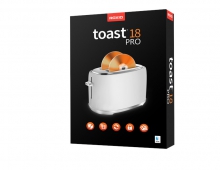
Popcorn enables Mac users to burn a copy of an unencrypted DVD, a disc image or a Video_TS folder. The software is based on the same engine that Roxio uses in its CD and DVD burning software Toast 7 Titanium.
Popcorn 2 adds the ability to convert DVD-Video and other video formats to video files that can be played on a Mac, or copy to portable video players like Apples fifth-generation iPod, Sonys PlayStation Portable (PSP), 3GPP-equipped cell phones and other devices.
Individual video files can be exported as well. Popcorn 2 supports QuickTime, DivX, AVI, MPEG-1, MPEG-2, MPEG-4 and DV formats. Video export supports QuickTime, DivX, MPEG-4 and H.264.
Users can create custom compilations what Roxio calls "Directors Cuts" that include the video and audio content you want to copy from the original DVD or Video_TS folder. And Popcorn 2 allows users to preview the video youre copying.
Popcorn 2 ships as a Universal Binary. System requirements call for a G4 or faster, Mac OS X v10.4 or later, QuickTime 7 or later, iTunes 6 or later and up to 15GB of temporary hard disk space for video compression and translation.
Popcorn 2 is available worldwide simultaneoulsy at a suggested price of $49.99.
Previous owners of Toast may be eligible for special upgrade pricing direct from Roxio and owners of the first Popcorn version can upgrade for $29.99.
Popcorn 2 adds the ability to convert DVD-Video and other video formats to video files that can be played on a Mac, or copy to portable video players like Apples fifth-generation iPod, Sonys PlayStation Portable (PSP), 3GPP-equipped cell phones and other devices.
Individual video files can be exported as well. Popcorn 2 supports QuickTime, DivX, AVI, MPEG-1, MPEG-2, MPEG-4 and DV formats. Video export supports QuickTime, DivX, MPEG-4 and H.264.
Users can create custom compilations what Roxio calls "Directors Cuts" that include the video and audio content you want to copy from the original DVD or Video_TS folder. And Popcorn 2 allows users to preview the video youre copying.
Popcorn 2 ships as a Universal Binary. System requirements call for a G4 or faster, Mac OS X v10.4 or later, QuickTime 7 or later, iTunes 6 or later and up to 15GB of temporary hard disk space for video compression and translation.
Popcorn 2 is available worldwide simultaneoulsy at a suggested price of $49.99.
Previous owners of Toast may be eligible for special upgrade pricing direct from Roxio and owners of the first Popcorn version can upgrade for $29.99.