TerraMaster NAS 10 Security Policies Provide Secure Data Access Mechanism
TerraMaster, a professional brand that specializes in providing innovative storage products for home, businesses and enterprises, presents the ten security policies added for TerraMaster NAS devices using TOS 5 to provide the most secure data access mechanism. Among these security policies are IP connection blocking mechanism, SSL security mechanism, Secure FTP, AES 256-bit disk array encryption, and other protection mechanisms and strategies. The ten new security policies provide a safer and more reliable operating environment against data leakage and other threats.
New Security Policies
IP Online Filtering Blocking Mechanism
Server administrators can allow, deny or automatically block specific IP addresses or domains attempting to connect to this NAS via SSH/Telnet/HTTP(S)/FTP/Samba/AFP.
SSL security mechanism (HTTPS)
Access and configuration is done securely through a web browser. Administrators can also securely access TNAS by uploading a security certificate issued by a trusted provider or an RSA private key in X.509 PEM format via SSL.
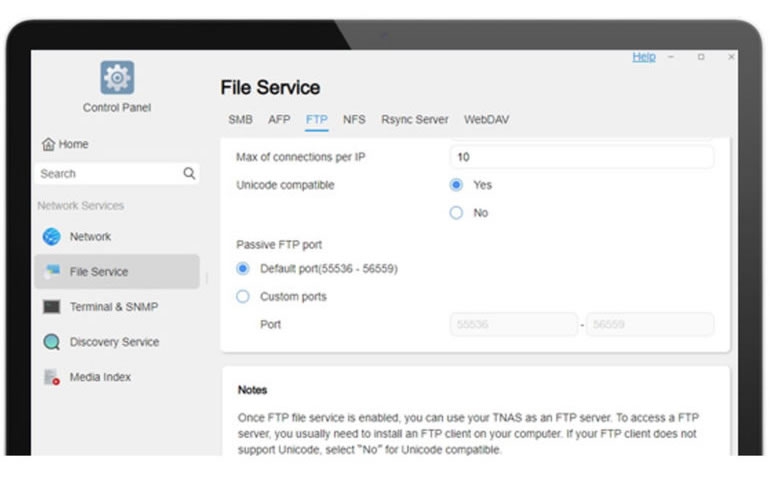
Secure FTP
Data can also be transmitted in SSL/TIS encryption, and supports the range setting of Passive FTP communication ports.
AES 256-bit Disk Array Encryption Protection
Advanced disk array encryption allows server administrators to create AES 256-bit encrypted disk arrays on the NAS during initial installation. The user can unlock the encrypted disk and access data only through the previously set key password.
Free WORM File System Support
Data written is protected in a given period and cannot be modified or deleted. This effectively protects data from malicious damage, deletion, or tampering and provides data protection for up to 70 years.
Learn more about the Hyperlock-WORM File System at TerraMaster.
Encrypted Remote Backup
The data is encrypted and backed up to another TNAS through the network.
Hide Shared Folders
Server administrators can set to hide or show shared folders on the network to avoid malicious access to specific folders.
Network Interface Service Link
Users can set each service to be accessed through a specific network interface, thereby improving the security of a specific service and ensuring the network bandwidth of the service.
Virus Protection
The built-in CalmAV virus protection program can isolate or remove virus-infected files. Users can select folders, file type, or file size for scanning. Users can also schedule virus scans for automation.
Full One Button System Isolation Mode
TerraMaster’s unique security isolation mode completely isolates the TNAS device from the external network through network isolation, digital signature, and file format restriction. This offers an effective emergency protection against virus and ransomware attacks.
Learn more about Security Isolation Mode at TerraMaster.
To learn more about the new security policies (security features), please visit the TerraMaster website.
Facebook: https://www.facebook.com/terramasterofficial
Twitter: https://twitter.com/TerraMasters
LinkedIn: https://bit.ly/3wKrjmr
YouTube: https://bit.ly/3dMXGIK