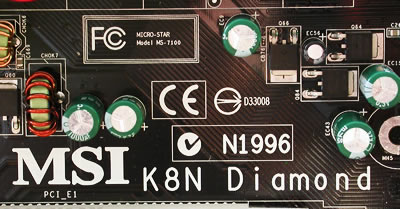
MSI K8N Diamond
2. A Closer Look
Review Pages
MSI uses a black coloured PCB for this motherboard. Every component and every interface/connection is colour coded in such a way to make it easier to distinguish. Usually, most nForce4 based motherboards have some layout design drawbacks, but in this case, MSI did a great job designing the K8N SLI Diamond, with all the chipsets and connectors appearing to be in the right place.


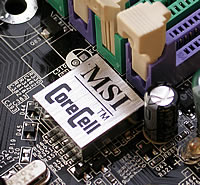
MSI uses their own patented CoreCell technology, for efficient overclocking, and better temperature control.
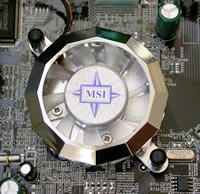
A small 4cm fan is used to cool the mainboard's MOFSET. Heat is drawn away from the chipset and the fan cools the metal fins, lowering the temperature. This fan might cause some problems with certain after-sale CPU coolers, especially those using 120mm fans.

Another 4cm fan is used on the nForce4 chipset. Again, as quiet as possible. This fan's rotation speed is approximately 7500RPM.
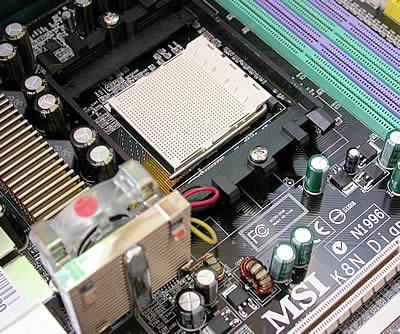
This is where the CPU resides. You can clearly see the distance between the 4cm MOFSET fan (Active MOS2) and the CPU. The capacitors that are near the CPU are very small, and you will not have any problem if you want to get rid of the stock cooler and get that nice looking huge heatsink you always wanted.
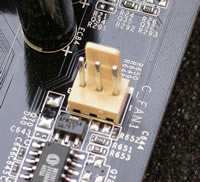
On the board, you will find two 3-pin fan connectors, one for the CPU fan and one located in the center of the mainboard for additional HD or case cooling.

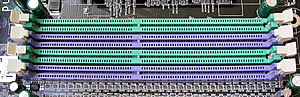
The memory module slots are colour coded green and purple. Like all modern mainboards, if you want to enable Dual Channel's symmetry mode, you should use two memory modules of the same size in the same slot colour.
On the back panel, you will find the audio ports, parallel port, serial port, keyboard and mouse ports, one IEEE1394 port, 4 USB2.0 ports and two RJ-45 LAN jacks.

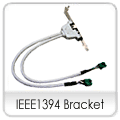
The yellow connectors shown below are six additional USB2.0 connectors (2X3 USB2.0), and the green connectors are two additional IEEE1394 connectors. If your case has USB2.0 and IEEE1394 ports on the front panel, you can use these connectors to provide these ports.

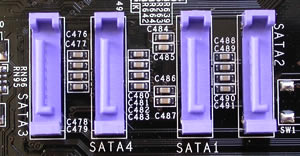
The purple connectors are for Serial ATA devices.
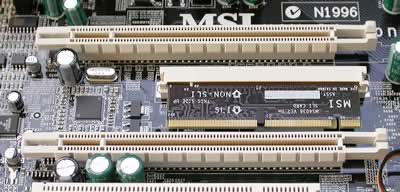
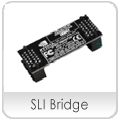
The MSI K8N Diamond uses an SLI selector card to enable SLI mode. You should set this card accordingly, depending on whether you want to work in Single VGA mode or in Dual VGA mode.
The Creative CA0106 chipset is the same chipset used in the Creative SoundBlaster Live! cards. Exceptional sound experience is one of the benefits of this board. This small chipset offers 7.1 CH Surround Sound, and Dolby Digital support.

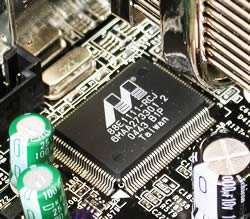
There are two LAN jacks on this motherboard. One is powered by the nForce4 chipset, and the other is powered by the Marvell 32-bit 88E1111 shown below. It is Yukon's Gigabit Ethernet controller with Integrated PHY.
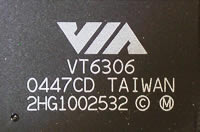
The VIA VT6306 is a single chip IEEE1394 solution that offers high speed connection.
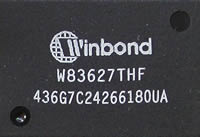
The Winbond VT6306 chipset monitors temperature and fan rotation speed.
As you can see, this is a well organized motherboard. However, there is a major drawback. The two PCI-E slots are very close to each other, leaving no breathing room between the cards, especially if you install two 6800Ultras with their big coolers taking two PCI slots each. For this review, we ran all tests with two 6600GTs and we had no problems with temperature. We then changed to 2x6800Ultras, and again we had no problem pushing the system to its limits, although we observed slightly higher temperatures.
- The package
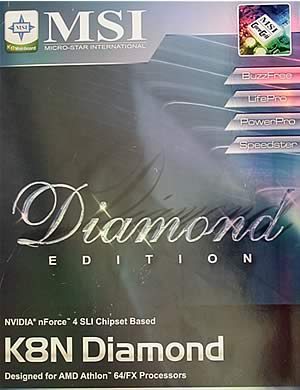
MSI has loaded the retail package with a nice set of accessories:




Optionally, you can get a WiFi+Bluetooth card with this motherboard. This can be installed in the red PCI slot, at the bottom of the mainboard:

You also get a user's manual, the Creative drivers disc for the sound card, a drivers disc for all the other components and a nice calendar.
Review Pages