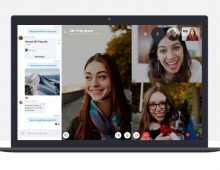
Latest Skype For Windows Offers Full HD video-calling, Facebook Integration, Group Screen Sharing
Skype has just released an update to Skype for Windows
(version 5.8).
Features and improvements of Skype 5.8 for Windows
are:
- Full HD video-calling
- Support for Facebook audio and video-calling (beta)
- Group screen sharing
- Hide offline Facebook contacts
- Push to Talk
- Skype updater service
- Bing Toolbar integration
According to the company, with the latest version of Skype you can make clear video-calls with friends by utilizing the latest technology for Skype and Logitech, which is incorporated into the latest update to Skype for Windows and the Logitech C920 webcam.
With Logitech c920 the video encoding is done inside the camera which enables full HD or HD video quality with older computers. To enjoy full HD quality at its best, you will need at least a 2 Mbps upload/download speed.
Group screen sharing allows users to share their entire screen or a single application window with other participants on a conference call while continuing to stream video. To start a group screen share, choose the + menu during a call and select "share my screen." Group screen sharing is available with Skype Premium, which also includes Group video calling and live chat customer support.
Now you can also make video calls with all of your friends on Facebook, even if they aren't Skype users. To start a video call with a Facebook friend, select the person in your list and click "video call."
Skype has introduced a "Push to Talk" feature. This feature allows users to set a hotkey to toggle microphone muting on a Skype call. You can set the "Push to Talk" up on the hotkey's selection under tools > options > advanced > hotkeys.
Fixed issues on latest Skype:
- Active call plus menu focusing was not correct
- Seldomly in compact mode call duration was not displayed
- It was not possible to add a phone number to a group which belonged to a Facebook contact
- Proxy settings in client were not disabled when proxy was set using registry keys
Download the most recent version of Skype for Windows here.
- Full HD video-calling
- Support for Facebook audio and video-calling (beta)
- Group screen sharing
- Hide offline Facebook contacts
- Push to Talk
- Skype updater service
- Bing Toolbar integration
According to the company, with the latest version of Skype you can make clear video-calls with friends by utilizing the latest technology for Skype and Logitech, which is incorporated into the latest update to Skype for Windows and the Logitech C920 webcam.
With Logitech c920 the video encoding is done inside the camera which enables full HD or HD video quality with older computers. To enjoy full HD quality at its best, you will need at least a 2 Mbps upload/download speed.
Group screen sharing allows users to share their entire screen or a single application window with other participants on a conference call while continuing to stream video. To start a group screen share, choose the + menu during a call and select "share my screen." Group screen sharing is available with Skype Premium, which also includes Group video calling and live chat customer support.
Now you can also make video calls with all of your friends on Facebook, even if they aren't Skype users. To start a video call with a Facebook friend, select the person in your list and click "video call."
Skype has introduced a "Push to Talk" feature. This feature allows users to set a hotkey to toggle microphone muting on a Skype call. You can set the "Push to Talk" up on the hotkey's selection under tools > options > advanced > hotkeys.
Fixed issues on latest Skype:
- Active call plus menu focusing was not correct
- Seldomly in compact mode call duration was not displayed
- It was not possible to add a phone number to a group which belonged to a Facebook contact
- Proxy settings in client were not disabled when proxy was set using registry keys
Download the most recent version of Skype for Windows here.