Breaking News

Powerful Cooling with the Freezer 4U-OneX Samsung Launches Galaxy A07 5G Mobile phone Samsung Ships Industry-First Commercial HBM4 With Ultimate Performance for AI Computing BIOSTAR INTRODUCES DDR5 16GB UDIMM 4800MHz/5600MHz MEMORY GAMEMAX Launches NEX C51 and NEX C31 Panoramic PC Cases

logo

  • Share Us
    • Facebook
    • Twitter
  • Home
  • Home
  • News
  • Reviews
  • Essays
  • Forum
  • Legacy
  • About
    • Submit News

    • Contact Us
    • Privacy

    • Promotion
    • Advertise

    • RSS Feed
    • Site Map

Search form

JSAUX Modcase PC0104

Apr 16,2023 0

3. The External Cooler


Review Pages

1. Introduction
2. The package
3. The External Cooler
4. Tests / Conclusion


As we said earlier, this was the Cooling fan package, so in addition to the main ModCase, we had also an included external Cooling fan! This is the model GP0200 and costs around $35.99, which isn't cheap...
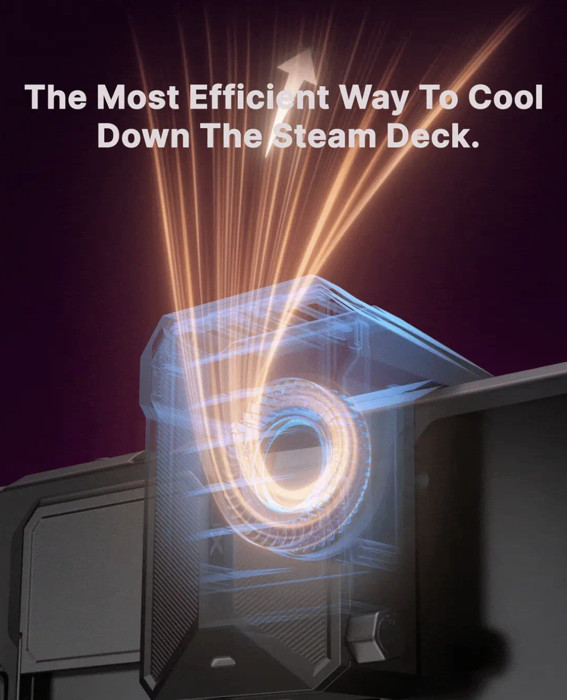
This nice little module is only compatible with the mod case and is secured at the back of the mod case or without the case with an adapter.
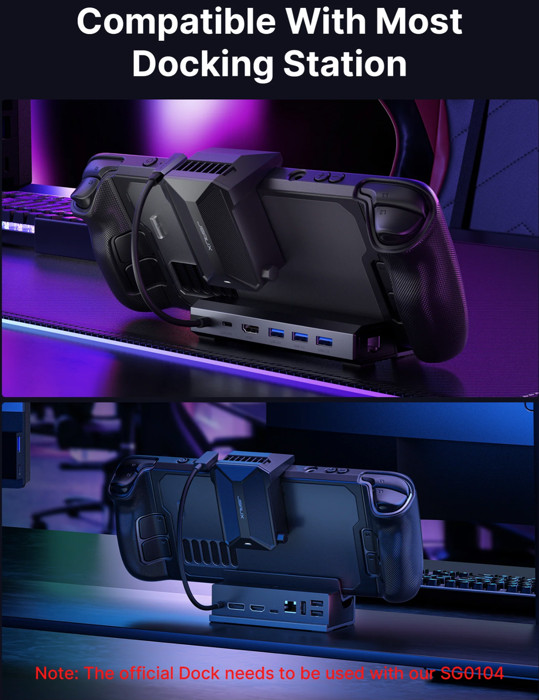
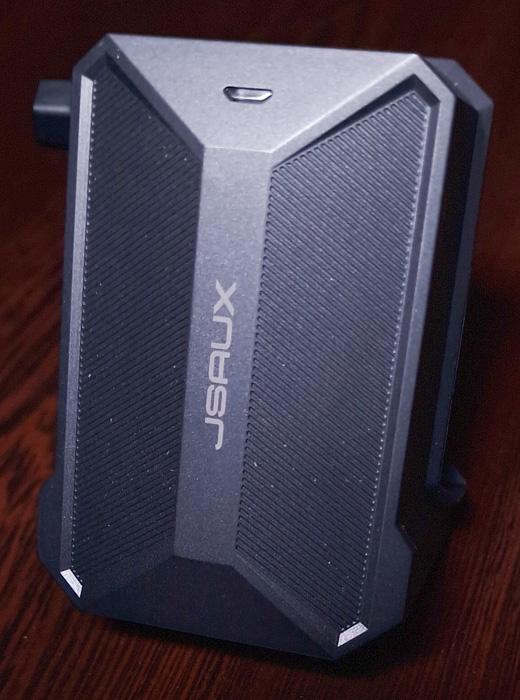
The build material is made out of Polycarbonate + Aluminum alloy and includes a build in 2000mAh battery that powers up the fan. JSAUX says that with full speed (6000rpm) this will last at least two hours! The product size is 82(L)*63(W)*57(H)mm and weights around 123gr.
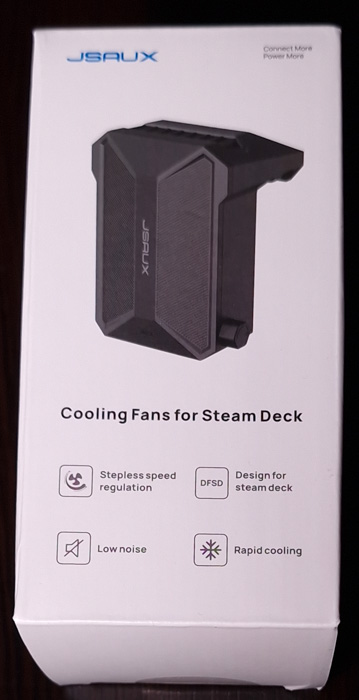
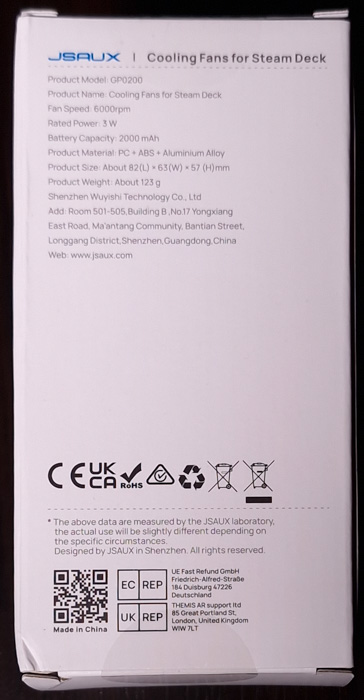
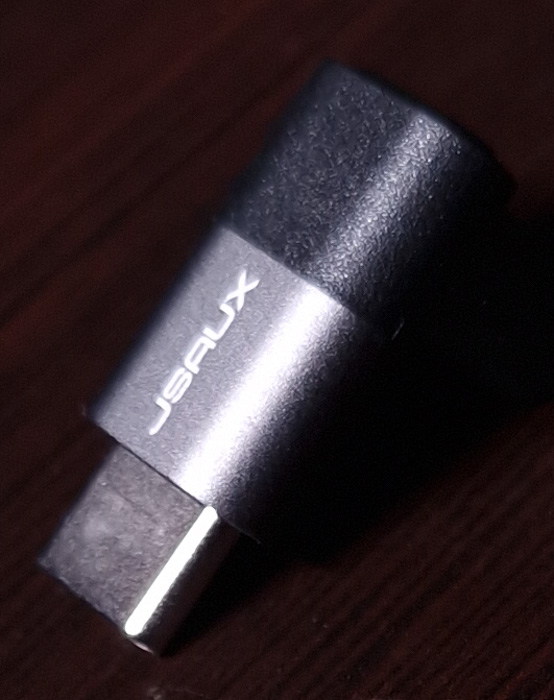
Inside the retail package, you will find apart from the cooler, a USB Type C to USB A power cable and a 90° right-angle adapter.
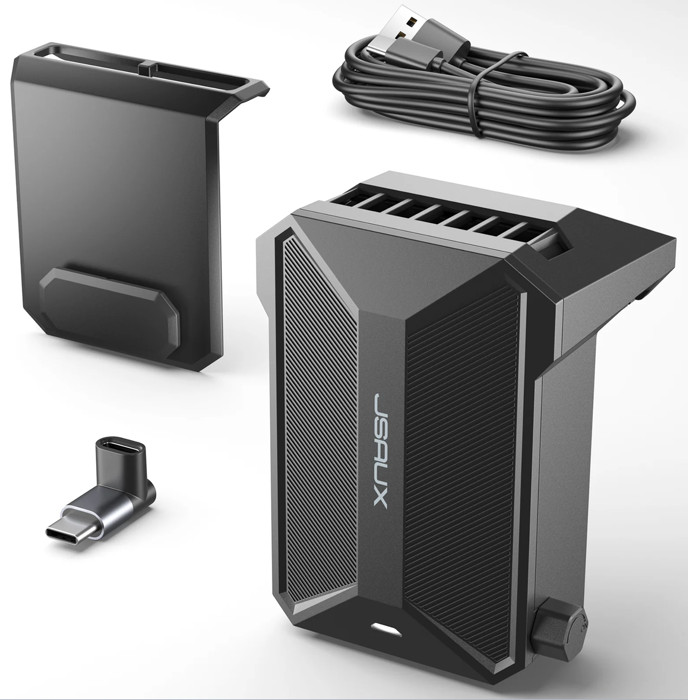
At the bottom you will find a power indicator (when charging the device red to green when charged) and at the left side the power on/off knob that also controls the rotating speed. If you turn the switch knob clockwise, the wind speed will gradually increase, and if you turn the switch knob counterclockwise, the wind speed will gradually decrease until it is turned off.
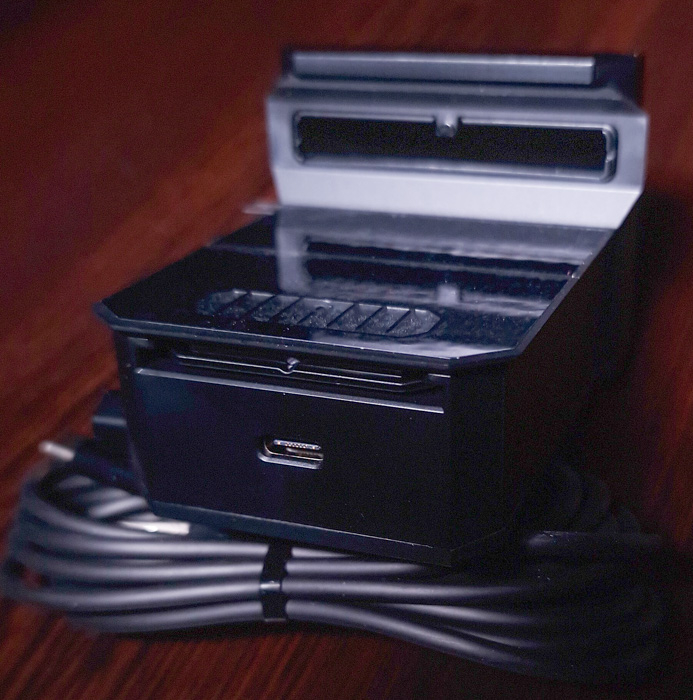
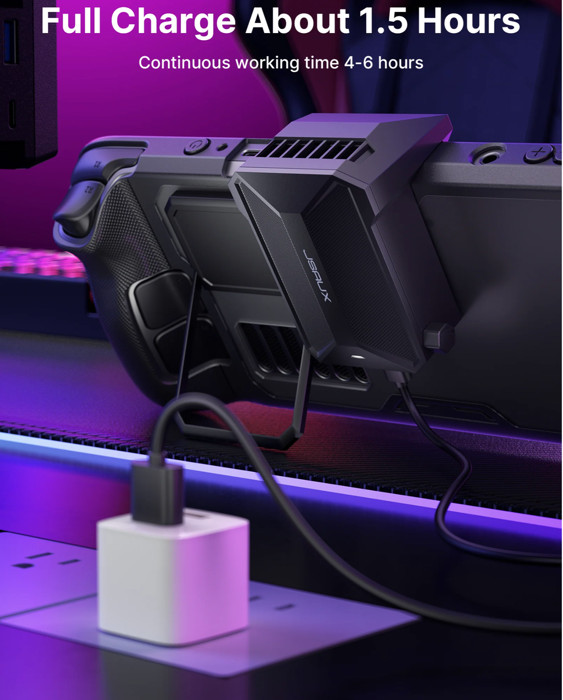
At the bottom of the device, you can find the Type-C charge port. JSAUX mentions that it takes 1.5 hours to fully charge the battery, and it can work continuously for 4-6 hours and can be used, but probably not at full speed. When the cooling fan runs out of power and is connected to the cable for charging, it will turn on the lowest wind speed by default and can't be adjusted. If you need to turn on the highest wind speed, you must turn off it first and then turn it on.
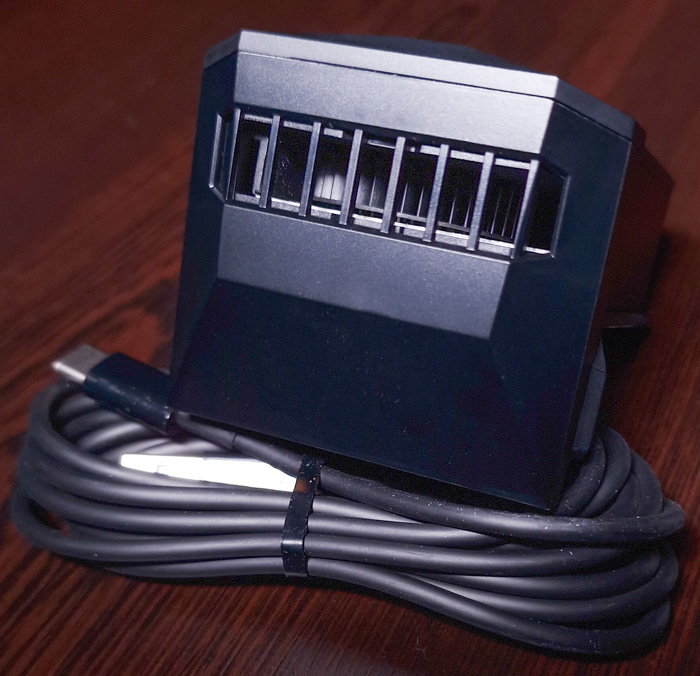
At the top, you will find the exhaust area. JSAUX mentions that at a distance of 25cm from the cooler fan, when the fan is at half speed, the noise level: is 44-46dB while when the fan is at maximum speed, the noise level: 48-50dB. At the much closer distance of 15cm from the fan, at half speed, you should expect noise levels of 44-48dB, while at maximum speed around 50-53dB.
There is also a 90-degree TypeC adaptor included.
So how do you install the cooling fan? With the Mod case just slide the cooling fans down to the chute on the back of PC0104. If you want to use it directly on Steam Deck, you have to paste the mounting sticker on the Steam Deck and slide the radiator from top to bottom and fix it on the chute where the patch is mounted.
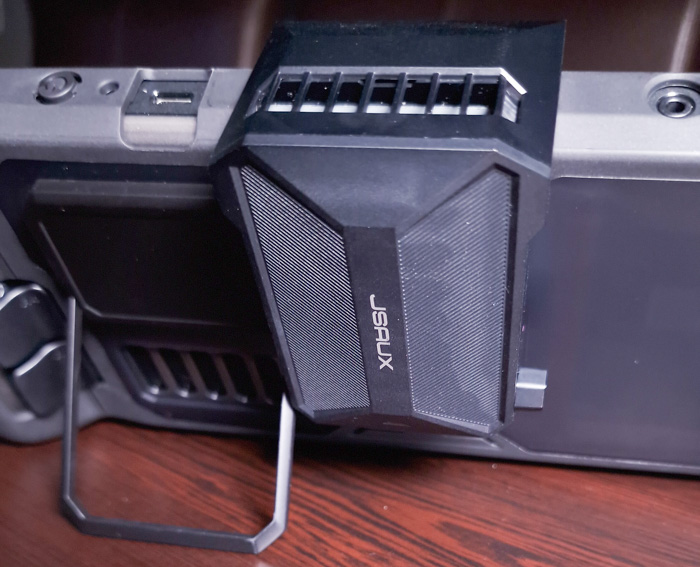
The JSAUX cooling fan is mounted on the Steam Deck's air outlet (top) and it draws the hot air from the Steam Deck air outlet since it increases the air intake speed and air intake volume of the air inlet, resulting in a faster air circulation (negative pressure), so it increases the overall air heat dispass.

JSAUX promises high efficiency during intensive game play, which we will test in depth later on.


Review Pages

1. Introduction
2. The package
3. The External Cooler
4. Tests / Conclusion


Pages

  • « first
  • ‹ previous
  • 1
  • 2
  • 3
  • 4
  • next ›
  • last »

JSAUX

Tags: JSAUX
Previous Post
How to create a Mesh Wi-Fi Network!
Next Post
Razer Kishi V2 for Android

Related Posts

  • JSAUX Showcases Upcoming Switch 2 Ecosystem Solutions Ahead of IFA Berlin 2025

  • JSAUX 65Wh Rog Ally Battery

  • JSAUX GP0113 Rog Ally Screen protector

  • JSAUX Rog Ally modcase

  • JSAUX Silicon Handle PC0201

  • JSAUX HB1201S Docking Station

  • JSAUX reveals a portable dual monitor available now on Kickstarter

  • JSAUX Clear Back Shell PC0106b

Latest Reviews

Asustor AS5404T 4-Bay NAS System
Enterprise & IT

Asustor AS5404T 4-Bay NAS System

be quiet! Pure Power 13M 1200W
PC components

be quiet! Pure Power 13M 1200W

Server-Side Gaming Why Canadian Online Casinos Are Abandoning Local Clients for HTML5 Clouds
Enterprise & IT

Server-Side Gaming Why Canadian Online Casinos Are Abandoning Local Clients for HTML5 Clouds

Airfanta 3 Pro Air
Consumer Electronics

Airfanta 3 Pro Air

Akaso Brave 8 Lite
Cameras

Akaso Brave 8 Lite

Popular News

COLORFUL Introduces CVN B850I GAMING FROZEN Motherboard

COLORFUL Introduces CVN B850I GAMING FROZEN Motherboard

COLORFUL Presents CVN X870 ARK FROZEN Motherboard for AMD Ryzen 9000 CPUs

COLORFUL Presents CVN X870 ARK FROZEN Motherboard for AMD Ryzen 9000 CPUs

TEAMGROUP Launches EXPERT P34F Find My External SSD

TEAMGROUP Launches EXPERT P34F Find My External SSD

Samsung announces Galaxy Tab S11 and Galaxy S25 FE series

Samsung announces Galaxy Tab S11 and Galaxy S25 FE series

Viltrox Showcases Upcoming Lens Lineup and New TTL Flash at IBC 2025

Viltrox Showcases Upcoming Lens Lineup and New TTL Flash at IBC 2025

CORSAIR announces Vanguard Pro 96 and Vanguard 96 Gaming Keyboards

CORSAIR announces Vanguard Pro 96 and Vanguard 96 Gaming Keyboards

Panasonic Introduces the First Ultra-Telephoto Zoom Lens in the LUMIX S Series

Panasonic Introduces the First Ultra-Telephoto Zoom Lens in the LUMIX S Series

MSI Launches DATAMAG 40Gbps Magnetic Portable SSD

MSI Launches DATAMAG 40Gbps Magnetic Portable SSD

Main menu

  • Home
  • News
  • Reviews
  • Essays
  • Forum
  • Legacy
  • About
    • Submit News

    • Contact Us
    • Privacy

    • Promotion
    • Advertise

    • RSS Feed
    • Site Map
  • About
  • Privacy
  • Contact Us
  • Promotional Opportunities @ CdrInfo.com
  • Advertise on out site
  • Submit your News to our site
  • RSS Feed