
Breaking News

Akasa Introduces M.2 NVMe SSD to PCIe Adapter Card with Removable Tray be quiet! raises the bar with the new Dark Power Pro 14 IO power supply series Geometric Future Unveils Model 3 Case, Eskimo Plus 36 AIO, and Squama 3003-12 Fans ZOTAC GAMING Launches GeForce RTX 5080 SOLID CORE OC 20th Anniversary Edition Google Unveils Pixel 11 Series, Pixel 11 Pro Fold, Pixel Watch 5, and Pixel Tag

logo

  • Share Us
    • Facebook
    • Twitter
  • Home
  • Home
  • News
  • Reviews
  • Essays
  • About
    • Submit News

    • Contact Us
    • Privacy

    • Promotion
    • Advertise

    • RSS Feed

Search form

JETART VC3600

Jun 6,2006 0

2. Installation


Review Pages

1. Introduction
2. Installation
3. Performance
4. Conclusion


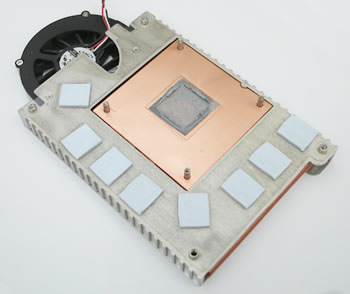
For our tests, we used an ATI based X1900GT VGA card from Powercolor. During our testing of this graphics card, we had found that the temperature levels were rather high, so it was going to be quite interesting to see if the VC3600 could help out with such a difficult situation.

First, we removed the stock cooling system and cleaned the chipset's surface of any thermal compound.
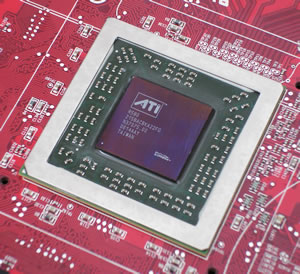
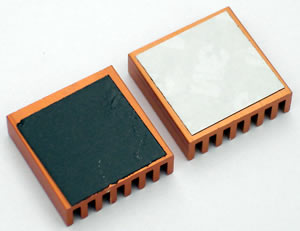
Next, we applied the thermal tape, included in the retail package, to the memory heatsinks and peeled off the protective white strip.
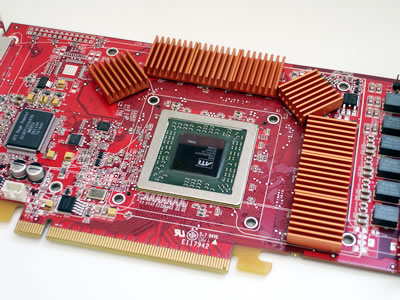
We then mounted the memory heatsinks onto each memory chip on the card, as shown below:
The next step was to apply the thermal compound, also included in the retail package, to the GPU.

Before installing the VC3600 onto the card, you have to determine which holes line up with your VGA card.
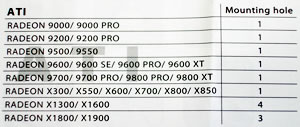
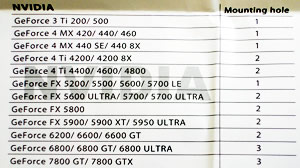
Do this by referring to the chart in the manual, to tell you in which mounting holes the spacers and screws need to be installed.
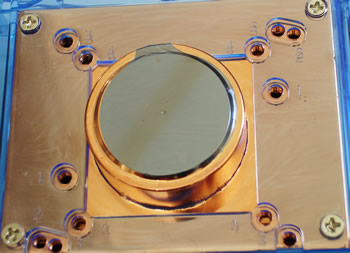
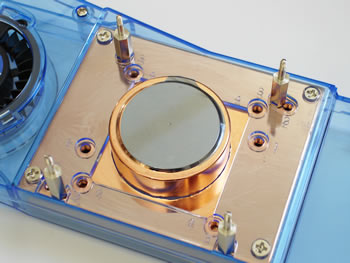
Don't forget to put the black cushions on the spacers before installing the VC3600 onto the card.
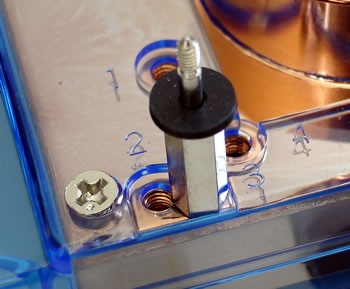
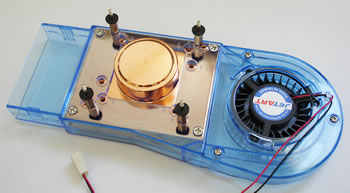
Now the VC3600 is ready to be installed on the VGA card. Place the VC3600 on a flat surface and then put the card on top of it, lining up the holes.

Put the transparent insulation spacers and then the spring nut on each screw, as shown below:
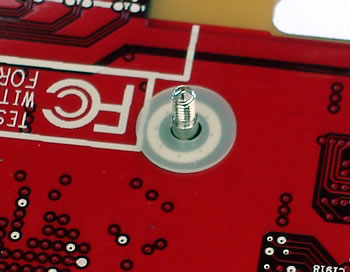
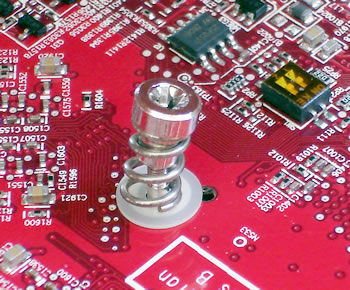
Tighten the nuts and the installation of the VC3600 is almost complete.

All that is left, is to attach the adjustable axle so that it fits properly on your card.
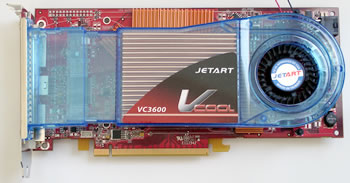
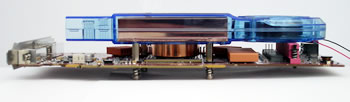
As you can see, there is a lot of space between the VC3600 and the card for better airflow.

 

Review Pages

1. Introduction
2. Installation
3. Performance
4. Conclusion


Pages

  • « first
  • ‹ previous
  • 1
  • 2
  • 3
  • 4
  • next ›
  • last »

JETART

Tags: JETART
Previous Post
Memorex Pro Gold Archival CD-R Media
Next Post
PowerColor X1900GT

Related Posts

Latest Reviews

be quiet! Light Loop IO LCD
Cooling Systems

be quiet! Light Loop IO LCD

KIOXIA Exceria Pro G2 NVME 2TB
PC components

KIOXIA Exceria Pro G2 NVME 2TB

Online Casino Games That Offer Something Different
Consumer Electronics

Online Casino Games That Offer Something Different

SOUNDPEATS Air6 HS
Consumer Electronics

SOUNDPEATS Air6 HS

Arctic MX-7
Cooling Systems

Arctic MX-7

Popular News

CORSAIR announces Vanguard Pro 96 and Vanguard 96 Gaming Keyboards

CORSAIR announces Vanguard Pro 96 and Vanguard 96 Gaming Keyboards

MSI Launches FORGE GK600 TKL WIRELESS Special Edition Compact Mechanical Keyboard

MSI Launches FORGE GK600 TKL WIRELESS Special Edition Compact Mechanical Keyboard

TEAMGROUP Launches EXPERT P34F Find My External SSD

TEAMGROUP Launches EXPERT P34F Find My External SSD

Samsung announces Galaxy Tab S11 and Galaxy S25 FE series

Samsung announces Galaxy Tab S11 and Galaxy S25 FE series

Viltrox Showcases Upcoming Lens Lineup and New TTL Flash at IBC 2025

Viltrox Showcases Upcoming Lens Lineup and New TTL Flash at IBC 2025

Panasonic Introduces the First Ultra-Telephoto Zoom Lens in the LUMIX S Series

Panasonic Introduces the First Ultra-Telephoto Zoom Lens in the LUMIX S Series

MSI Launches DATAMAG 40Gbps Magnetic Portable SSD

MSI Launches DATAMAG 40Gbps Magnetic Portable SSD

Viltrox Joins the L-Mount Alliance, Expanding Creative Possibilities

Viltrox Joins the L-Mount Alliance, Expanding Creative Possibilities

Main menu

  • Home
  • News
  • Reviews
  • Essays
  • About
    • Submit News

    • Contact Us
    • Privacy

    • Promotion
    • Advertise

    • RSS Feed
  • About
  • Privacy
  • Contact Us
  • Promotional Opportunities @ CdrInfo.com
  • Advertise on out site
  • Submit your News to our site
  • RSS Feed

