
Breaking News

Apple introduces new AirTag with expanded connectivity range and improved findability The Highly Anticipated Samsung Galaxy Z TriFold will be Available in U.S. Starting this Week Sharkoon announces SKILLER SGB15 bundle Firewalla Introduces a Simpler Way to Remodel Large, Flat Home Networks with Zero Trust LG Electronics Unveils New LG MAGNIT Micro LED Display at ISE 2026

logo

  • Share Us
    • Facebook
    • Twitter
  • Home
  • Home
  • News
  • Reviews
  • Essays
  • Forum
  • Legacy
  • About
    • Submit News

    • Contact Us
    • Privacy

    • Promotion
    • Advertise

    • RSS Feed
    • Site Map

Search form

How to create a Mesh Wi-Fi Network!

Apr 19,2023 0

4. Creating Mesh Wi-Fi Network


Review Pages

1. Introduction
2. EnGenius ECW130
3. EnGenius ECW215
4. Creating Mesh Wi-Fi Network
5. Conclusion


After connecting the two AP to your network, it's time to access the EnGenius Cloud with your FREE account. This is a virtual control panel that will be used mostly to set various settings and control your EnGenius devices.

With the built-in map, you can check out how your local network is set up and how all devices are connected.
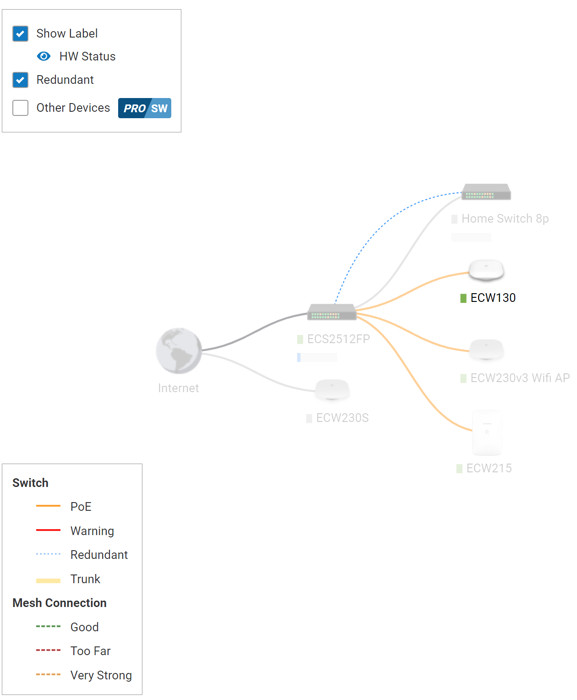
After a few minutes, we saw that already our AP devices could be updated

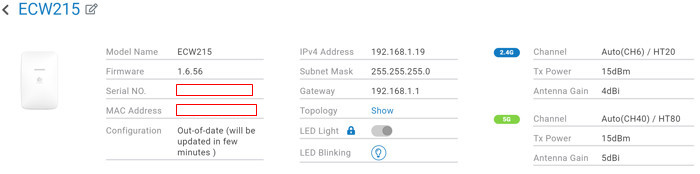
You can update now or automatically later according to your needs

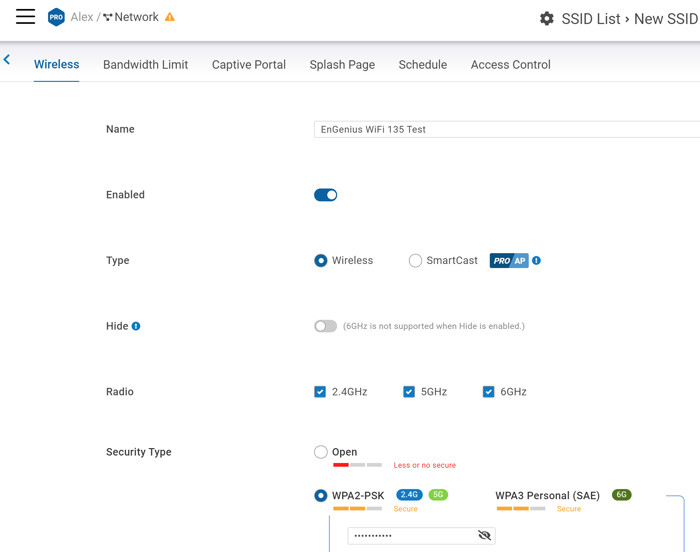
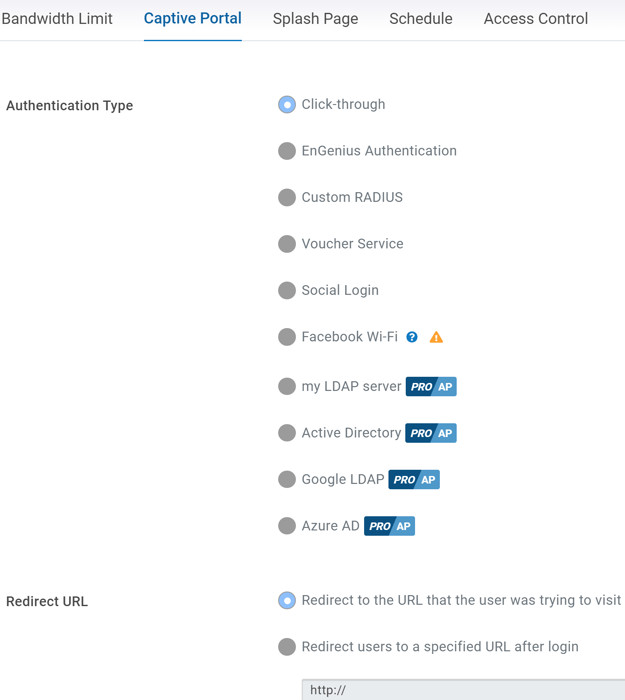
All EnGenius devices by default have the EnGenius WiFi network pre-configured, meaning even if you don't make any changes, your device will be running OK. However, we wanted to demonstrate how to create a second network with Mesh abilities. You need to head over to Configure->Access Point->SSID and there press +New SSID. Here you can name your new Wireless network and set various important settings. EnGenius offers many different security types from the open network up to strong WPA3 Enterprise (6G not supported). The default is WPA2-PSK, which was used in most of our tests.
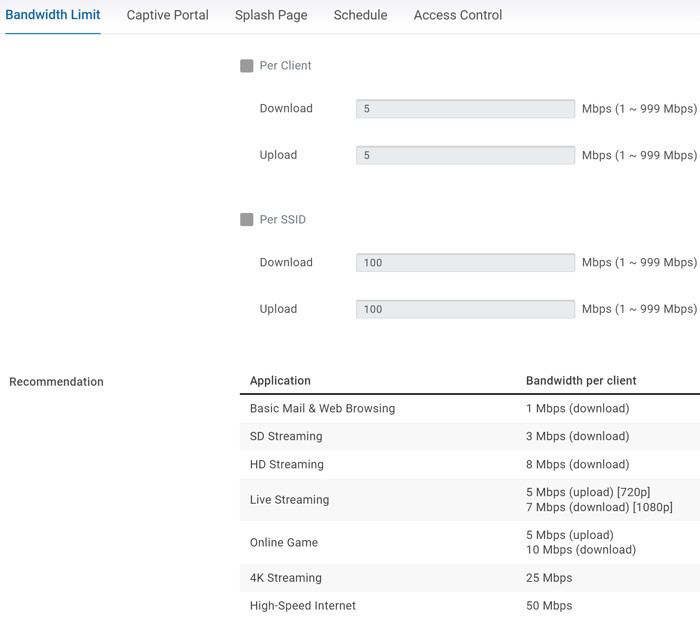
Many other options are also available
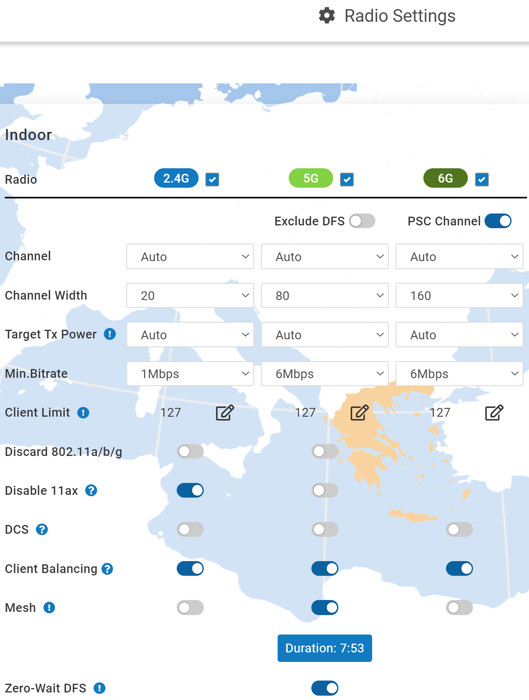
The next step is to head over to Settings->Access Points->Radio and toggle a small indicator called "Mesh"
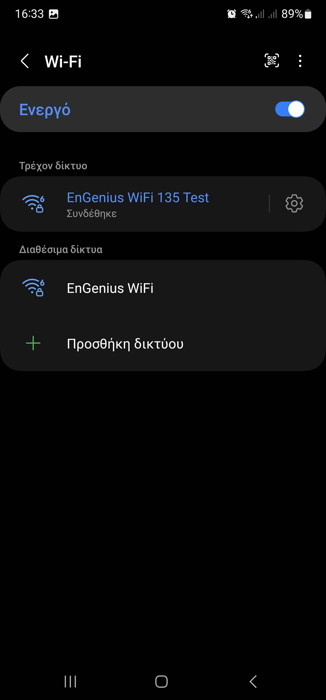
After that point everything is set, and all devices under the same network will work in Mesh mode, already our local network performance was increased compared with the other already established network at the furthest home area of our office.
 

Review Pages

1. Introduction
2. EnGenius ECW130
3. EnGenius ECW215
4. Creating Mesh Wi-Fi Network
5. Conclusion


Pages

  • « first
  • ‹ previous
  • 1
  • 2
  • 3
  • 4
  • 5
  • next ›
  • last »

EnGenius

Wifi

Mesh Wi-Fi

Tags: EnGenius Wifi Mesh Wi-Fi
Previous Post
JSAUX HB0100 and HB1101 Steam Deck Accessories
Next Post
JSAUX Modcase PC0104

Related Posts

  • EnGenius Unveils Cloud-Managed ECW536S Wi-Fi 7 with 24/7 AirGuard Security

  • EnGenius ECW520 AP

  • EnGenius Brings Wi-Fi 7 to Small Businesses with Affordable ECW510 Access Point

  • EnGenius Multi-Gigabit Switch Delivers 2.5G Performance with 90W PoE

  • EnGenius Announces Affordable ECW520 Access Point

  • EnGenius Launches Cloud-Lite Switch Series

  • EnGenius EXT1105P Switch Extender

  • EnGenius Wi-Fi 7

Latest Reviews

be quiet! Power Zone 2 1200W
PC components

be quiet! Power Zone 2 1200W

The Difference Between American and European Stakes and Why It Changes How People Bet
Enterprise & IT

The Difference Between American and European Stakes and Why It Changes How People Bet

Endorfy Thock V2 Wireless Keyboard
PC components

Endorfy Thock V2 Wireless Keyboard

Noctua NH-D15 G2 Chromax.Black
Cooling Systems

Noctua NH-D15 G2 Chromax.Black

EnGenius ECW520 AP
Enterprise & IT

EnGenius ECW520 AP

Popular News

COLORFUL Introduces CVN B850I GAMING FROZEN Motherboard

COLORFUL Introduces CVN B850I GAMING FROZEN Motherboard

COLORFUL Presents CVN X870 ARK FROZEN Motherboard for AMD Ryzen 9000 CPUs

COLORFUL Presents CVN X870 ARK FROZEN Motherboard for AMD Ryzen 9000 CPUs

TEAMGROUP Launches EXPERT P34F Find My External SSD

TEAMGROUP Launches EXPERT P34F Find My External SSD

ASRock AM5 Motherboards Now Fully Support AMD Ryzen 9 9950X3D & 9900X3D Processors

ASRock AM5 Motherboards Now Fully Support AMD Ryzen 9 9950X3D & 9900X3D Processors

Samsung announces Galaxy Tab S11 and Galaxy S25 FE series

Samsung announces Galaxy Tab S11 and Galaxy S25 FE series

Viltrox Showcases Upcoming Lens Lineup and New TTL Flash at IBC 2025

Viltrox Showcases Upcoming Lens Lineup and New TTL Flash at IBC 2025

CORSAIR announces Vanguard Pro 96 and Vanguard 96 Gaming Keyboards

CORSAIR announces Vanguard Pro 96 and Vanguard 96 Gaming Keyboards

Panasonic Introduces the First Ultra-Telephoto Zoom Lens in the LUMIX S Series

Panasonic Introduces the First Ultra-Telephoto Zoom Lens in the LUMIX S Series

Main menu

  • Home
  • News
  • Reviews
  • Essays
  • Forum
  • Legacy
  • About
    • Submit News

    • Contact Us
    • Privacy

    • Promotion
    • Advertise

    • RSS Feed
    • Site Map
  • About
  • Privacy
  • Contact Us
  • Promotional Opportunities @ CdrInfo.com
  • Advertise on out site
  • Submit your News to our site
  • RSS Feed