Breaking News

TEAMGROUP Unveils the ACE 8K MicroSDXC Memory Card ASUS Announces Ascent QN10 Mini PC CORSAIR Launches Second Generation Nautilus II AIO CPU Coolers CORSAIR Launches VOXARA USB Gaming Condenser Microphone Fanatec announces the ClubSport F1 Racing System

logo

  • Share Us
    • Facebook
    • Twitter
  • Home
  • Home
  • News
  • Reviews
  • Essays
  • About
    • Submit News

    • Contact Us
    • Privacy

    • Promotion
    • Advertise

    • RSS Feed

Search form

Google To Optimize Flash Usage On Chrome Browser

Google To Optimize Flash Usage On Chrome Browser

Enterprise & IT Jun 5,2015 0

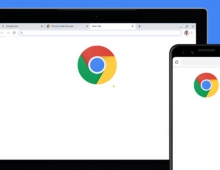
Google and Adobe have teamed up to reduce Chrome’s battery usage by cutting down on the amount of Flash content the browser plays automatically. Adobe Flash allows web pages to display rich content, but that can put a squeeze on your laptop’s battery. So Microsoft has been working with Adobe to offer a power-efficient wen browsing and as an update to Chrome does just that.

When you’re on a webpage that runs Flash, the Chrome browser will intelligently pause content (like Flash animations) that aren’t central to the webpage, while keeping central content (like a video) playing without interruption. If something you were interested in is paused, you can just click it to resume playback.

This feature will be enabled by default on Chrome’s latest desktop Beta channel release starting today, and will be rolling out soon to everyone else on Chrome desktop.

That could be potentially bad news for online advertisers who rely on Flash ads. Because that content isn’t central to enjoying a webpage, there’s a chance it will get stopped while a user is browsing rather than continue to run. That’s why Google’s AdWords service allows advertisers to convert new and existing flash campaigns into HTML5, so people will still see the same ads.


Tags: Chrome browser
Previous Post
Cyber Attack hits Millions of U.S. Federal Workers
Next Post
Yahoo Takes More Services Offline

Related Posts

  • Google Adds More Intuitive Privacy and Security Controls in Chrome

  • Google is Temporarily Rolling Back SameSite Cookie Changes

  • Google to Resume Chrome and Chrome OS Release Updates

  • Google Pauses Chrome Updates; Firebase App Tools Under Investigation

  • Chrome 81 Adds Near Field Communications, Augmented Reality

  • Latest Google Chrome Browser Can Block Cross-site Tracking

  • Google Suspends Paid Chrome Extensions; Short-Term Payday Lending Apps Still Available on Google Play

  • Chrome Now Offers Better Password Protections

Latest News

TEAMGROUP Unveils the ACE 8K MicroSDXC Memory Card
Cameras

TEAMGROUP Unveils the ACE 8K MicroSDXC Memory Card

ASUS Announces Ascent QN10 Mini PC
Enterprise & IT

ASUS Announces Ascent QN10 Mini PC

CORSAIR Launches Second Generation Nautilus II AIO CPU Coolers
Cooling Systems

CORSAIR Launches Second Generation Nautilus II AIO CPU Coolers

CORSAIR Launches VOXARA USB Gaming Condenser Microphone
Consumer Electronics

CORSAIR Launches VOXARA USB Gaming Condenser Microphone

Fanatec announces the ClubSport F1 Racing System
Gaming

Fanatec announces the ClubSport F1 Racing System

Popular Reviews

Endorfy Thock V2 Wireless Keyboard

Endorfy Thock V2 Wireless Keyboard

The Quiet Technology Behind the Spin

The Quiet Technology Behind the Spin

SoundPeats Cove Pro

SoundPeats Cove Pro

Akaso Brave 8 Lite

Akaso Brave 8 Lite

Kioxia Exceria Plus G3 512GB microSD

Kioxia Exceria Plus G3 512GB microSD

be quiet! Dark Perk Mice

be quiet! Dark Perk Mice

SoundPeats C30

SoundPeats C30

XbotGo Chamaleon

XbotGo Chamaleon

Main menu

  • Home
  • News
  • Reviews
  • Essays
  • About
    • Submit News

    • Contact Us
    • Privacy

    • Promotion
    • Advertise

    • RSS Feed
  • About
  • Privacy
  • Contact Us
  • Promotional Opportunities @ CdrInfo.com
  • Advertise on out site
  • Submit your News to our site
  • RSS Feed