
Breaking News

Akasa Unleashes Six New Low-Profile CPU Coolers Up to 165W TDP Cooling in Compact Form Factors SWIT announces Powercell Battery Series for Sony, Canon, Nikon, and Fujifilm Cameras TerraMaster launces D1 SSD Pro 80Gbps Thunderbolt 5 Enclosure PROGRADE DIGITAL ANNOUNCES SPACE ACT AGREEMENT WITH NASA FOR ARTEMIS LUNAR MISSIONS EnGenius Unveils Cloud-Managed ECW536S Wi-Fi 7 with 24/7 AirGuard Security

logo

  • Share Us
    • Facebook
    • Twitter
  • Home
  • Home
  • News
  • Reviews
  • Essays
  • Forum
  • Legacy
  • About
    • Submit News

    • Contact Us
    • Privacy

    • Promotion
    • Advertise

    • RSS Feed
    • Site Map

Search form

Cogage True Spirit

May 13,2010 0

2. Package, installation


Review Pages

1. Features
2. Package, installation
3. How we test
4. Results
5. Final words


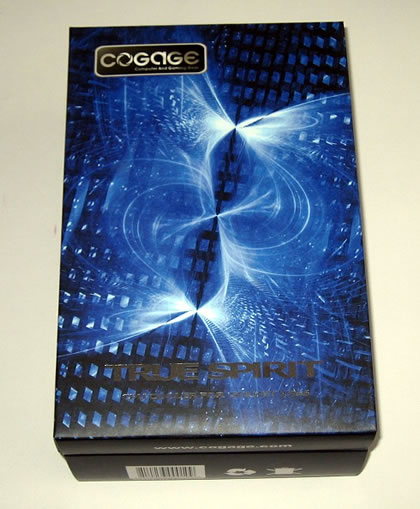
The Cogage True Spirit cooler comes in a well-designed package. It is available at a rather competitive price of about $40. However, the cooler supports only the Intel LGA1366 platform.
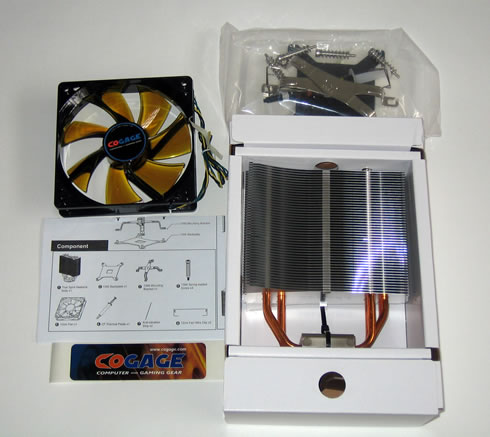
Inside the box everything is placed into two boxes. The first box includes the main body of the cooler, an installation manual, an 120mm fan, a Cogage sticker, mounting brackets and a thermal paste.
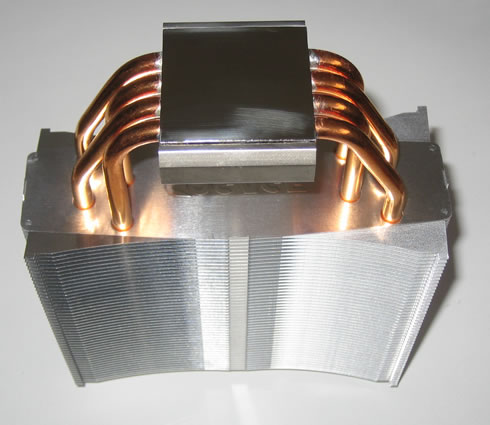
The size of the cooler is typical for this category. The base is rather well cared off, with four (4) U-shaped full copper heatpipes (6mm diameter) coming from the base up to the hetasink - a stack of 48 aluminium fins. According to the product specifications, the fins have bent winglet design to minimize airflow resistance. Its weight is around 670g (heatsink only) and it measures L133 x W156 x H38 mm.

The base of the TRUE Spirit has a mirror like finish and is even and level from side to side, as we can see in the picture below:
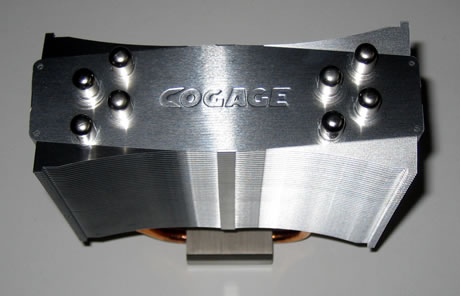
The Cogage logo is imprinted on the exterior side of the top fin:.
The included 120mm fan supports the PWM function (1000~1500rpm ±15%) and allows you to set the rotation speed through the BIOS of your PC.

Installing the TRUE Spirit is a breeze thanks to the push-pin mounting system employed. First you need to place the backplate under the motherboard. Then apply some thermal paste and place the cpu cooler at the processor area.

The next step is the place the X metal plate above the cooler base and secure the system using the supplied screws. Using a long screwdriver may be helpful here. Also mounting the screws diagonally is preferred.
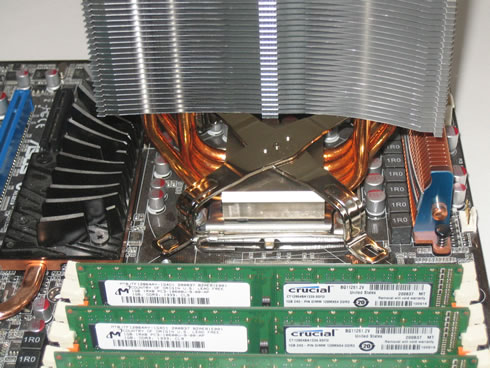
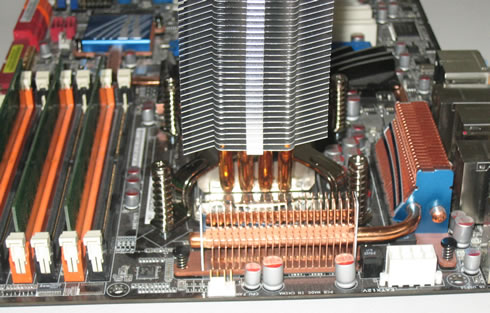
 

Finally you need to mount the included fan at the main body. Nothing to worry about here, just use the available brackets and mount the fan into the two holes placed on the top and the bottom sides of the heatsink.

As you can see the coolerdoes not impose on the first DIMM slot on our motherboard. While it does sit a bit close, there is ample room to fit more RAM if we wanted.


Review Pages

1. Features
2. Package, installation
3. How we test
4. Results
5. Final words


Pages

  • « first
  • ‹ previous
  • 1
  • 2
  • 3
  • 4
  • 5
  • next ›
  • last »

Cogage

Tags: Cogage
Previous Post
Inno3D GTX470 Hawk
Next Post
Coolink Corator DS

Related Posts

Latest Reviews

The Difference Between American and European Stakes and Why It Changes How People Bet
Enterprise & IT

The Difference Between American and European Stakes and Why It Changes How People Bet

Endorfy Thock V2 Wireless Keyboard
PC components

Endorfy Thock V2 Wireless Keyboard

Noctua NH-D15 G2 Chromax.Black
Cooling Systems

Noctua NH-D15 G2 Chromax.Black

EnGenius ECW520 AP
Enterprise & IT

EnGenius ECW520 AP

Noctua NP-DM3 desk mat
Gaming

Noctua NP-DM3 desk mat

Popular News

COLORFUL Introduces CVN B850I GAMING FROZEN Motherboard

COLORFUL Introduces CVN B850I GAMING FROZEN Motherboard

COLORFUL Presents CVN X870 ARK FROZEN Motherboard for AMD Ryzen 9000 CPUs

COLORFUL Presents CVN X870 ARK FROZEN Motherboard for AMD Ryzen 9000 CPUs

TEAMGROUP Launches EXPERT P34F Find My External SSD

TEAMGROUP Launches EXPERT P34F Find My External SSD

ASRock AM5 Motherboards Now Fully Support AMD Ryzen 9 9950X3D & 9900X3D Processors

ASRock AM5 Motherboards Now Fully Support AMD Ryzen 9 9950X3D & 9900X3D Processors

Samsung announces Galaxy Tab S11 and Galaxy S25 FE series

Samsung announces Galaxy Tab S11 and Galaxy S25 FE series

Viltrox Showcases Upcoming Lens Lineup and New TTL Flash at IBC 2025

Viltrox Showcases Upcoming Lens Lineup and New TTL Flash at IBC 2025

CORSAIR announces Vanguard Pro 96 and Vanguard 96 Gaming Keyboards

CORSAIR announces Vanguard Pro 96 and Vanguard 96 Gaming Keyboards

Panasonic Introduces the First Ultra-Telephoto Zoom Lens in the LUMIX S Series

Panasonic Introduces the First Ultra-Telephoto Zoom Lens in the LUMIX S Series

Main menu

  • Home
  • News
  • Reviews
  • Essays
  • Forum
  • Legacy
  • About
    • Submit News

    • Contact Us
    • Privacy

    • Promotion
    • Advertise

    • RSS Feed
    • Site Map
  • About
  • Privacy
  • Contact Us
  • Promotional Opportunities @ CdrInfo.com
  • Advertise on out site
  • Submit your News to our site
  • RSS Feed
