Breaking News

Arctic announces Senza AI 370 Under Desk PC for AI Applications CORSAIR Announces the Airflow-focused 3200D Mid Tower for Ambitious DIY PC Builds Silicon Power Launches Enterprise-Grade DDR5 RDIMM to Accelerate AI Workloads World Backup Day 2026: A Backup Doesn’t Always Need to be in the Cloud Sharkoon announces S100 ARGB AIO Cooler

logo

  • Share Us
    • Facebook
    • Twitter
  • Home
  • Home
  • News
  • Reviews
  • Essays
  • Forum
  • Legacy
  • About
    • Submit News

    • Contact Us
    • Privacy

    • Promotion
    • Advertise

    • RSS Feed
    • Site Map

Search form

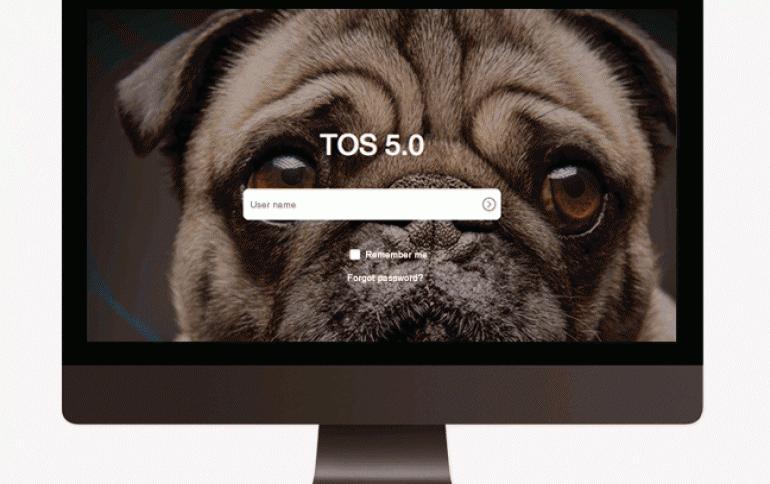
TOS 5 GLOBAL OPEN BETA

TOS 5 GLOBAL OPEN BETA

Enterprise & IT Mar 7,2022 0

After the previous successful insider previews, TOS 5 is also in continuous optimization. Now the TOS 5 Beta is released for global open testing from 8. March to 7. June!

Precautions:
1. A beta version is an early version of a program that contains most of the main features, but is not yet complete and may have some defects. This version is only released to a select group of people, or to the general public, for testing and feedback;
2. The Beta version is not suitable for use in work or production environments. If your TNAS device is running business or storing important data, please do not participate in this test;
3. The root file system, storage mount path, application storage location, and startup mode of TOS 5 are different from those of other versions. You will not be able to install TOS 5 through an update, but will need to reinstall the system. Reinstalling the system normally will not delete the data on your hard disk, but for safety, please be sure to back up your data in advance;
4. The Beta version released this time is only applicable to TNAS models in X.86 series (220 series, 221 series, 420 series, 421 series, 422 series);
5. Your current TOS version must be 4.2.09 or higher;
6. TOS 5 Beta requires a new version of TNAS PC (Windows OS: V3.0.10 / macOS: V3.0.10) and TNAS Mobile (Android: V3.0.1 / iOS:V3.0.1)

How to install TOS 5 Beta?
1. Download the TOS 5 Beta installation package: https://download2.terra-master.com/TOS_X642.0_5.0.47_Beta_00058_22030319...
2. Log in to your TOS, go to control Panel > General Settings > Update & Recovery > Restore to Factory Defaults, select "Restore to Factory Defaults" and click "Apply" to clear your original settings;
3. Your TNAS will automatically restart and enter the initialization guide page; If the initialization page is not displayed, please search the NAS IP address by TNAS PC, and enter the IP address in the browser’s address bar to access;
4. Please select "Manual Installation", upload the downloaded TOS 5 Beta installation package, and wait until the installation is complete;
5. The system will automatically restart when TOS 5 Beta is successfully installed. After the system restarts, set the administrator settings as instructed to complete the system installation;
6. After the system is installed, clear the browser cache. Otherwise, some system pages may not be displayed correctly.

Bug Reports
As the Beta version is an early version of the program, there may be some defects, please do not pass the bugs of the Beta version to the public to avoid causing unnecessary trouble to others.
If you'd like to report a bug, please send the description, reproduction method and screenshot of the bug to the email address: pm@terra-master.com
Thank you very much for your participation!


Tags: TerraMaster
Previous Post
HBO Max launches today in 15 European countries with 4K HDR & Atmos
Next Post
Silicon Power Announces new DDR5 memory and very fast USB external flash drive

Related Posts

  • TerraMaster Spring Sale Up to 30% Off NAS & DAS Storage

  • TerraMaster launces D1 SSD Pro 80Gbps Thunderbolt 5 Enclosure

  • TerraMaster TOS 7 Beta Now Open Worldwide

  • TerraMaster Black Friday & Cyber Monday 2025 Mega Sale Is Here

  • TerraMaster Unveils TOS 7 Insider Preview

  • TerraMaster Launches F2-425 2-Bay NAS

  • TerraMaster Launches D1 SSD Plus

  • TerraMaster Offers Up to 25% Off on Amazon Prime Day 2025

Latest News

Arctic announces Senza AI 370 Under Desk PC for AI Applications
Consumer Electronics

Arctic announces Senza AI 370 Under Desk PC for AI Applications

CORSAIR Announces the Airflow-focused 3200D Mid Tower for Ambitious DIY PC Builds
Cooling Systems

CORSAIR Announces the Airflow-focused 3200D Mid Tower for Ambitious DIY PC Builds

Silicon Power Launches Enterprise-Grade DDR5 RDIMM to Accelerate AI Workloads
Enterprise & IT

Silicon Power Launches Enterprise-Grade DDR5 RDIMM to Accelerate AI Workloads

World Backup Day 2026: A Backup Doesn’t Always Need to be in the Cloud
Enterprise & IT

World Backup Day 2026: A Backup Doesn’t Always Need to be in the Cloud

Sharkoon announces S100 ARGB AIO Cooler
Cooling Systems

Sharkoon announces S100 ARGB AIO Cooler

Popular Reviews

be quiet! Dark Mount Keyboard

be quiet! Dark Mount Keyboard

Terramaster F8-SSD

Terramaster F8-SSD

be quiet! Light Mount Keyboard

be quiet! Light Mount Keyboard

Akaso 360 Action camera

Akaso 360 Action camera

Dragon Touch Digital Calendar

Dragon Touch Digital Calendar

be quiet! Pure Loop 3 280mm

be quiet! Pure Loop 3 280mm

Noctua NF-A12x25 G2 fans

Noctua NF-A12x25 G2 fans

Arctic Liquid Freezer III 360 Pro Argb

Arctic Liquid Freezer III 360 Pro Argb

Main menu

  • Home
  • News
  • Reviews
  • Essays
  • Forum
  • Legacy
  • About
    • Submit News

    • Contact Us
    • Privacy

    • Promotion
    • Advertise

    • RSS Feed
    • Site Map
  • About
  • Privacy
  • Contact Us
  • Promotional Opportunities @ CdrInfo.com
  • Advertise on out site
  • Submit your News to our site
  • RSS Feed