NAS for Professionals in Small Office
Professionals working at home or in a small office need reliable storage to store data. Whether you are a content creator such as YouTubers, photographers, and videographers, or professionals doing remote work at home due to the pandemic, data storage must have reliable with adequate protection against data loss. Furthermore, data storage should not hinder productivity and creativity.
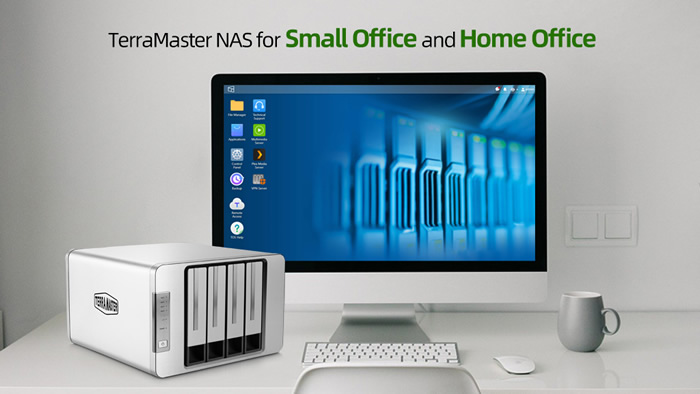
For professional individuals, a typical computer setup would suffice their needs. However, traditional data storage options such as HDD/SSD and portable storage drives come with limitations and vulnerabilities. This is where Network-Attached Storage, popularly known as NAS, come into play. NAS devices offer robust protection plus a few extras that traditional storage drives don’t offer. NAS can be tailored to a user’s specific needs that will help improve workflow and productivity.
Why NAS Over HDD/SSD?
Traditional storage drives have a very limited function which is to store data. If you need protection or added functions, you need to install software on your computer which takes up resources and slowdown the computer for other tasks. For professionals that need a lot of storage space without dragging their computer’s performance, using a NAS device is the best choice.
Network-attached storage devices are standalone devices. It offers numerous robust backup options. Attached to a network, it can allow multiple users to access, store, and share data simultaneously making collaborations easier. Certain NAS devices even allow users to build their own private cloud storage and access to many unique and helpful applications tailored to your needs. Let’s discuss each of these advantages NAS offers below.
Why Invest in a NAS Device?
Standalone
Network-Attached Storage (NAS) devices are standalone storage meaning they can operate independently unlike HDDs and SSDs on your computer wherein it requires the computer itself. NAS devices can be accessed remotely via a network or the internet.
Storing work files on a dedicated NAS allow users to fully utilize their computers for greater productivity whether you are editing videos or running book keeping software.
Backup Option
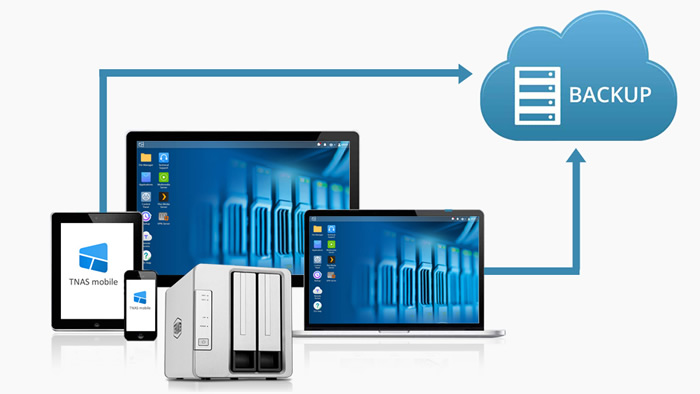
Backup options on your computer are very limited and require software. Furthermore, running a backup application will slow down your computer for other tasks and eat the majority of your computer’s internet bandwidth for offsite backup options like cloud storage. NAS comes with more robust backup options which can be automated without stressing out your computer.
Collaboration
NAS devices make collaborations easier wherein users can remotely access the storage and share data with ease. Users can easily invite collaborators for remote work to access and share data via the internet. Managers can even restrict and customize each user’s access to the storage. This allows efficient data management particularly on sensitive data that you don’t want to share with everybody.

Private Cloud Storage
NAS devices allow you to create private cloud storage for yourself or your team or for your entire company. Private cloud is a unique data storage solution where data is stored on a remote physical storage for a dedicated user or group of users. Unlike public cloud storage services like Dropbox and Google Drive wherein the server is shared with other users, setting up a private cloud storage on a NAS device you own offer better security and management.
Access to Unique Features
NAS devices run their own operating system which comes with its own set of features and applications such as virtualization applications, cloud synchronization options, docker applications, and more. NAS devices can even be used as a media player with a massive library capacity.
TerraMaster NAS for Home Office and Small Office
For professionals with specific needs, using a NAS will improve your productivity and protect you better from data loss and avoid costly data recovery services. For small office and home office setups, the TerraMaster 2-bay and 4-bay NAS models are perfect and below $300.
- 2-Bay NAS under $150
- Up to 36TB storage (capacity varies per RAID mode)
- Up to 124MB/s read/write speeds
- Powerful quad-core processor
Available on Amazon for $149.99
- 4-Bay NAS under $300
- Up to 72TB storage (capacity varies per RAID mode)
- Up to 124MB/s read/write speeds
- Powerful quad-core processor
Available on Amazon for $259.99
Check out TerraMaster’s line-up for small office and home office (SOHO) setups at TerraMaster
Follow TerraMaster in the following social media channels below:
Facebook: https://www.facebook.com/terramasterofficial
Twitter: https://twitter.com/TerraMasters
LinkedIn: https://bit.ly/3wKrjmr
YouTube: https://bit.ly/3dMXGIK