Synaptics Previews Scrybe PC Touch Interfaces
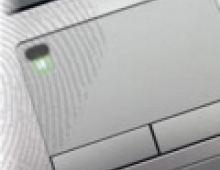
Synaptics today announced beta availability for Scrybe gesture workflows, the next-generation advancement in TouchPad-based interfaces for PCs.
Scrybe leverages finger movements to create fluid gesture shortcuts intended to boost productivity and efficiency by getting more work done with fewer steps.
Scrybe, part of the newest Synaptics Gesture Suite (SGS) 9.4, allows PC OEMs and end users to personalize gestures to link task-oriented workflows for Internet, media, entertainment, and productivity applications that result in a more efficient, productive, and fun user experience. Scrybe also introduces customizable gesture symbols for communicating with a PC that enable users to perform complex tasks using the TouchPad alone. For example, selecting a word or phrase by double-tapping and then tracing the "?" symbol can automatically launch the browser and perform an immediate directed search for the selected word or phrase. This advanced gesture feature provides faster results and eliminates typographical errors. The personalized gesture suite can be used to run presentations or enjoy digital media, provide controls for play, pause, previous, and next commands and to advance through music lists, photos, and more. A user can also use the personalized gesture suite to rotate, crop, tag, rate, and enhance images, as well as perform Windows system functions -- all without ever lifting a hand from the TouchPad.
Scrybe is optimized for multi-touch TouchPads, but also supports existing single-touch TouchPads in the market. The updated Synaptics Gesture Suite 9.4 with Scrybe technology introduces a number of new multi-touch gestures and an improved graphical user interface. SGS 9.4 includes media control gestures for stop, play, rewind, fast-forward, next, previous, and jog dial advance; productivity gestures to zoom, fit to window, flip, and redo; as well as Windows 7 system gestures and Windows Touch compatibility modes. The improved two-finger twist rotate is simpler and can provide free rotation capabilities that work well with all other gestures in the suite. A new SGS API provides software application developers with a method to make use of all the latest technologies to deliver a richer application experience.
SGS 9.4 with its Scrybe workflow technology will simplify and streamline TouchPad control and enable customized features to make personalizing the TouchPad easier than ever. Users can launch the SGS control panel from the system tray with one click, then discover and customize settings utilizing the available short help videos which clearly demonstrate and explain how each gesture works. Intelligent contextual pop-up tips help users to discover all of the TouchPad capabilities and explain how to apply them to make using the computer easier and more fun. The clearer, easier to use interface and extensive help system reduces support calls for PC OEMs and increases productivity for users.
Beginning today, Synaptics will offer this "technology preview" beta version of SGS 9.4 with Scrybe via software download to end users with existing notebooks that utilize a Synaptics TouchPad. More details on Scrybe are available by visiting www.uscrybe.com.
Scrybe, part of the newest Synaptics Gesture Suite (SGS) 9.4, allows PC OEMs and end users to personalize gestures to link task-oriented workflows for Internet, media, entertainment, and productivity applications that result in a more efficient, productive, and fun user experience. Scrybe also introduces customizable gesture symbols for communicating with a PC that enable users to perform complex tasks using the TouchPad alone. For example, selecting a word or phrase by double-tapping and then tracing the "?" symbol can automatically launch the browser and perform an immediate directed search for the selected word or phrase. This advanced gesture feature provides faster results and eliminates typographical errors. The personalized gesture suite can be used to run presentations or enjoy digital media, provide controls for play, pause, previous, and next commands and to advance through music lists, photos, and more. A user can also use the personalized gesture suite to rotate, crop, tag, rate, and enhance images, as well as perform Windows system functions -- all without ever lifting a hand from the TouchPad.
Scrybe is optimized for multi-touch TouchPads, but also supports existing single-touch TouchPads in the market. The updated Synaptics Gesture Suite 9.4 with Scrybe technology introduces a number of new multi-touch gestures and an improved graphical user interface. SGS 9.4 includes media control gestures for stop, play, rewind, fast-forward, next, previous, and jog dial advance; productivity gestures to zoom, fit to window, flip, and redo; as well as Windows 7 system gestures and Windows Touch compatibility modes. The improved two-finger twist rotate is simpler and can provide free rotation capabilities that work well with all other gestures in the suite. A new SGS API provides software application developers with a method to make use of all the latest technologies to deliver a richer application experience.
SGS 9.4 with its Scrybe workflow technology will simplify and streamline TouchPad control and enable customized features to make personalizing the TouchPad easier than ever. Users can launch the SGS control panel from the system tray with one click, then discover and customize settings utilizing the available short help videos which clearly demonstrate and explain how each gesture works. Intelligent contextual pop-up tips help users to discover all of the TouchPad capabilities and explain how to apply them to make using the computer easier and more fun. The clearer, easier to use interface and extensive help system reduces support calls for PC OEMs and increases productivity for users.
Beginning today, Synaptics will offer this "technology preview" beta version of SGS 9.4 with Scrybe via software download to end users with existing notebooks that utilize a Synaptics TouchPad. More details on Scrybe are available by visiting www.uscrybe.com.