Asus Maximus Extreme
1. Features, specifications
Review Pages
2. The package
3. BIOS settings
4. Testing configuration
5. Benchmarks - EVEREST Ultimate Edition
6. Benchmarks - SiSoftware Sandra
7. Benchmarks - PCMark05, 3DMark 06
8. Benchmarks - Science Mark 2.0, Pov-Ray
9. Benchmarks - MAXON CINEBENCH
10. Benchmarks - SuperPI
11. Benchmarks - SYSmark 2007 Preview, WorldBench
12. Lost Planet: Extreme Condition
13. Overclocking
14. Asus AI Gear 3
15. Summary
 Asus is one of the few motherboard manufacturers that introduce different variations of a specific motherboard. An example is the company's "Extreme" series of enhanced motherboards, which are water cooling ready and offer additional BIOS/overclocking tweaks compared to the normal models.
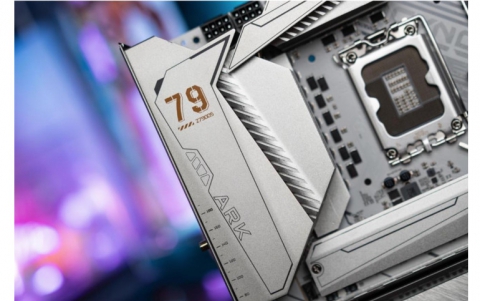
We have in our labs the new Asus Maximus Extreme, an Intel X38 motherboard. Asus introduced implementation of the Intel X38 Express chipset with the P5E3 Deluxe WiFi model, but the new Maximus Extreme comes in a different board design.
 The Maximus Extreme motherboard provides awesome overclocking speeds and challenges performance limitations. Equipped with the Crosslinx technology for increased performance, it utilizes the Fusion Block System - an effective 0dB fanless design cooling system with a chipset waterblock that adds onto a power user´s existing water cooling circuit to help keep operations cool. Additionally, SupremeFX II not only increases the sound quality, it also enhances aesthetic value. The Maximus Extreme also adopts the Intel X38/ICH9R chipset and supports DDR3 dual channel memory and CrossFire Technology - making it the Overclocker and Gamer´s first and best choice.

 |
Intel® X38 Chipset The Intel® X38 Express Chipset is the latest chipset designed to support 8GB of dual-channel DDR3 1333/1066/800 architecture, 1333/1066/800 FSB (Front Side Bus), Dual PCI Express 2.0 x16 graphics and multi-core CPUs. With the specially included Intel® Fast Memory Access technology, available memory bandwidth usage is optimized and memory access latency is reduced - allowing faster memory speeds. |
 |
Crosslinx Technology: Delivering better game play without the bottleneck of x4 solutions |
 |
Dual-Channel DDR3 1800(O.C.)/1333 The motherboard supports DDR3 memory that features data transfer rates of 1800(O.C.)/1600(O.C.)/1333/1066/800 MHz to meet the higher bandwidth requirements of the latest operation system, 3D graphics, multimedia, and Internet applications. The dual-channel DDR3 architecture doubles the bandwidth of your system memory to boost system performance, eliminating bottlenecks with peak bandwidths of up to 17 GB/s. Furthermore, the supply voltage for the memory is reduced from 1.8 V for DDR2 to just 1.5 V for DDR3. This voltage reduction limits the power consumption and heat generation of DDR3 which makes it an ideal memory solution. |
 |
Fusion Block SystemH2O ready: The next step in thermal solution.  The Fusion Block System is a more efficient thermal solution compared to competing followers with complicated looks. It is a hybrid thermal design that combines the ROG´s renowned heatpipe design with the additional ability to connect to a water cooling system. By taking the entire integrated solution into design considerations, the user can enjoy exceptional thermal improvement to north bridge, south bridge, Crosslinx, and even VRM with a single connection. The Fusion Block System is the most versatile, efficient, and the most advanced thermal system there is on a motherboard. The Fusion Block System is a more efficient thermal solution compared to competing followers with complicated looks. It is a hybrid thermal design that combines the ROG´s renowned heatpipe design with the additional ability to connect to a water cooling system. By taking the entire integrated solution into design considerations, the user can enjoy exceptional thermal improvement to north bridge, south bridge, Crosslinx, and even VRM with a single connection. The Fusion Block System is the most versatile, efficient, and the most advanced thermal system there is on a motherboard. |
| 2-Phase DDR3 With the embedded 2-Phase DDR3, this motherboard allows users to reach higher memory frequencies and enjoy better performance. Compared with only one phase solutions, this motherboard ensures longer power component lifespans and higher overclockability due to cooler temperatures and better efficiency. |
|
| ASUS EPU (Energy Processing Unit): New Generation Automatic Energy Saving Chip The ASUS EPU utilizes innovative technology to digitally monitor and tune the CPU power supply with improved VR responses in heavy or light loadings. It automatically provides power for higher performance or improve efficiency by 7% when the PC is running low intensity applications. Working together with AI Gear 3, this can help you attain the best possible power efficiency and energy savings up to 19% to help save the environment. |
|
In order to get familiar with the full features of the Asus Maximus Extreme, visit Asus website.
- Full specifications
CPU |
LGA775 socket for Intel® Core™2 Extreme / Core™2 Quad / Core™2 Duo / Pentium® Extreme / Pentium® D / Pentium® 4 Processors Support Intel® next generation 45nm Multi-Core CPU Compatible with Intel® 06/05B/05A processors |
Chipset |
Intel® X38/ICH9R with Intel® Fast Memory Access Technology |
Front Side Bus |
1600 / 1333 / 1066 / 800 MHz |
Memory |
Dual channel memory architecture 4 x DIMM, max. 8GB, 1800(O.C)/1600(O.C.)/1333/1066, Non-ECC, un-buffered memory Support Intel® XMP Technology |
Expansion Slots |
3 x PCIe x16 slot, support dual PCIe2.0 x16 or 1x PCIe2.0 x16, dual x8 speed 2 x PCIe x1, PCIex1_1 (black) is compatible with audio slot 2 x PCI 2.2 |
CrossFire |
|
Storage |
Southbridge - 6 x SATA 3.0 Gb/s ports - Intel Matrix Storage Technology supports RAID 0, 1, 5 and 10 JMicron® JMB363 PATA and SATA controller - 1 x UltraDMA 133/100/66 for up to 2 PATA devices - 2 x External SATA 3.0 Gb/s port (SATA On-the-Go) |
LAN |
Dual Gigabit LAN controllers, both featuring AI NET2 Support Teaming Technology |
Audio |
SupremeFX II Audio Card - ADI 1988B 8-channel High Definition Audio CODEC - Noise Filter Coaxial, Optical S/PDIF out at back I/O |
IEEE 1394 |
2 x 1394a ports(1 port at back I/O, 1 port onboard) |
USB |
max. 12 USB2.0/1.1 ports(6 ports at mid-board, 6 ports at back panel) |
Overclocking Features |
Fusion Block System Crosslinx Technology Extreme Tweaker Loadline Calibration 2-Phase DDR3 Intelligent overclocking tools: - CPU Level Up - Memory Level Up - AI Overclocking (intelligent CPU frequency tuner) - ASUS AI Booster Utility - O.C Profile - Frequency LED Overclocking Protection: - COP EX (Component Overheat Protection - EX) - Voltiminder LED - ASUS C.P.R.(CPU Parameter Recall) |
Special Features |
LCD Poster EL I/O Onboard Switches: Power / Reset / Clr CMOS(at rear) Q-Connector Q-Fan Plus ASUS EZ Flash2 ASUS CrashFree BIOS3 ASUS MyLogo3 |
Back Panel I/O Ports |
1 x PS/2 Keyboard port(purple) 1 x Optical + 1 x Coaxial S/PDIF Output 2 x External SATA 2 x LAN (RJ45) port 6 x USB 2.0/1.1 ports 1 x IEEE1394a port 1 x Clr CMOS switch |
Internal I/O Connectors |
3 x USB 2.0 connectors supports additional 6 USB 2.0 ports 1 x Floppy disk drive connector 1 x IDE connector for two devices 6 x SATA connectors 8 x Fan connectors: 1 x CPU / 1 x PWR / 3 x Chassis / 3 x Optional 3 x thermal sensor connectors 1 x IEEE1394a connector 1 x S/PDIF output connector 1 x Chassis Intrusion connector 24-pin ATX Power connector 8-pin ATX 12V Power connector 1 x En/Dis-able Clr CMOS 1 x EL I/O Shield Connector System panel connector |
BIOS |
16Mb AMI BIOS, PnP, DMI2.0, WfM2.0, SM BIOS 2.4, ACPI2.0a Multi-Language BIOS |
Manageability |
WOL by PME, WOR by PME, Chasis Intrusion, PXE |
Accessories |
Fusion Block System Accessory DIY Pedestal ASUS Optional Fan 3 in 1 ASUS Q-Connector Kit UltraDMA 133/100/66 cable Floppy disk drive cable SATA cables SATA power cables 2-port USB2.0 module+IEEE1394a module EL I/O Shield Thermal sensor cables Cable Ties User's manual |
Support Disc |
The hottest 3D Game: S.T.A.L.K.E.R. Support DVD: Drivers ASUS PC Probe II ASUS Update ASUS AI Suite Futuremark ® 3DMark® 06 Advanced Edition Kaspersky® Anti-Virus |
Form Factor |
ATX Form Factor, 12"x 10.6" (30.5cm x 26.9cm) |
Review Pages
2. The package
3. BIOS settings
4. Testing configuration
5. Benchmarks - EVEREST Ultimate Edition
6. Benchmarks - SiSoftware Sandra
7. Benchmarks - PCMark05, 3DMark 06
8. Benchmarks - Science Mark 2.0, Pov-Ray
9. Benchmarks - MAXON CINEBENCH
10. Benchmarks - SuperPI
11. Benchmarks - SYSmark 2007 Preview, WorldBench
12. Lost Planet: Extreme Condition
13. Overclocking
14. Asus AI Gear 3
15. Summary