Breaking News

ASUS Announces WiFi 8 Router DJI Launches Osmo 360 II Razer introduces Clio X Wireless Speaker Head Cushion That Delivers THX Spatial Audio LiberNovo Showcases Ergonomic Innovation at IFA 2026 with Maxis Series for Big And Tall Users TIMEKETTLE UNVEILS NEW W4 PLUS AI INTERPRETER EARBUDS EXPANDING REAL-TIME TRANSLATION ACROSS CALLS, MEETINGS AND MULTIMEDIA CONTENT

logo

  • Share Us
    • Facebook
    • Twitter
  • Home
  • Home
  • News
  • Reviews
  • Essays
  • About
    • Submit News

    • Contact Us
    • Privacy

    • Promotion
    • Advertise

    • RSS Feed

Search form

Windows 10 Pro for Workstations Get an 'Ultimate Performance' Mode

Windows 10 Pro for Workstations Get an 'Ultimate Performance' Mode

Enterprise & IT Feb 15,2018 0

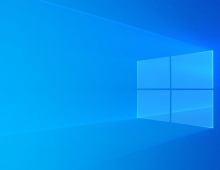
A new feature for Windows 10 Pro for Workstations is the "Ultimate Performance", a new power scheme that will include special power management features to ensure performance is as best as a system will allow.

Demanding workloads on workstations always desire more performance. Windows has developed key areas where performance and efficiency tradeoffs are made in the OS. Over time, Microsoft has amassed a collection of settings which allow the OS to quickly tune the behavior based on user preference, policy, underlying hardware or workload.

This new policy builds on the current High-Performance policy, and it goes a step further to eliminate micro-latencies associated with fine grained power management techniques. The Ultimate Performance Power plan is selectable either by an OEM on new systems or selectable by a user. To do so, you can go to Control Panel and navigate to Power Options under Hardware and Sound (you can also "run" Powercfg.cpl). Just like other power policies in Windows, the contents of the Ultimate Performance policy can be customized.

Microsoft says that as the power scheme is geared towards reducing micro-latencies it may directly impact hardware; and consume more power than the default balanced plan. The Ultimate Performance power policy is currently not available on battery powered systems.

The new mode will be available in the next Windows 10 update, expected to be released in March or April.

Microsoft first introduced Windows 10 Pro for Workstations last year, and it's primarily designed for server grade PC hardware and power users.

Tags: windows 10
Previous Post
New Chip Significantly Reduces Neural Networks' Power Consumption
Next Post
Social Media Need to Do More to Comply With EU consumer Rules

Related Posts

  • Windows Search to Show COVID19 Info in Search, Your Phone App Lets You Control Music Apps

  • Microsoft Brings More Widgets for Apps to The Xbox Game Bar

  • Microsoft Says Hackers Take Advantage of Windows Vulnerability

  • Microsoft Says Coronavirus Will Impact Windows 10 Updates

  • Windows 10 is Powering 1 Billion Active Devices

  • Windows 10 Critical Security Update Patches SMB Vulnerability

  • Microsoft Discloses Unpatched Critical SMB Vulnerability in Windows

  • Microsoft Announces a Cloud-based Print Solution

Latest News

ASUS Announces WiFi 8 Router
Enterprise & IT

ASUS Announces WiFi 8 Router

DJI Launches Osmo 360 II
Cameras

DJI Launches Osmo 360 II

Razer introduces Clio X Wireless Speaker Head Cushion That Delivers THX Spatial Audio
Consumer Electronics

Razer introduces Clio X Wireless Speaker Head Cushion That Delivers THX Spatial Audio

LiberNovo Showcases Ergonomic Innovation at IFA 2026 with Maxis Series for Big And Tall Users
Consumer Electronics

LiberNovo Showcases Ergonomic Innovation at IFA 2026 with Maxis Series for Big And Tall Users

TIMEKETTLE UNVEILS NEW W4 PLUS AI INTERPRETER EARBUDS EXPANDING REAL-TIME TRANSLATION ACROSS CALLS, MEETINGS AND MULTIMEDIA CONTENT
Enterprise & IT

TIMEKETTLE UNVEILS NEW W4 PLUS AI INTERPRETER EARBUDS EXPANDING REAL-TIME TRANSLATION ACROSS CALLS, MEETINGS AND MULTIMEDIA CONTENT

Popular Reviews

Endorfy Thock V2 Wireless Keyboard

Endorfy Thock V2 Wireless Keyboard

be quiet! Pure Loop 3 280mm

be quiet! Pure Loop 3 280mm

The Quiet Technology Behind the Spin

The Quiet Technology Behind the Spin

SoundPeats Cove Pro

SoundPeats Cove Pro

Akaso Brave 8 Lite

Akaso Brave 8 Lite

Kioxia Exceria Plus G3 512GB microSD

Kioxia Exceria Plus G3 512GB microSD

be quiet! Dark Perk Mice

be quiet! Dark Perk Mice

SoundPeats C30

SoundPeats C30

Main menu

  • Home
  • News
  • Reviews
  • Essays
  • About
    • Submit News

    • Contact Us
    • Privacy

    • Promotion
    • Advertise

    • RSS Feed
  • About
  • Privacy
  • Contact Us
  • Promotional Opportunities @ CdrInfo.com
  • Advertise on out site
  • Submit your News to our site
  • RSS Feed