Breaking News

G.SKILL Officially Commences World Cup 2026 Overclocking Competition with $40,000 USD Total Prize Pool Sharkoon announces SKILLER SGK55W Western Digital Accelerates Storage Innovation for AI Era Leica LUX Case for the iPhone 17 Pro/Pro Max ASUS Announces ROG Strix Aiolos

logo

  • Share Us
    • Facebook
    • Twitter
  • Home
  • Home
  • News
  • Reviews
  • Essays
  • Forum
  • Legacy
  • About
    • Submit News

    • Contact Us
    • Privacy

    • Promotion
    • Advertise

    • RSS Feed
    • Site Map

Search form

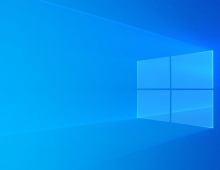
Windows 10 Pro for Workstations Get an 'Ultimate Performance' Mode

Windows 10 Pro for Workstations Get an 'Ultimate Performance' Mode

Enterprise & IT Feb 15,2018 0

A new feature for Windows 10 Pro for Workstations is the "Ultimate Performance", a new power scheme that will include special power management features to ensure performance is as best as a system will allow.

Demanding workloads on workstations always desire more performance. Windows has developed key areas where performance and efficiency tradeoffs are made in the OS. Over time, Microsoft has amassed a collection of settings which allow the OS to quickly tune the behavior based on user preference, policy, underlying hardware or workload.

This new policy builds on the current High-Performance policy, and it goes a step further to eliminate micro-latencies associated with fine grained power management techniques. The Ultimate Performance Power plan is selectable either by an OEM on new systems or selectable by a user. To do so, you can go to Control Panel and navigate to Power Options under Hardware and Sound (you can also "run" Powercfg.cpl). Just like other power policies in Windows, the contents of the Ultimate Performance policy can be customized.

Microsoft says that as the power scheme is geared towards reducing micro-latencies it may directly impact hardware; and consume more power than the default balanced plan. The Ultimate Performance power policy is currently not available on battery powered systems.

The new mode will be available in the next Windows 10 update, expected to be released in March or April.

Microsoft first introduced Windows 10 Pro for Workstations last year, and it's primarily designed for server grade PC hardware and power users.

Tags: windows 10
Previous Post
New Chip Significantly Reduces Neural Networks' Power Consumption
Next Post
Social Media Need to Do More to Comply With EU consumer Rules

Related Posts

  • Windows Search to Show COVID19 Info in Search, Your Phone App Lets You Control Music Apps

  • Microsoft Brings More Widgets for Apps to The Xbox Game Bar

  • Microsoft Says Hackers Take Advantage of Windows Vulnerability

  • Microsoft Says Coronavirus Will Impact Windows 10 Updates

  • Windows 10 is Powering 1 Billion Active Devices

  • Windows 10 Critical Security Update Patches SMB Vulnerability

  • Microsoft Discloses Unpatched Critical SMB Vulnerability in Windows

  • Microsoft Announces a Cloud-based Print Solution

Latest News

G.SKILL Officially Commences World Cup 2026 Overclocking Competition with $40,000 USD Total Prize Pool
PC components

G.SKILL Officially Commences World Cup 2026 Overclocking Competition with $40,000 USD Total Prize Pool

Sharkoon announces SKILLER SGK55W
PC components

Sharkoon announces SKILLER SGK55W

Western Digital Accelerates Storage Innovation for AI Era
Enterprise & IT

Western Digital Accelerates Storage Innovation for AI Era

Leica LUX Case for the iPhone 17 Pro/Pro Max
Cameras

Leica LUX Case for the iPhone 17 Pro/Pro Max

ASUS Announces ROG Strix Aiolos
PC components

ASUS Announces ROG Strix Aiolos

Popular Reviews

be quiet! Dark Mount Keyboard

be quiet! Dark Mount Keyboard

Terramaster F8-SSD

Terramaster F8-SSD

be quiet! Light Mount Keyboard

be quiet! Light Mount Keyboard

Soundpeats Pop Clip

Soundpeats Pop Clip

Akaso 360 Action camera

Akaso 360 Action camera

Dragon Touch Digital Calendar

Dragon Touch Digital Calendar

be quiet! Pure Loop 3 280mm

be quiet! Pure Loop 3 280mm

Noctua NF-A12x25 G2 fans

Noctua NF-A12x25 G2 fans

Main menu

  • Home
  • News
  • Reviews
  • Essays
  • Forum
  • Legacy
  • About
    • Submit News

    • Contact Us
    • Privacy

    • Promotion
    • Advertise

    • RSS Feed
    • Site Map
  • About
  • Privacy
  • Contact Us
  • Promotional Opportunities @ CdrInfo.com
  • Advertise on out site
  • Submit your News to our site
  • RSS Feed