Nero 8 Preview
1. Introduction
Review Pages
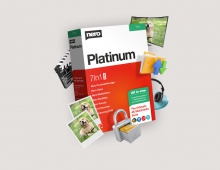
 Nero is probably one of the best known names in the optical storage industry. From the old Nero 3.xx versions, Nero in 2007 has reached the version 8. The new Nero comes preloaded with tons of features and different applications to cover almost all needs for modern CD/DVD/HD burning, media encoding and file serving. In this preview, we will take an in depth peek at what the new Nero 8 has to offer to users and what we would have expected from Nero for this new release.
- Nero 8 press release
Nero, at this year's IFA Berlin, announced the new upcoming Nero 8 with several major new features. Nero now moves away from a simple burning package and becomes an integrated digital media and home entertainment software solution. In short, Nero 8 allows users to easily create and edit, convert and share, rip and burn, backup and protect digital media. Additionally, Nero 8 is built to ensure data integrity and reliability and is optimized for use with the new Windows Vista operating system.
 One very noticable new feature is the re-designed "Nero StartSmart", which maximizes user efficiency with a one-stop solution for creating and managing digital media projects. With this new interface, prime functions like burning and ripping audio and data discs can now be accessed directly, letting users complete projects with one-click functions. Nero 8 also supports a number of next-generation formats with editing, playback, and burning features. In addition, Nero 8 lets users edit photo slide shows and create High Definition video in both Blu-ray BD-AV and HD DVD video formats.
The new and improved Nero 8 software allows users to upload videos and share content on YouTube, MySpace and My Nero with a simple one-click solution. In addition, Nero RescueAgent has been developed and integrated based on Nero customer feedback, and allows users to restore deleted files and recover data from CDs and DVDs that may have been lost due to scratched discs, interrupted recording operations, or poor recording quality.
Nero 8 has been optimized for use with the new Windows Vista operating system and offers a variety of features that complement Windows Vista including the Nero DiscCopy gadget, which lets users copy a disc with just one click in the Windows Vista sidebar. Nero 8 also provides a complete bundle of multimedia and backup and recovery features not found in Windows Vista alone. The addition of live icons allows users to see what is in a file without opening it, and a Rich Preview pane offers direct access to files from within the Windows Explorer browser.
Nero 8 will be available worldwide at participating retailers and online on October 1, 2007 with a suggested retail price of $99.99 and online at www.nero.com at $79.99. Current Nero users can upgrade to Nero 8 online at a special discounted price. For more information, visit www.nero.com.
Review Pages