Philips DVDR1648P
1. Introduction
Review Pages
2. Reading Tests
3. CD Error Correction
4. DVD Error Correction Tests
5. Protected Disc Tests
6. DAE Tests
7. Audio Protections Tests
8. CD Recording Tests
9. C1/C2 Errors Measurements
10. Writing Quality - Clover System Tests
11. DVD Recording Tests
12. CDSpeed/PlexTools Scans - Page 1
13. CDSpeed/PlexTools Scans - Page 2
14. CDSpeed/PlexTools Scans - Page 3
15. CDSpeed/PlexTools Scans - Page 4
16. CDSpeed/PlexTools Scans - Page 5
17. Writing Quality - Almedio AEC-1000
18. DVD+R DL - Page 1
19. DVD+R DL - Page 2
20. Philips DVDR1648P vs SA300 - Page 1
21. Philips DVDR1648P vs SA300 - Page 2
22. Philips DVDR1648P vs SA300 - Page 3
23. Philips DVDR1648P vs SA300 - Page 4
24. Booktype Setting
25. Conclusion
 After the release of the DVDR1640P burner, Philips moves forward to a higher
Double Layer writing speed. The new DVDR1648P offers 8X DVD+R DL writing speed.
In addition, the drive will burn DVD-R DL media at 4X. The most important feature
of this drive is the SolidBurn Technology, which determines the optimal writing
strategy on DVD media, which is comparable to if not the same as, the one we
met with the BenQ DW1640 drive.
After the release of the DVDR1640P burner, Philips moves forward to a higher
Double Layer writing speed. The new DVDR1648P offers 8X DVD+R DL writing speed.
In addition, the drive will burn DVD-R DL media at 4X. The most important feature
of this drive is the SolidBurn Technology, which determines the optimal writing
strategy on DVD media, which is comparable to if not the same as, the one we
met with the BenQ DW1640 drive.

What is Solidburn?
Philips introduces SolidBurn, a new self-learning feature that will ensure
optimal writing conditions for any recordable DVD+R or DVD-R media. This advanced
writer feature executes a series of tests on an ‘unknown’ DVD media
to determine the optimal writing strategy. Without SolidBurn, new DVD media
and media that are not in the drive's media list, are written using a
less optimal standard write strategy. This could result in lower recording
speeds than specified or lower quality recordings, jeopardizing disc playability
or lifetime.
How does it work?
Before the disc is burned, the drive writes two very short tracks, one in the
LeadIn and one in the LeadOut area of the disc. Then the drive measures the
jitter on both areas and decides if this jitter value is OK or not. If not,
the drive will choose another writing strategy and redo the test until the
Jitter is acceptable. After this, the drive writes your data on the disc,
with the best possible writing strategy, which was found by SolidBurn.
Why SolidBurn?
Every disc sold has unique parameters. Mostly, these parameters are almost
identical, but sometimes, there are better or less than good or even bad discs.
Normal drives will always use the same writing strategy, no matter if the
disc inserted is a good or not so good one. SolidBurn will adapt its writing
strategy for each disc. Normal drives that encounter a disc they do not know,
will use a default writing strategy, which is mostly not the best one. To
guarantee better performance on unknown discs, regular firmware upgrades
are required. SolidBurn makes no difference between known and unknown discs
and will always choose the best writing strategy for each disc.
Solidburn shows the lowest jitter measured (lower is better):

Using SolidBurn also gives the highest possible writing speeds, resulting in the lowest average
recording times:

 Seamless
Link was initially introduced by Acer CM (now BenQ). This technology allows
a CD-RW/DVD+RW drive to automatically monitor the recording status to prevent
buffer under run from occurring.
Seamless
Link was initially introduced by Acer CM (now BenQ). This technology allows
a CD-RW/DVD+RW drive to automatically monitor the recording status to prevent
buffer under run from occurring.
Seamless Link allows the CD-RW drive to store the RecEnd address, the point in the data to which the recording mechanism has progressed and pause the recording before a buffer under run occurs. When the buffer is again full, a Seamless Link-enabled drive locates the RecEnd address and resumes the recording process. The gap between the stop and restart point is closed, while managing the recording process precisely and transparently-eliminating under run errors while maintaining recording accuracy.
Dynamic Calibration
To ensure optimal writing quality over the entire disc at higher writing speeds, Philips has introduced the Walking OPC algorithm. WOPC directly measures and optimizes the actual writing quality during the writing process.
At certain intervals, the writing process will be briefly interrupted, the writing quality directly evaluated and the writing power adjusted accordingly, if required. The Philips DVD+R/RW writers use a more dynamic implementation based on the position on the disc and temperature inside the drive. The graph below shows the writing graph of the drive on a Philips 16X and an 8X DVD+R disc.


In addition, Philips Dynamic Calibration includes a tilt calibration feature. The best reading and writing quality can be obtained if the angle between the disc and the laser beam is 90 degrees. However, if the disc is warped, the laser beam will no longer be correctly positioned which will cause a distortion of the laser spot resulting in decreased writing quality if it is not corrected.
The tilt calibration will reposition the Optical Pickup Unit (OPU) to maintain a 90-degree angle between the laser beam and the disc surface at all times ensuring an optimal spot shape, even on warped discs. The frequency of the tilt calibration depends only on the position on the disc according to a non-linear function. Near the end of the disc, the risk of warping is higher so the frequency of the tilt calibration will increase accordingly. As with WOPC, the writing process will be briefly interrupted, the tilt measured and the OPU repositioned if required.
Walking OPC and Tilt Calibration together form the Dynamic Calibration. Although they act independently of each other, some effort is taken to synchronize the Tilt Calibrations with the disc position dependent component of Walking OPC.
Air Flow Cooling System (AFCS), similar to that on the BenQ DW1640, is also a feature of the Philips DVDR1648P. AFCS helps air circulation inside the drive and speeds up heat dissipation through the drive's steel housing. The same applies for Anti-Dust Cooling System (ADCS). With an integrated heat chimney design, ADCS redirects the heat flow out of the drive, while still providing protection from dust.
 |
 |
| AFCS | ADCS |

- Specifications
Interface: |
E-IDE/ATAPI (Ultra DMA Mode 2) |
Writing Speed:
|
DVD+R: 16X, DVD-R: 16X, DVD+RW: 8X, DVD-RW: 6X, DVD+R DL: 8X, DVD-R DL: 4X |
CD-R: 48X, CD-RW: 32X |
|
Read Speed:
|
DVD+R/-R/+RW/-RW: 10X max |
DVD-ROM: 16X, CD-R/RW: 48X |
|
Random Access: |
DVD: <150msec, CD: <100msec |
Buffer Size: |
2MB |
Supported Disc Formats: |
8cm discs, CD-Audio, CD-Bridge, Stereo out (2 cinch), CD-I, CD-Recordable, CD-Rewritable, CD-ROM, CD-Text, DVD+R, DVD+RW, DVD-ROM, DVD/R, DVD/RW, Photo CD
|
Supported Writing Types:
|
Disc at once (DAO), Fixed packet, Multi session (MS), Over-burn writing, Packet writing, Raw mode burning, Session at once (SAO), Track at once (TAO), Variable packet |
| Recording format : | UDF and ISO 9660 |
Connectivity |
Other connections : 12 V DC in, Analogue audio left / right out 2x, Master / slave select jumper, IDE interface connector |
System Requirements : |
Hard disc space : 500MB PC OS : Windows 98 SE, 2000, ME, XP Processor : Pentium III 500MHz or faster RAM memory : 128 MB |
Dimensions : |
20x15x4 cm (WxDxH) inch |
| Weight : | 0.95 kg |
Technical specifications : |
Humidity : 5 - 90 %RH (no condensation) Operating temperature range : 5 - 50 °C Safety standards : EN60950, EN60825,UL1950 EMC standards : EN55022, EMS55024,FCC Part 15 |
- Specifications
The drive does not support Mount Rainier and it uses the well known RPC II region control, allowing a user to change the drive's region at most 5 times. Below are the drive's main specs as given by NeroInfoTool and DVDInfoPro::


The drive's front panel is similar to all previous Philips DVD burners. The only difference is the activity led which is now much smaller than in previous models. The activity led lights up green when a disc is present and blinks green when reading, accessing or burning.

On the rear panel you can see the analogue and digital outputs (SPDIF), the IDE connector and the power input.

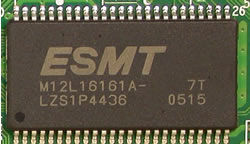
Removing the screws and opening the drive's cover voids the drive's warranty. For reference reasons, we post the following pictures. You can click on the mainboard picture for a higher resolution image:

The heart of the drive is the new Nexperia PNX7860E chipset from Philips, the same one we saw in the BenQ DW1640.


- Installation
The drive was installed as secondary master and under WindowsXP was recognized as "PHILIPS DVDRW1648P1". The drive arrived with firmware revision P2.2, which we used for our tests.
Below is a screenshot of Nero Burning Rom's specs for the drive.

In this review, we will be comparing the drive with the Pioneer DVR-110 and NEC ND-3540A.
- Testing softwareIn order to perform our tests we used:
Review Pages
2. Reading Tests
3. CD Error Correction
4. DVD Error Correction Tests
5. Protected Disc Tests
6. DAE Tests
7. Audio Protections Tests
8. CD Recording Tests
9. C1/C2 Errors Measurements
10. Writing Quality - Clover System Tests
11. DVD Recording Tests
12. CDSpeed/PlexTools Scans - Page 1
13. CDSpeed/PlexTools Scans - Page 2
14. CDSpeed/PlexTools Scans - Page 3
15. CDSpeed/PlexTools Scans - Page 4
16. CDSpeed/PlexTools Scans - Page 5
17. Writing Quality - Almedio AEC-1000
18. DVD+R DL - Page 1
19. DVD+R DL - Page 2
20. Philips DVDR1648P vs SA300 - Page 1
21. Philips DVDR1648P vs SA300 - Page 2
22. Philips DVDR1648P vs SA300 - Page 3
23. Philips DVDR1648P vs SA300 - Page 4
24. Booktype Setting
25. Conclusion