Thermaltake Beetle
1. Introduction
Thermaltake is one of the most recognized brands when it comes to cases, cooling solutions and generally modding accessories. Their products feature great design, efficiency and innovation.
In this review we'll be taking a look at the Thermaltake Beetle, another Tt 4-in-1 air cooler for AMD x64, XP, Sempron and Intel P4 478 and 775.
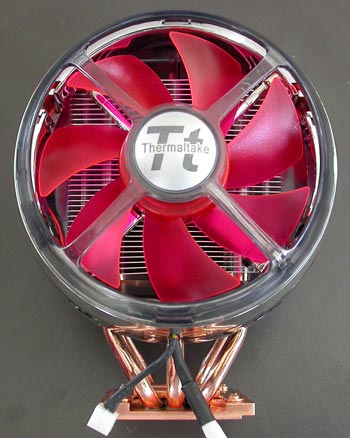
How it works :
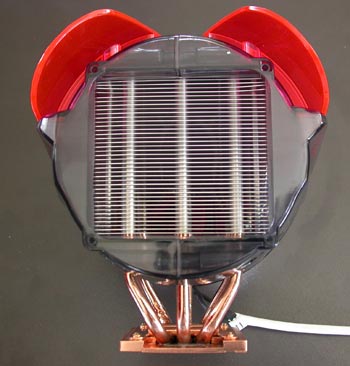
This cooler works just like the previous Thermaltake product we've seen. The copper base plate at the bottom of the cooler is attached to your CPU. As the processor gets hot, it heats up the base plate which in turn heats up a special liquid contained inside the 6 copper heat pipes. This liquid flows through the pipes towards the cooler end near the fan which dissipates the heat across the 142 aluminium fins. There, the 12cm fan takes over with its sole purpose being to keep the fins cool.
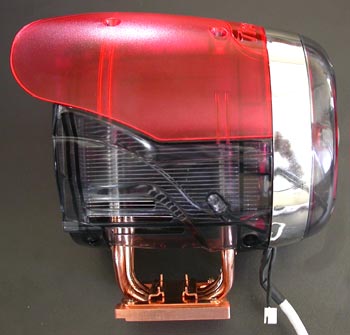
Again the secret behind this design of the Big Typhoon is located at the heat pipes. The continuous flow of the hotter liquid towards the fan and colder liquid towards the copper base attached to the processor is what keeps the temperature down.
Here are the detailed specifications as provided by ThermalTake:
| Product name | Beetle |
| Heatsink Dimension | 80 x 75 x 127 mm |
| Heatsink Material | Copper Base & Aluminum Fin (39Fin) |
| Fan Dimension | 90 x 25 mm |
| Fan Speed | 1600rpm~4300rpm |
| Compatibility | Intel P4 LGA775 Intel P4 478 Prescott FMB1.5 AMD Athlon 64 / Athlon 64 FX AMD Athlon XP up to 3400+ AMD Sempron up to 3400+ |
| Heatpipe | Copper Tube ( 6 mm) x 6pcs |
| Noise | 20dB~44.5dB |
| Weight | 581 g (20.51 oz) |
Inside the package along with the Beetle, you will find 2 fan control panels. The first one is a front panel that fits on a floppy drive slot and the other you can plug in an unused PCI slot. To install them you have to connect their cables to a special connector on the Beetle cooler. As there is only one such connector, that means you can only use one panel at a time.
One more thing to note is that although you can rotate the control knob all the way around from Min to Max, it doesn't actually work like a trimmer and there are only a few scales for fan speed.
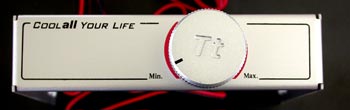
The panels control the Beetle's fan speed and can set it from 1600rpm up to 4300rpm. At the lowest fan speed, the 20dB noise generated is almost undistinguishable. Even more, the lowest fan speed works great with motherboard noise reduction features such as the Asus Q-Fan. With Q-Fan, the Beetle gets as good as a silent cooler.
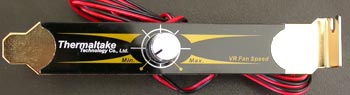
When you start to increase the speed further, the more you move towards the maximum level, the more intolerable the noise becomes. At the highest level where the Beetle supposedly generates 44.5dB, there is no room for both you and the Beetle in the same room. Unless of course you're deaf or work in the mines.
The Beetle's 8cm fan is highlighted by a small led located behind the Tt logo at the center of the fan.
 |
 |
 |
 |
 |
 |
As the Beetle is working, cooling your processor, the light rotates through a series of six colors as seen above.