Philips JackRabbit4
1. Specs - Installation
Review Pages
2. Data CD Reading Tests
3. CD Error Correction Tests
4. DVD reading tests
5. DVD Error Correction Tests
6. Protected Disc Tests
7. AudioCD/DAE Tests
8. CD Recording Tests
9. 3T Jitter Tests 1
10. 3T Jitter Tests 2
11. C1 / C2 Error Measurements
12. DVD Recording Tests
13. PI/PO Error Measurements
14. Stand Alone DVD Player
15. Conclusion
Philips JackRabbit4 DVD+RW recorder - Page 1
 After
the three previous drives from the same series, the new Jack Rabbit 4 is a
long awaited external drive delivering a new element
in its specifications, namely DVD+R/RW recording. According to the
manufacturer,
the
drive
supports 4x DVD+R
and 2.4x DVD+RW writing. Of course, Philips JR4DVDRW is still a CD recorder,
with supported speeds of 16x and 10x for CD-R and CD-RW respectively. While
as a reader, the drive can easily read DVD at the speed of 8x and
CD at
40x.
Below
are presented analytically, the specifications for the new drive as they have
been declared by the manufacturer.
After
the three previous drives from the same series, the new Jack Rabbit 4 is a
long awaited external drive delivering a new element
in its specifications, namely DVD+R/RW recording. According to the
manufacturer,
the
drive
supports 4x DVD+R
and 2.4x DVD+RW writing. Of course, Philips JR4DVDRW is still a CD recorder,
with supported speeds of 16x and 10x for CD-R and CD-RW respectively. While
as a reader, the drive can easily read DVD at the speed of 8x and
CD at
40x.
Below
are presented analytically, the specifications for the new drive as they have
been declared by the manufacturer.
- Specifications
Drive interface |
USB 2.0 - Hi-Speed USB |
Storage capacity |
Up to 700MB for CD and up to 4.7GB for DVD |
Speeds on CD |
16x Write on aCD-R10x ReWrite40x Read |
Speeds on DVD |
4x Write on a DVD+R2.4x ReWrite on a DVD+RW8x Read on a DVD-ROM |
Data buffer capacity |
2 MB |
Random access time |
Average 120ms (typical) |
Compatibility for writnig |
All popular DVD+R/+RW formats and all popular CD-R/RW formats |
Write method |
Supports Fixed Packet, Variable Packet, TAO, SAO, DAO, Raw Mode Burning & Over-Burn writing |
Compatibility for reading |
All popular DVD-ROM, DVD+R/+RW/, DVD-R/-RW formatsAll popular CD-R/RW formatsAll MP3-CD, Audio-CD and Photo CD (jpg) formats |
Supported Operating System |
Windows 98SE / Millenium / 2000 / XP |
Bellow is a screen shot from Nero Info Tool with some information about the drive.

The drive uses a 2MB buffer and supports RAW DAO 96 writing (CD). Mount Rainier is not compatible with the drive. It reads all formats except for DVD-RAM.
As with most drives, Jack Rabbit uses the RPC II region control, allowing a user to change the drive's region at most 5 times. For our tests, we set the region code to 2 (Europe).
- The drive
 The photo at left shows the drive with the tray door open. It is certainly
different in design to any other drive we have seen before. On the front of
the drive, there are the on/off switch located on the very left, the eject
button on the right, the infrared receiver at center, above which is an
array of three lights, the second of which is a good deal wider than the other
two lights on either side, which turns violet when any media is inserted (scanning)
and red when burning. The lights either side of it are both lit when no media
is in the drive, whereas the left lights up only (violet) when there is a CD
in the drive, and the right lights up only when a DVD is inserted.
The photo at left shows the drive with the tray door open. It is certainly
different in design to any other drive we have seen before. On the front of
the drive, there are the on/off switch located on the very left, the eject
button on the right, the infrared receiver at center, above which is an
array of three lights, the second of which is a good deal wider than the other
two lights on either side, which turns violet when any media is inserted (scanning)
and red when burning. The lights either side of it are both lit when no media
is in the drive, whereas the left lights up only (violet) when there is a CD
in the drive, and the right lights up only when a DVD is inserted.

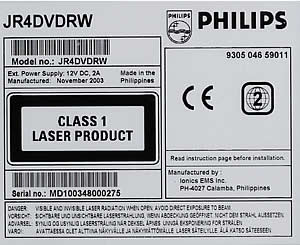
All input output connections jacks are located on the left hand side. From left to the right (see photo below), there is the power input, the digital audio output, USB connector, the headphones jack, the analogue audio output, the S-Video output and the Video output (CVBS).

- Retail Package
 Philips'
retail package includes Ahead's Nero suite of programmes on one
CD- ROM.
Philips'
retail package includes Ahead's Nero suite of programmes on one
CD- ROM.
- Ahead Nero Burning Rom 6.0
- Ahead InCD 4.0
- Ahead Nero Vision Express 2.0
- Ahead Nero Media Player 1.4
- Ahead EasyWrite Reader 4.0
- Ahead Nero Burning Rights 1.0
- Ahead Backup
- Ahead Nero Showtime
In the same CD are also included drivers for the JR4 and warranty information in PDF.
It also includes all the appropriate cables required for connecting the drive to just about any type of home audio/visual equipment- usb cable, digital audio cable, analog audio cable, s-video cable, and composite video cable. There is also a "How To" booklet, a remote control unit with batteries, power pack.
The booklet has a number of sections, each describing in a step-by-step manner, how to connect the drive to a tv, listen to music, etc. As a standalone device (i.e. when connected to your stereo or tv and not a PC), the drive is capable of mp3 playback and picture CD display.
- Installation
We connected the Philips JR4DVDRW to our test PC where it was identified as "PHILIPS JR4DVDRW", under WinXP. All tests were done with firmware revision v3.00.

The following pages include the test results of the Philips drive in comparison with the Pioneer DVR-SK12D. The Pioneer is a dual DVD recorder, and we consider that a typical comparison would make our tests more interesting.
Review Pages
2. Data CD Reading Tests
3. CD Error Correction Tests
4. DVD reading tests
5. DVD Error Correction Tests
6. Protected Disc Tests
7. AudioCD/DAE Tests
8. CD Recording Tests
9. 3T Jitter Tests 1
10. 3T Jitter Tests 2
11. C1 / C2 Error Measurements
12. DVD Recording Tests
13. PI/PO Error Measurements
14. Stand Alone DVD Player
15. Conclusion