LG Offers Blu-ray NAS Solution
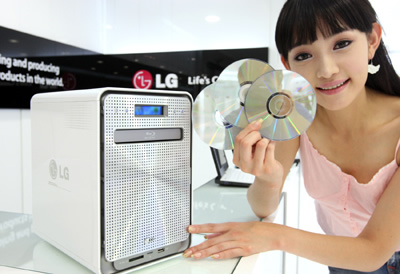
LG will unveil its new N4B1 network attached storage (NAS), which provides integrated data management, at IFA 2008. The device offers advanced data management features including a built-in Blu-ray drive and version management.
Available in four-bay configurations, LG?s N4B1 accepts hard drives as large as four terabytes. It is optimized for home and small business users who manage large amounts of data and includes special features "Easy&Fancy web-based graphic user interface / Remote support to help solve more complicated issues" that make it easier for people who are not IT professionals to install and manage.
LG?s NAS makes it possible to share a single Blu-ray, DVD or CD among many users by creating a virtual disc library. After inserting a disc the NAS can create and store an image of the disc, which is then accessible by all of the users on the network. This saves time and also reduces wear and tear on discs. The Blu-ray drive also has a write mode, which allows it to serve as a secondary storage medium, with each disc holding between 25 and 50 gigabytes. When data is saved to a Blu-ray disc, the NAS automatically creates a catalog of disc?s contents for easier archiving.
LG?s NAS is compatible with Windows, Linux and Mac computers and networks. It also allows users on different operating systems to share and store data, whether directly connected to the NAS, on a network or over the internet.
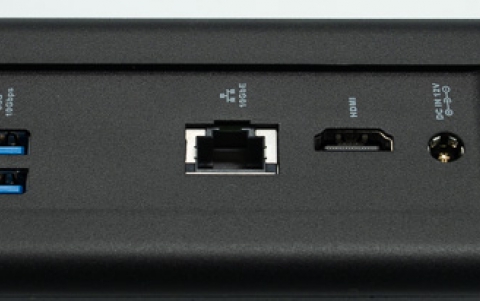
LG?s network storage solution includes a gigabit Ethernet connection and three USB 2.0 connections. It can be configured for RAID 5 (default), 0, 1, 1+0 and JBOD modes and also allows for hot swapping of hard drives.
LG?s N4B1 network storage solution can automatically download data from USB memory, memory cards, digital cameras and MP3 players. It automatically tracks what data has been downloaded using its version management system and only downloads new files saving time and space.
LG?s N4B1 network storage solution will be available beginning in December of this year.
LG?s NAS makes it possible to share a single Blu-ray, DVD or CD among many users by creating a virtual disc library. After inserting a disc the NAS can create and store an image of the disc, which is then accessible by all of the users on the network. This saves time and also reduces wear and tear on discs. The Blu-ray drive also has a write mode, which allows it to serve as a secondary storage medium, with each disc holding between 25 and 50 gigabytes. When data is saved to a Blu-ray disc, the NAS automatically creates a catalog of disc?s contents for easier archiving.
LG?s NAS is compatible with Windows, Linux and Mac computers and networks. It also allows users on different operating systems to share and store data, whether directly connected to the NAS, on a network or over the internet.
LG?s network storage solution includes a gigabit Ethernet connection and three USB 2.0 connections. It can be configured for RAID 5 (default), 0, 1, 1+0 and JBOD modes and also allows for hot swapping of hard drives.
LG?s N4B1 network storage solution can automatically download data from USB memory, memory cards, digital cameras and MP3 players. It automatically tracks what data has been downloaded using its version management system and only downloads new files saving time and space.
LG?s N4B1 network storage solution will be available beginning in December of this year.