Breaking News

CORSAIR Launches the RM1200e Power Supply with Built-in PinProtect GPU Overcurrent Protection and Platinum-certified Efficiency CORSAIR Changes the Game with PureVector, a Science-Based Personalized Aiming Technology, Launching Exclusively in the SABRE v3 PRO PureVector Mouse Series AMD FSR Upscaling 4.1 Boosts Frames and Image Quality on More Devices TerraMaster TerraSync Update COLORFUL Launches iGame X870E ULTRA-S V14 Motherboard

logo

  • Share Us
    • Facebook
    • Twitter
  • Home
  • Home
  • News
  • Reviews
  • Essays
  • About
    • Submit News

    • Contact Us
    • Privacy

    • Promotion
    • Advertise

    • RSS Feed

Search form

Nero 8 Preview

Sep 25,2007 0

3. Nero StartSmart Introduction


Review Pages

1. Introduction
2. Installation
3. Nero StartSmart Introduction
4. Burning with StartSmart
5. Conclusion


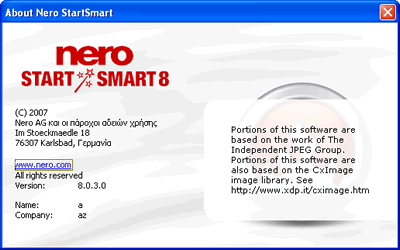
Finally, we can see the new designed Nero StartSmart. Our Nero StartSmart 8 is build 8.0.3.0.
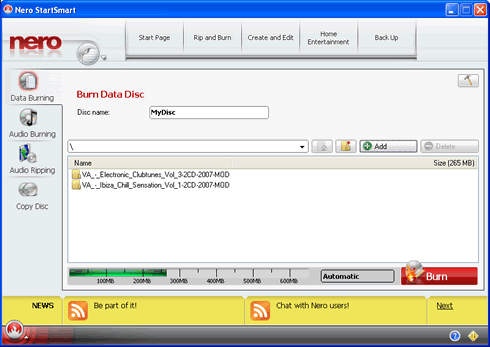
The GUI is very easy and consists of two main selection areas, one horizontal at the top and the other a vertical column at left. Each provides different actions:

Start with the vertical column, the first choice is Data Burning. Here you can easily burn data without a lot of effort. Just drag&drop your data from the HDD.

And press Burn to start burning, so simple... Note that you cannot do advanced functions, like create many folders with subtitles and manage them easily. For such tasks you need to use the main, Nero Burning Rom application :-)
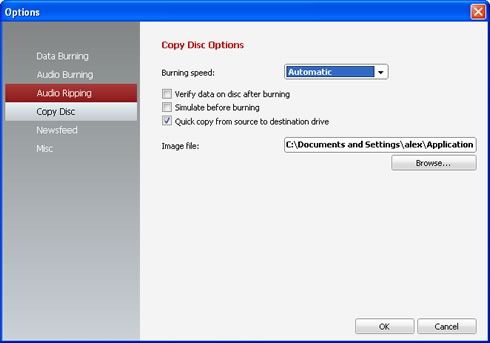
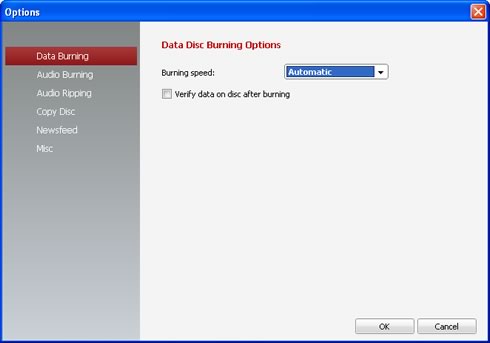
By pressing on the top right tool icon located in the main content area, you can access options like burning speed for data/audio projects:
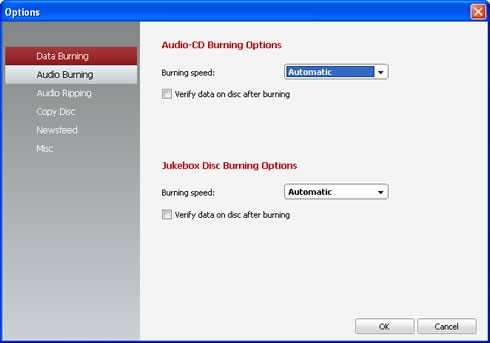
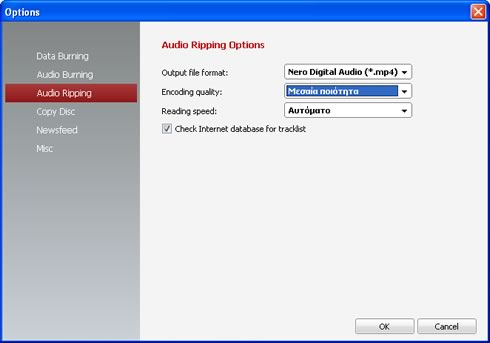
For audio ripping, several options are available:
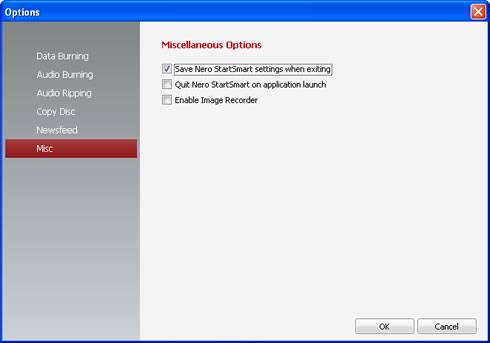
Lastly, you can add Newsfeed options from your favorite websites to get all the latest news, which appear at the bottom of Nero SmartStart.

 

Review Pages

1. Introduction
2. Installation
3. Nero StartSmart Introduction
4. Burning with StartSmart
5. Conclusion

 

Pages

  • « first
  • ‹ previous
  • 1
  • 2
  • 3
  • 4
  • 5
  • next ›
  • last »

nero

DVD

Blu-Ray

HD DVD

burning

Tags: nero DVD Blu-Ray HD DVD burning
Previous Post
Samsung WEP185 BT Headset
Next Post
PC2-6400 SO-DIMM Roundup

Related Posts

  • Scientists develop the petabit optical disc – 2000x UHD Blu-ray

  • Pioneer BDR-X13U-S

  • Pioneer BDR-S13U-X Blu-Ray Recorder

  • Xbox Series X owners complain about UHD Blu-ray playback issues

  • Nero Announces Platinum 365 & Nero Platinum Unlimited

  • Pioneer Launches Two External 16x Blu-ray Disc Burners

  • New Nero Platinum Released in Two Versions

  • Multimedia-focused Nero 2019 Released

Latest Reviews

Why Intelligent Firmware Matters More Than Peak Throughput in NAS Systems
Enterprise & IT

Why Intelligent Firmware Matters More Than Peak Throughput in NAS Systems

Fanxiang MP83 M.2 NVMe SSD Enclosure
Enterprise & IT

Fanxiang MP83 M.2 NVMe SSD Enclosure

Ugreen CM642 USB4.0 Enclosure
PC components

Ugreen CM642 USB4.0 Enclosure

be quiet! Dark Power 14 IO
PC components

be quiet! Dark Power 14 IO

SanDisk High Endurance 512GB microSDXC
Cameras

SanDisk High Endurance 512GB microSDXC

Popular News

MSI’s Latest AMD X870E MAX & EVO Series Motherboards

MSI’s Latest AMD X870E MAX & EVO Series Motherboards

COLORFUL Launches iGame B850M ULTRA Series Micro-ATX Motherboards

COLORFUL Launches iGame B850M ULTRA Series Micro-ATX Motherboards

COLORFUL Presents Limited Edition Chitu MAG-60 Magnetic Keyboard Inspired by the Year of the Horse

COLORFUL Presents Limited Edition Chitu MAG-60 Magnetic Keyboard Inspired by the Year of the Horse

COLORFUL Launches iGame B850I MINI OC V14 Motherboard

COLORFUL Launches iGame B850I MINI OC V14 Motherboard

COLORFUL Launches the iGame X870E VULCAN W OC Motherboard

COLORFUL Launches the iGame X870E VULCAN W OC Motherboard

COLORFUL Presents iGame Z890 ULTRA-S W and iGame Z890M ULTRA Z Motherboards

COLORFUL Presents iGame Z890 ULTRA-S W and iGame Z890M ULTRA Z Motherboards

COLORFUL Expands B850 Motherboard Lineup with New CVN, Battle-Ax, and MEOW Models

COLORFUL Expands B850 Motherboard Lineup with New CVN, Battle-Ax, and MEOW Models

ASRock Adds Support for One Sub-Channel DRAM Module on Intel DDR5 Motherboards

ASRock Adds Support for One Sub-Channel DRAM Module on Intel DDR5 Motherboards

Main menu

  • Home
  • News
  • Reviews
  • Essays
  • About
    • Submit News

    • Contact Us
    • Privacy

    • Promotion
    • Advertise

    • RSS Feed
  • About
  • Privacy
  • Contact Us
  • Promotional Opportunities @ CdrInfo.com
  • Advertise on out site
  • Submit your News to our site
  • RSS Feed