
Breaking News

ASUS Hardware Showcase: AI Accelerators, Collector GPUs, and Esport Monitors Apple Unveils Major Hardware and Creative Suite Ecosystem Updates XPG Launches Third-Generation CORE REACTOR III for Next-Gen Power Safety TCL’s New Monitor Range Fits Every Kind of Gaming Setup Viltrox Launches AF 35mm F1.4 Pro FE/Z

logo

  • Share Us
    • Facebook
    • Twitter
  • Home
  • Home
  • News
  • Reviews
  • Essays
  • About
    • Submit News

    • Contact Us
    • Privacy

    • Promotion
    • Advertise

    • RSS Feed

Search form

Cogage True Spirit

May 13,2010 0

2. Package, installation


Review Pages

1. Features
2. Package, installation
3. How we test
4. Results
5. Final words


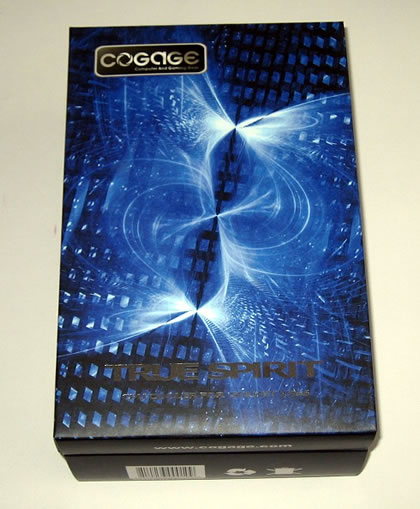
The Cogage True Spirit cooler comes in a well-designed package. It is available at a rather competitive price of about $40. However, the cooler supports only the Intel LGA1366 platform.
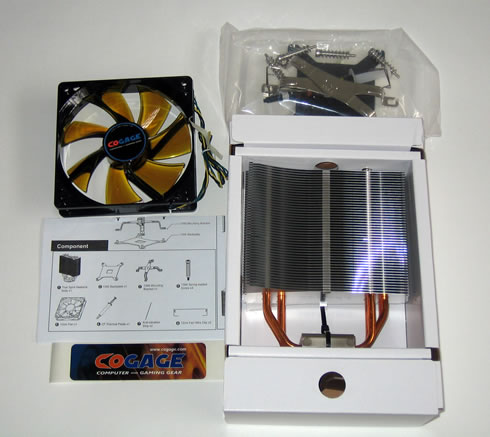
Inside the box everything is placed into two boxes. The first box includes the main body of the cooler, an installation manual, an 120mm fan, a Cogage sticker, mounting brackets and a thermal paste.
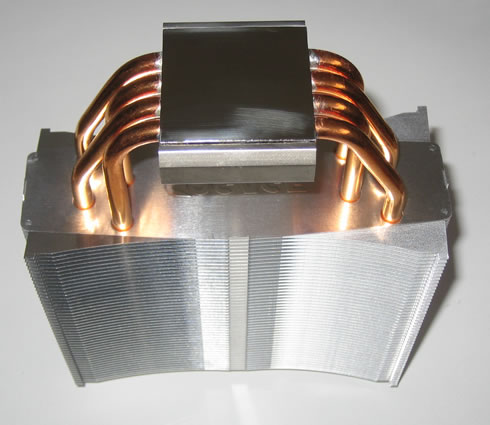
The size of the cooler is typical for this category. The base is rather well cared off, with four (4) U-shaped full copper heatpipes (6mm diameter) coming from the base up to the hetasink - a stack of 48 aluminium fins. According to the product specifications, the fins have bent winglet design to minimize airflow resistance. Its weight is around 670g (heatsink only) and it measures L133 x W156 x H38 mm.

The base of the TRUE Spirit has a mirror like finish and is even and level from side to side, as we can see in the picture below:
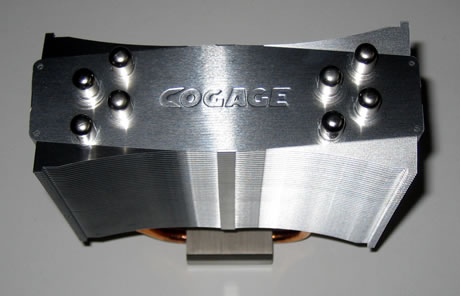
The Cogage logo is imprinted on the exterior side of the top fin:.
The included 120mm fan supports the PWM function (1000~1500rpm ±15%) and allows you to set the rotation speed through the BIOS of your PC.

Installing the TRUE Spirit is a breeze thanks to the push-pin mounting system employed. First you need to place the backplate under the motherboard. Then apply some thermal paste and place the cpu cooler at the processor area.

The next step is the place the X metal plate above the cooler base and secure the system using the supplied screws. Using a long screwdriver may be helpful here. Also mounting the screws diagonally is preferred.
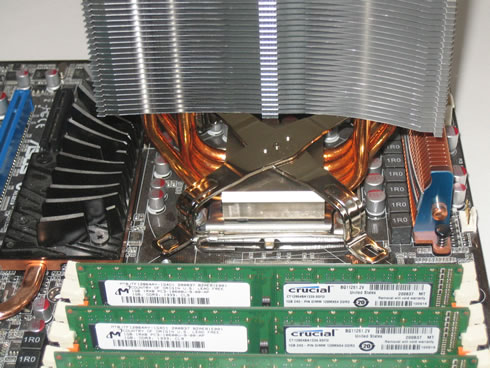
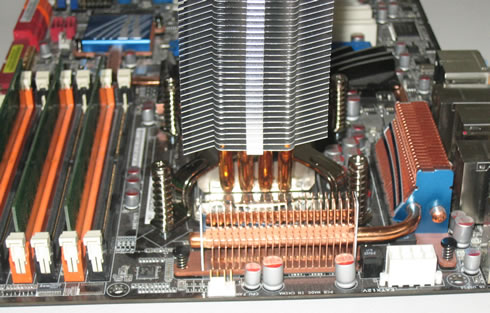
 

Finally you need to mount the included fan at the main body. Nothing to worry about here, just use the available brackets and mount the fan into the two holes placed on the top and the bottom sides of the heatsink.

As you can see the coolerdoes not impose on the first DIMM slot on our motherboard. While it does sit a bit close, there is ample room to fit more RAM if we wanted.


Review Pages

1. Features
2. Package, installation
3. How we test
4. Results
5. Final words


Pages

  • « first
  • ‹ previous
  • 1
  • 2
  • 3
  • 4
  • 5
  • next ›
  • last »

Cogage

Tags: Cogage
Previous Post
Inno3D GTX470 Hawk
Next Post
Coolink Corator DS

Related Posts

Latest Reviews

be quiet! Light Wings Pro IO fan
Cooling Systems

be quiet! Light Wings Pro IO fan

Why Intelligent Firmware Matters More Than Peak Throughput in NAS Systems
Enterprise & IT

Why Intelligent Firmware Matters More Than Peak Throughput in NAS Systems

Fanxiang MP83 M.2 NVMe SSD Enclosure
Enterprise & IT

Fanxiang MP83 M.2 NVMe SSD Enclosure

Ugreen CM642 USB4.0 Enclosure
PC components

Ugreen CM642 USB4.0 Enclosure

be quiet! Dark Power 14 IO
PC components

be quiet! Dark Power 14 IO

Popular News

MSI’s Latest AMD X870E MAX & EVO Series Motherboards

MSI’s Latest AMD X870E MAX & EVO Series Motherboards

COLORFUL Launches iGame B850M ULTRA Series Micro-ATX Motherboards

COLORFUL Launches iGame B850M ULTRA Series Micro-ATX Motherboards

COLORFUL Presents Limited Edition Chitu MAG-60 Magnetic Keyboard Inspired by the Year of the Horse

COLORFUL Presents Limited Edition Chitu MAG-60 Magnetic Keyboard Inspired by the Year of the Horse

COLORFUL Launches iGame B850I MINI OC V14 Motherboard

COLORFUL Launches iGame B850I MINI OC V14 Motherboard

COLORFUL Launches the iGame X870E VULCAN W OC Motherboard

COLORFUL Launches the iGame X870E VULCAN W OC Motherboard

COLORFUL Presents iGame Z890 ULTRA-S W and iGame Z890M ULTRA Z Motherboards

COLORFUL Presents iGame Z890 ULTRA-S W and iGame Z890M ULTRA Z Motherboards

COLORFUL Expands B850 Motherboard Lineup with New CVN, Battle-Ax, and MEOW Models

COLORFUL Expands B850 Motherboard Lineup with New CVN, Battle-Ax, and MEOW Models

ASRock Adds Support for One Sub-Channel DRAM Module on Intel DDR5 Motherboards

ASRock Adds Support for One Sub-Channel DRAM Module on Intel DDR5 Motherboards

Main menu

  • Home
  • News
  • Reviews
  • Essays
  • About
    • Submit News

    • Contact Us
    • Privacy

    • Promotion
    • Advertise

    • RSS Feed
  • About
  • Privacy
  • Contact Us
  • Promotional Opportunities @ CdrInfo.com
  • Advertise on out site
  • Submit your News to our site
  • RSS Feed


