Breaking News

KINGMAX Launches DDR5 Horizon II Overclocking Memory Module, Tailored for High-Load Scenarios DeepCool Unveils SPARTACUS 360 AIO Liquid Cooler for High-End Performance and Customization KINGMAX Launches New DDR4 Blade X Gaming RAM, Delivering Powerful Performance for Intel/AMD Platforms Corsair announces FRAME 4000D LCD RS ARGB PC Case Samsung Launches One UI 8.5 Beta for Next-Level Ease of Use

logo

  • Share Us
    • Facebook
    • Twitter
  • Home
  • Home
  • News
  • Reviews
  • Essays
  • Forum
  • Legacy
  • About
    • Submit News

    • Contact Us
    • Privacy

    • Promotion
    • Advertise

    • RSS Feed
    • Site Map

Search form

Asus Arctic Square

May 24,2007 0

3. Installation


Review Pages

1. Introduction
2. The Package
3. Installation
4. Performance
5. Conclusion


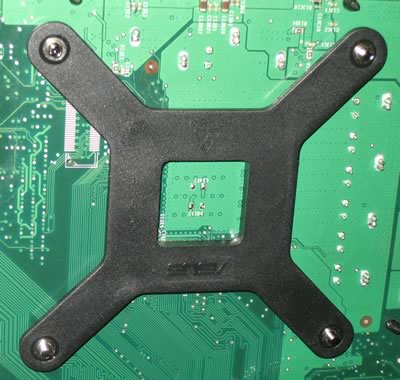
Time to move on to the installation. The first step is to get cross-like plastic mount and remove the white protective tape. The tape covers a sticky material that helps keep the mount in place while you assemble the rest of the cooler. As we found in our tests, if you remove the mount, most of the glue stays on the motherboard, so there's not much left for second use.
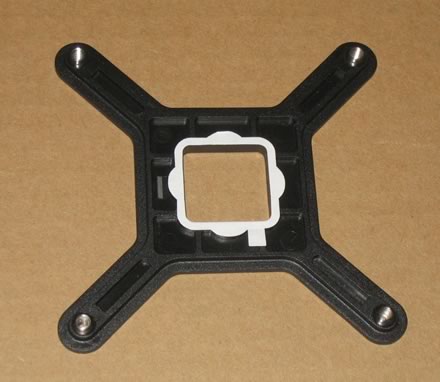
The plastic mount goes on the back of your motherboard. Just push it in place, it stays there thanks to the glue.
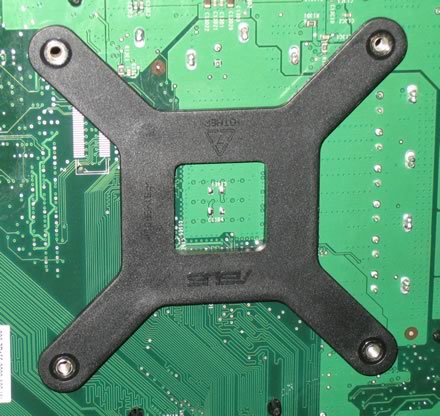
On the top side of the motherboard, we can see the four holes where the cooler will be screwed in...

The next step is to mount at the metalic base, the four screws and the plastic caps so that you can screw and secure the base to the motherboard.

There are four "black" and four "silver" screws. At first, it wasn't very clear which screws should be used. I started off with the black, but after several attempts I realised that the silver were the right ones.
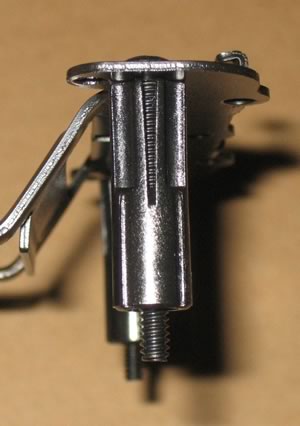
The next problem was which holes should be used for the screws. There are no numbers or markings on the holes, so after consulting the installation guide for some time, wading through the diagrams and checking against the mounting plate, I finally figured out which ones.
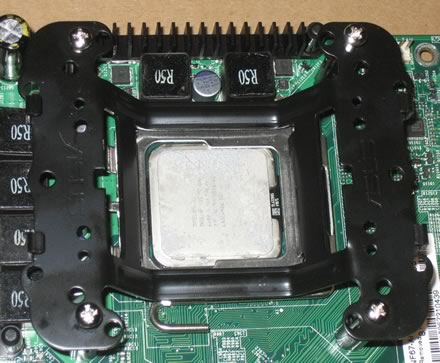
The screws tightened and the base is securely mounted.
Apply thermal paste to the copper base of the cooler and gently sit the big cooler gently on the CPU and mounting base. Nothing difficult here...
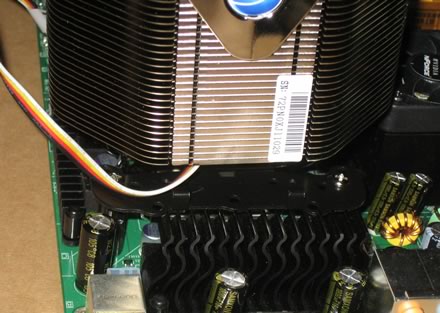
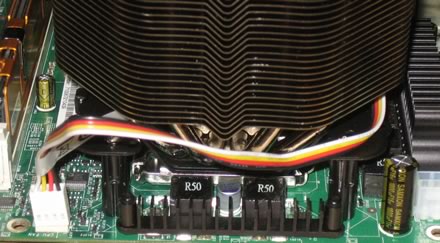
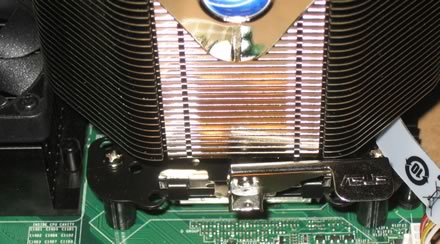
Then we have to clamp the cooler in place with the metalic plate, which helps hold and secure the cooler. Not the best or easiest task...
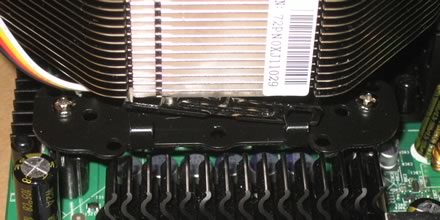
but after several attempts, we finally got it right.
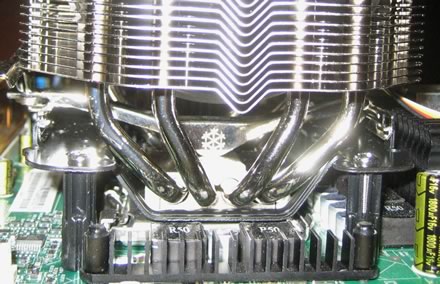
And the last step, push down the lever to clamp the cooler securely!
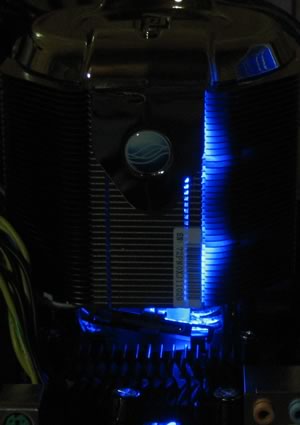
When the cooler is operational, a blue electric light is produced.
 

Review Pages

1. Introduction
2. The Package
3. Installation
4. Performance
5. Conclusion


Pages

  • « first
  • ‹ previous
  • 1
  • 2
  • 3
  • 4
  • 5
  • next ›
  • last »

ASUS

coolers

LGA775

AM2

Tags: ASUS coolers LGA775 AM2
Previous Post
Has Sprint "Upstaged" the iPhone?
Next Post
EVGA 8800GTS KO ACS3

Related Posts

  • ASUS Announces Prime AP303 Compact Mid-Tower ATX Case

  • ASUS TUF Gaming Unveils Call of Duty Black Ops 7 Edition AMD Radeon RX 9070 XT

  • ASUS Announces October Availability of ProArt Display 8K PA32KCX

  • ASUS Unveils ProArt PA401, PA602 Wood Edition PC Cases with Retro Colors

  • ASUS Announces ExpertCenter PN54-S1 Mini PC

  • ASUS Announces ExpertCenter P600 AiO

  • ASUS Announces Turbo Radeon AI Pro R9700 32GB Graphics Card

  • ASUS Unveils ProArt Displays, PC Solutions, and More at IBC 2025

Latest Reviews

Noctua NP-DM3 desk mat
Gaming

Noctua NP-DM3 desk mat

Crucial P510 2TB NMVE
PC components

Crucial P510 2TB NMVE

The Quiet Technology Behind the Spin
Enterprise & IT

The Quiet Technology Behind the Spin

Crucial DDR5 Pro 6400 CL32
PC components

Crucial DDR5 Pro 6400 CL32

SOUNDPEATS Clip1
Consumer Electronics

SOUNDPEATS Clip1

Popular News

COLORFUL Introduces CVN B850I GAMING FROZEN Motherboard

COLORFUL Introduces CVN B850I GAMING FROZEN Motherboard

COLORFUL Presents CVN X870 ARK FROZEN Motherboard for AMD Ryzen 9000 CPUs

COLORFUL Presents CVN X870 ARK FROZEN Motherboard for AMD Ryzen 9000 CPUs

COLORFUL Presents the B860 Series Motherboards

COLORFUL Presents the B860 Series Motherboards

Intel-AMD new motherboards announced

Intel-AMD new motherboards announced

TEAMGROUP Launches EXPERT P34F Find My External SSD

TEAMGROUP Launches EXPERT P34F Find My External SSD

ASRock AM5 Motherboards Now Fully Support AMD Ryzen 9 9950X3D & 9900X3D Processors

ASRock AM5 Motherboards Now Fully Support AMD Ryzen 9 9950X3D & 9900X3D Processors

Samsung announces Galaxy Tab S11 and Galaxy S25 FE series

Samsung announces Galaxy Tab S11 and Galaxy S25 FE series

Viltrox Showcases Upcoming Lens Lineup and New TTL Flash at IBC 2025

Viltrox Showcases Upcoming Lens Lineup and New TTL Flash at IBC 2025

Main menu

  • Home
  • News
  • Reviews
  • Essays
  • Forum
  • Legacy
  • About
    • Submit News

    • Contact Us
    • Privacy

    • Promotion
    • Advertise

    • RSS Feed
    • Site Map
  • About
  • Privacy
  • Contact Us
  • Promotional Opportunities @ CdrInfo.com
  • Advertise on out site
  • Submit your News to our site
  • RSS Feed