NTI Shadow
4. Testing
NTI Shadow - Page 4
Testing
The software works transparently in the background without disturbing the user or having to stop virus and spyware scanning programs. With NTI Shadow, PC, Mac, and network users can set the application to automatically back up data, photo, audio, and video files in their native format every time a change occurs, to ensure that the backup is always in sync with the original file. Restoring is as easy as drag and drop.
The welcome screen is very simple, just press the "New" button...:

...and the backup wizard will pop up with five steps to follow. The first thing you have to do is to select what exactly you need to backup, by pressing the "Add" button"

The browse for the folder window where you can select (by ticking) one or many folders comes up. By default the "My Documents" folder expands, but you can also select Outlook Express folders too:

User can select network folders too :-)

The next step for the user is to select where he wants to store his backup files, again either locally in his PC or remotely to other PCs over a local or the Web network.
NTI Shadow can be used to synchronize digital content stored on all internal and external, local and/or network HDD drives, including external USB devices such as Flash drives, mobile drives, USB pen drives, USB (PMP) Personal Media Players, NAS devices, and more. To conduct our tests, we selected a USB removable disk.

The third step is to set the backup properties. The software also includes file filtering so users can select files to backup by category. Backup starting times can also be scheduled by the minute, the hour, or the day. Following, to speak of perfection in version control, the user is in the position of opting to save an unlimited number of revisions, a specific number of revisions (1-10) or no revisions at all.
The user is able of either not saving the revisions of his backup files or saving an unlimited or limited number of them. He may also choose to filter or not his data.


The next step is to select the sheduling of backup. This is the step in which most users will just let the default option (Synchronize my files everytime I save to my source folders) do its job. Apart from all the above, the display on the screeenshot to follow, leads us to the realization that NTI Shadow has more options to offer as well:

In the last step, we see a summary of what we have selected so far.

Press "Finish" to end the wizard and you will be transferred back to the main screen.

A neat feature provided by the NTI Shadow is that one can have many different jobs run in parallel! By pressing "Start Now" each job will be executed.

The NTI Shadow icon pops up in the icon area...

...while the backup process is getting started...
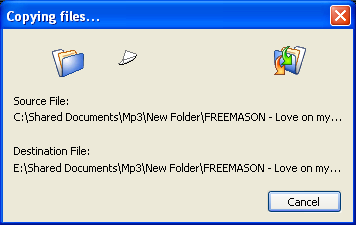
Now the user can just continue their work. Whenever a new file has to be added in these "monitored" folders, NTI Shadow will automatically observe the changes and keep a backup file in the area selected by the user. The NTI Shadow icon will flash, indicating that the software is running.