Motherboard Roundup May 2008
1. About this article - Asus P5E3 Premium WiFi@n
Review Pages
2. Asus P5E3 Premium WiFi@n - Retail package
3. Asus P5E3 Premium WiFi@n - BIOS settings, Test configuration
4. Asus Striker II Extreme - Features, specifications
5. Asus Striker II Extreme - Retail package
6. Asus Striker II Extreme- BIOS settings, Test configuration
7. Benchmarks - Everest Ultimate Edition, SiSoftware Sandra
8. Benchmarks - PCMark Vantage, BAPCo's SYSmark 2007 Preview
9. Benchmarks - MAXON CINEBENCH, x264 HD Benchmark, TMPGEnc 4 Xpress
10. Benchmarks - SuperPI, wPrime
11. Benchmarks - 3DMark 06, Crysis CPU benchmark, Unreal Tournament 3 demo
12. Overclocking
13. Conclusion
 Which chipset works better with your brand new 45nm Core2Quad processor? That's the question we will try to answer today with a comparison of four motherboard based on different chipsets: Intel P35, X38, X48 and Nvidia's 790o SLi.
From that comparison we skipped P965 chipset, since the 45nm Quad processors are not supported.
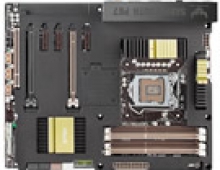
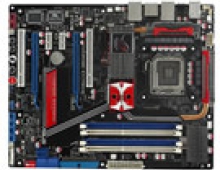
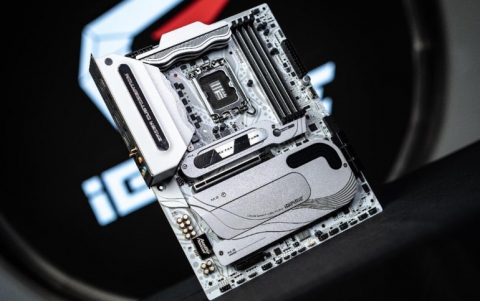
All motherboards for this test were kindly offered by Asustek company. These are the Asus P5E3 Premium, the Asus Striker II Extreme, the Asus Maximus Extreme and the Asus Blitz Extreme. The last two models have been already presented in previous reviews, so they are just included for comparison.
Let's begin presenting the newly introduced motherboards, the Asus P5E3 Premium and Asus Striker II Extreme, all based at DDR3 memory.
- Asus P5E3 Premium WiFi@n
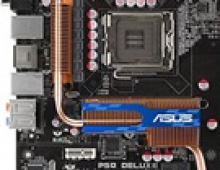
The P5E3 Premium/WiFi-AP@n is an "improved" version of the popular P5E3 Deluxe Wifi, carrying the Intel X48 chipset. However, the difference between the X38 and X48 is minimal and mostly noticed when coupled with a 1600FSB processor.
The X48 motherboard combines performance with energy efficiency; and supports DDR3 2000MHz dual-channel memory architecture and Dual PCI Express 2.0 x16 lanes. It also comes with ASUS EPU (Energy Processing Unit), allowing the CPU power supply to be digitally monitored and fine-tuned with improved VRM efficiency in heavy or light loadings – attaining the best possible power efficiency and energy savings. The P5E3 Premium/WiFi-AP@n also supports 802.11n WiFi specifications onboard for faster data transfers, and ASUS Express Gate – an optional Linux OS bootup for instant access to the Internet in just 5 seconds.

AI Lifestyle Series of motherboards provide you better system performance to enjoy graphic-intensive games and applications. The audio feature enhances the quality of voice signal. Thoughtful design allows you to set up your system easily. To create a peaceful environment, several new and improved innovations are included to reduce noise and temperature.
   |
LGA775 Intel® Core™2 Processor Ready This motherboard supports the latest Intel® Core™2 processors in LGA775 package. It also can support Intel® next generation 45nm Multi-Core CPU. With new Intel® Core™ microarchitecture technology and 1600 / 1333 / 1066 / 800 MHz FSB, Intel® Core™2 processor is one of the most powerful and energy efficient CPU in the world. |
 |
PCIe 2.0 |
  |
Dual-Channel DDR3 2000(O.C.)/1800(O.C.)/1600 The motherboard supports DDR3 memory that features data transfer rates of 2000(O.C.)/1800(O.C.)/1600/1333/1066/800 MHz to meet the higher bandwidth requirements of the latest operation system, 3D graphics, multimedia, and Internet applications. The dual-channel DDR3 architecture doubles the bandwidth of your system memory to boost system performance, eliminating bottlenecks with peak bandwidths of up to 28.8 GB/s. Furthermore, the supply voltage for the memory is reduced from 1.8 V for DDR2 to just 1.5 V for DDR3. This voltage reduction limits the power consumption and heat generation of DDR3 which makes it an ideal memory solution. |
 |
ASUS EPU: Enables the Most Energy Efficient Motherboard in the World Enables the Most Energy Efficient Motherboard in the World The ASUS EPU utilizes innovative technology to digitally monitor and tune the CPU power supply with improved VR responses in heavy or light loadings. It automatically provides power for higher performance or improve efficiency by 50% when the PC is running low intensity applications. Working together with AI Gear 3+, this can help you attain the best possible power efficiency and energy savings up to 80.23% to help save the environment. |
 |
ASUS Express Gate: Surf the Internet in 5-second-boot time without entering Windows With a fast bootup speed of only 5 seconds, the ASUS Express Gate offers an optional Linux OS bootup that allows you to enjoy instant access to commonly used functions like accessing the Internet, VoIP, and Web emailing without entering the OS. |
In order to get familiar with the full features of the Asus P5E3 Premium WiFi@n visit the Asus website.
- Full specifications
CPU |
Intel Socket 775 Core™2 Quad/Core™2 Extreme/Core™2 Duo/Pentium® Extreme/Pentium® D/Pentium® 4 Processors Compatible with Intel® 05B/05A/06 processors Support Intel® next generation 45nm CPU |
Chipset |
Intel X48 Intel ICH9R Intel Fast Memory Access Technology |
Front Side Bus |
1600/1333/1066/800 MHz |
Memory |
4 x DIMM, Max. 8 GB, DDR3 2000*/1800*/1600/1333/1066/800 Non-ECC,Un-buffered Memory Dual Channel memory architecture Supports Intel® Extreme Memory Profile (XMP) * Overclocking speed ** For the X.M.P. support, CPUs with FSB 1333 or above are recommended. *** Refer to www.asus.com or this user manual for the Memory QVL (Qualified Vendors List). |
Expansion Slots |
3 x PCIe x16 (blue @PCIe2.0 x16 mode, black @PCIe x4 or x1 mode) supports CrossFire Technology 1 x PCIe x1 2 x PCI |
Storage |
Southbridge 6 xSATA 3 Gb/s ports Intel Matrix Storage Technology Support RAID 0,1,5,10 JMicron® JMB363 PATA and SATA controller 1 xUltraDMA 133/100/66 for up to 2 PATA devices 2 xExternal SATA 3.0 Gb/s port (SATA On-the-Go) Support RAID 0,1,JBOD |
LAN |
Dual Gigabit LAN controllersMarvell 88E8056® PCIe Gigabit LAN controller featuring AI NET2 Realtek RTL8110SC® PCI Gigabit LAN controller featuring AI NET2 |
Wireless LAN |
ASUS WiFi-AP @n - 300Mbps* IEEE 802.11n (Draft) and backwards compatible with IEEE 802.11g / b - Software Access Point mode *300Mbps is IEEE 802.11n draft specification. Actual throughput will vary depending on the wireless environment and other parameters |
Audio |
ADI® AD1988B 8 -Channel High Definition Audio CODEC Coaxial / Optical S/PDIF out ports at back I/O Support Jack-Sensing, Enumeration, Multi-streaming AI Audio 2 |
IEEE 1394 |
Agere® L-FW3227 1394a controller supports 2 x 1394a ports (one at midboard; one at back panel) |
USB |
10 USB 2.0 ports (4 ports at mid-board, 6ports at back panel) |
ASUS AI Lifestyle Features |
ASUS Power Saving Solution - ASUS EPU (Energy Processing Unit) - ASUS 3rd Generation 8-phase Power - ASUS AI Nap ASUS AI Lifestyle - ASUS Express Gate - ASUS WiFi-AP @n - ASUS AI Direct Link ASUS Quiet Thermal Solution - ASUS Fanless Design: Pure Copper Heat-pipe solution - ASUS Fanless Design: Stack Cool 2 - ASUS Q-Fan 2 - ASUS Optional Fan for Water-cooling or Passive-Cooling only ASUS Crystal Sound - ASUS Noise Filter - ASUS AI Audio 2 ASUS EZ DIY - ASUS Q-Connector - ASUS Q-Shield - ASUS O.C. Profile - ASUS CrashFree BIOS 3 - ASUS EZ Flash 2 - ASUS AI Slot Detector |
Overclocking Features |
Intelligent overclocking tools - ASUS AI Booster Utility Precision Tweaker 2 - vDIMM: 65 -step DRAM voltage control - vCore: Adjustable CPU voltage at 0.00625V increment - vChipset (N.B.): 49-step voltage control - vFSB Termination: 16-step reference voltage control - vCPU PLL: 65-step CPU PLL voltage control SFS (Stepless Frequency Selection) - FSB tuning from 200MHz up to 800MHz at 1MHz increment - Memory tuning from 800MHz up to 3200MHz - PCI Express frequency tuning from 100MHz up to 150MHz at 1MHz increment Overclocking Protection - ASUS C.P.R.(CPU Parameter Recall) |
Special Features |
Multi-language BIOS ASUS MyLogo 3 |
Back Panel I/O Ports |
1 x PS/2 Keyboard 2 x External SATA 1 x S/PDIF Out 1 x IEEE 1394a 2 x LAN(RJ45) port 6 x USB 2.0/1.1 8 -Channel Audio I/O 2 x WiFi-AP @n antenna jack |
Internal I/O Connectors |
2 x USB connectors support additional 4 USB ports 1 x Floppy disk drive connector 1 x IDE connector 6 x SATA connectors 1 x IEEE 1394a connector 1 x CPU Fan connector 1 x Chassis Fan connector 1 x Power Fan connector 1 x COM connector 1 x S/PDIF Out connector 2 x4-pin ATX 12V Power connector 24 -pin ATX Power connector Front panel audio connector Chassis Intrusion connector CD/AUX audio in System Panel Connector |
BIOS |
16 Mb Flash ROM DMI 2.0 AMI BIOS PnP WfM 2.0 SM BIOS 2.3 ACPI 2.0a Multi-language BIOS ASUS EZ Flash 2 ASUS CrashFree BIOS 3 |
Manageability |
WfM 2.0,DMI 2.0,WOL by PME,WOR by PME, PXE |
Accessories |
UltraDMA 133/100/66 cable FDD cable 6 x Serial ATA cables 1 x 2-port Serial ATA power cable ASUS Q-Shield User's manual ASUS WiFi-AP @n manual 3 in 1 Q-connector 1 x 2-port USB2.0 / 1-port IEEE1394 module 2 x Optional Fan for Water-Cooling or Passive-Cooling only ASUS WiFi-AP @n omni-directional antenna |
Support Disc |
Drivers ASUS PC Probe II ASUS AI Suite Anti-virus software (OEM version) ASUS Update ASUS WiFi-AP @n Wizard Image-Editing Suite |
Form Factor |
ATX Form Factor 12 inch x 9.6 inch ( 30.5 cm x24.4 cm ) |
Review Pages
2. Asus P5E3 Premium WiFi@n - Retail package
3. Asus P5E3 Premium WiFi@n - BIOS settings, Test configuration
4. Asus Striker II Extreme - Features, specifications
5. Asus Striker II Extreme - Retail package
6. Asus Striker II Extreme- BIOS settings, Test configuration
7. Benchmarks - Everest Ultimate Edition, SiSoftware Sandra
8. Benchmarks - PCMark Vantage, BAPCo's SYSmark 2007 Preview
9. Benchmarks - MAXON CINEBENCH, x264 HD Benchmark, TMPGEnc 4 Xpress
10. Benchmarks - SuperPI, wPrime
11. Benchmarks - 3DMark 06, Crysis CPU benchmark, Unreal Tournament 3 demo
12. Overclocking
13. Conclusion