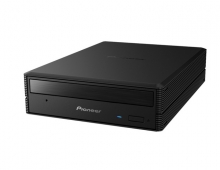
Pioneer DVR-720H-s DVD Recorder
1. Introduction
Review Pages
2. Packaging & Interior Look
3. Control Menu
4. The Tuner menu
5. The Video In/Out Menu
6. The Audio Out menu
7. The Language menu
8. The Recording menu
9. The Playback menu
10. Reading Tests
11. Compressed Audio (data CD/DVD)
12. Making a recording (DVD)
13. Making a recording (HDD)
14. Recording Options
15. Chase Play Feature
16. Timer Recording & Disc Navigator (DVD)
17. Editing and Finalizing a DVD-Video Disc
18. Disc Navigator (HDD)
19. Copy Menu (HDD -> DVD)
20. Copy Menu (DVD -> HDD)
21. Copy Menu (Disc Backup)
22. The Photoviewer
23. Writing Quality Tests
24. Error Correction Tests
25. Conclusion
Introduction
 In
June of 2004, Pioneer announced a new range of DVD recorders, the DVR-220
/ DVR-320 'straight models' and the DVR-720H and DVR-520H with built-in hard
disk drives, providing consumers with the next generation of DVD technology as
well as massive storage capacity for broadcast programs, films and digital
camera footage.
In
June of 2004, Pioneer announced a new range of DVD recorders, the DVR-220
/ DVR-320 'straight models' and the DVR-720H and DVR-520H with built-in hard
disk drives, providing consumers with the next generation of DVD technology as
well as massive storage capacity for broadcast programs, films and digital
camera footage.

Building on the success of the highly acclaimed DVR-5100H 80 GB DVD recorder introduced last year, the new DVD recorders offer 160 GB (DVR-720H) and 80GB (DVR-520H) hard disk capacity, able to store an impressive 200 and 100 hours of video respectively. The new systems provide a copy feature capable of 48X high speed, allowing footage stored on the hard drive to be copied up to 48 times faster than real time to DVD, without any loss in quality. Combining leading edge technology with a strong heritage of innovation and invention, Pioneer has developed the ideal companion for television recording. Users can also watch the beginning of a recorded program whilst simultaneously recording its end - perfect for those who miss the first ten minutes of the match or arrive home half way through their favorite show.
"Pioneer remains at the forefront of the home entertainment market as our DVR products evolve and take advantage of the very latest innovations in technology. We are meeting the demand across Europe for simple recording and the ability to store a large number of programs and home video files, with these state-of-the-art products," says Philippe Coppens, Manager, Technology and Product InfoManagement, Pioneer Europe NV. The Pioneer DVR-720H and DVR-520H are only 5.9 cm high, making them amongst the slimmest on the market and an attractive addition to existing home AV equipment. You can also play back MP3 and WMA music files and even view JPEG images from a CD on these systems. Up to 48x High speed copying from HDD to DVD allows the sharing of your favorite moments on discs compatible with a wide variety of DVD players.
The DVR-720H-s is one of the latest recorders in Pioneer's product list. It is an interesting solution for a DVD recorder with a wide list of features.

Review Pages
2. Packaging & Interior Look
3. Control Menu
4. The Tuner menu
5. The Video In/Out Menu
6. The Audio Out menu
7. The Language menu
8. The Recording menu
9. The Playback menu
10. Reading Tests
11. Compressed Audio (data CD/DVD)
12. Making a recording (DVD)
13. Making a recording (HDD)
14. Recording Options
15. Chase Play Feature
16. Timer Recording & Disc Navigator (DVD)
17. Editing and Finalizing a DVD-Video Disc
18. Disc Navigator (HDD)
19. Copy Menu (HDD -> DVD)
20. Copy Menu (DVD -> HDD)
21. Copy Menu (Disc Backup)
22. The Photoviewer
23. Writing Quality Tests
24. Error Correction Tests
25. Conclusion