1. Introduction
AMF CD/DVD Jewel Case and Label Creator 3.8 - Page 1
Introduction
 The AMF CD/DVD Jewel Case and Label Creator 3.8 is a low cost package for
Word for Windows designed to create, replace, and/or improve upon the inserts
that are found in CD and DVD jewel boxes, as well as to create professional
adhesive CD and DVD labels of all sorts. This package can help you make double
sided inserts, booklets, including back covers with side spines. In addition,
you can also create CD/DVD Envelopes.
The AMF CD/DVD Jewel Case and Label Creator 3.8 is a low cost package for
Word for Windows designed to create, replace, and/or improve upon the inserts
that are found in CD and DVD jewel boxes, as well as to create professional
adhesive CD and DVD labels of all sorts. This package can help you make double
sided inserts, booklets, including back covers with side spines. In addition,
you can also create CD/DVD Envelopes.
Software Information
Title: CD Jewel Case and Label Creator
Author: Andrew Freeman
Company: AMF Software
System Requirements: Microsoft Word & Windows 3.1x/9x/ME/NT 3.x/NT/XP/2000/MAC
68k/Mac PPC
License: Shareware (30 days trial, registration costs $15)
Features in brief
- Easy to use -- if you can use Word you can make beautiful Jewel Cases, CD
Booklets and Labels.
- Use it to make DVD Labels, too!
- Supports industry standard label layout formats including those from Avery,
Neato, Stomper, HP, Kyso, 3-Up and many more!
- Create custom CD and DVD envelopes with the included CD/DVD Envelope template.
Create custom media envelopes like the professionals!
- Make covers that really will wow your customers -- for a fraction of the
cost of the local printer!
- Add custom graphics, logos, line drawings, or even scanned in pictures.
- Makes the front, inside, back, and spine covers. Or create a booklet insert
(in 4, 8 or more pages).
- Also creates CD Labels for printing on adhesive label sheets -- design professional
labels for media distribution, demo audio CDs, and so much more.
- Supports world famous Kyso Labels, including Mini Business Card CDRs, 80mm
Mini CDRs, and the 5511 Series.
- Supports mini Business Card CD Label sheets.
- Create DVD Case Inserts with a special template designed just for DVD cases!
- Perfect for any CD jewel case (also supports Avery 8943 and similar Jewel
Cases).
- Perfect for small batches or any quantity.
- Includes over 10 custom templates to meet ANY design need.
- Quick and easy -- you can create custom covers in just a few minutes.
- Works great with color laser and inkjet printers.
- Super Results -- almost no effort required for a great looking, professional
output.
2. Installation/Configuration
AMF CD/DVD Jewel Case and Label Creator 3.8 - Page
2
Installation/Configuration
Installation is pretty straightforward. The installer will automatically detect
the installation folder of Microsoft Word, and place the necessary files there.
The installation of the software is done on a per user basis, meaning that
only the currently logged on user will be able to use it. This can be fixed
though during the installation by changing the installation path. This step
though, should be attempted only if you know what you?re doing in order to
get a working installation. Another thing that might need attention during
installation is Microsoft Word?s security settings regarding macro execution.
You might get a security warning, and in that case you should allow the macros
to be executed.
After installation, there is no configuration you have to go through in order
to get things up and running. You?re ready to start creating your CD/DVD labels!
A detailed user?s guide accompanies the software, covering the aspects of installation,
and some extra details about each template should you need to customize them
further.
Working with the software
To get things under way, all we need to do is open Microsoft Word and create
a new document using the File, new menu. We are then presented with the different
templates that crdlabel supports. A total of 19 templates are included. Among
others, it supports industry standard label layout formats including those
from Avery, Neato, Stomper, HP, Kyso, 3-Up and Memorex. So we don?t have to
measure things in order to align our text with the preprinted labels. Most
of the templates are characterized as CD labels, but they can also be used
to create DVD labels, as someone would expect.

After we choose the type of label we wish to create, a new document is opened.
A thing we notice is that there is an extra toolbar added, which controls some
of the features we can add to our labels. Most of the icons will be already
familiar to an experienced Microsoft Word user, like insert a textbox, a picture,
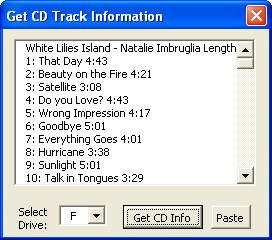
clipart, a drawing. If we want to create a label for an audio CD, there is
a pretty handy feature that can search and download from the Internet the CD?s
title and the list of tracks that you can afterwards paste into the label.

The advantage of the labels being embedded as a Microsoft Word template is
that we have absolute freedom with what we can create for our labels. We can
use all the tools already available in Microsoft Word?s arsenal. The only limit
is each one?s imagination.
In the next section, we take the software out for a spin, and we create some
of our own labels. Read on?..
3. Making a Label
AMF CD/DVD Jewel Case and Label Creator 3.8 - Page
3
Making a Label
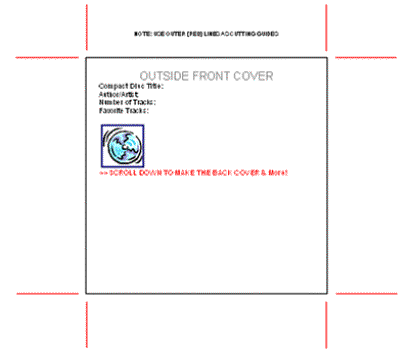
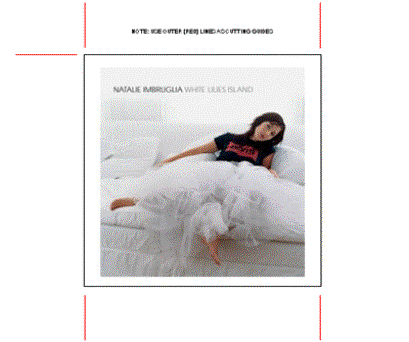
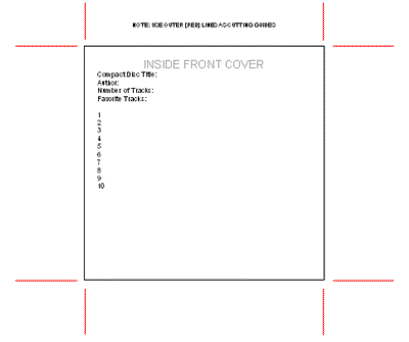
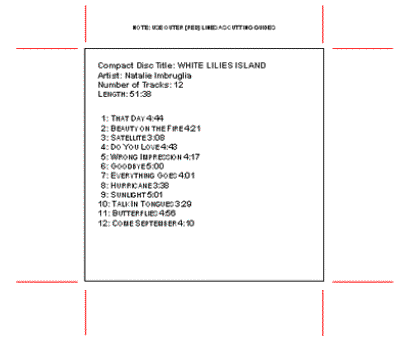
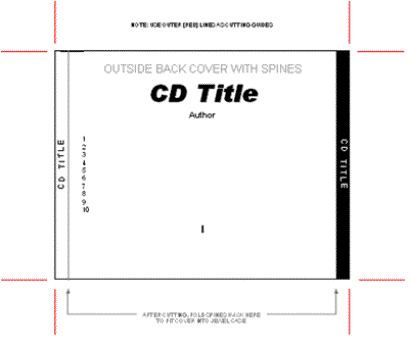
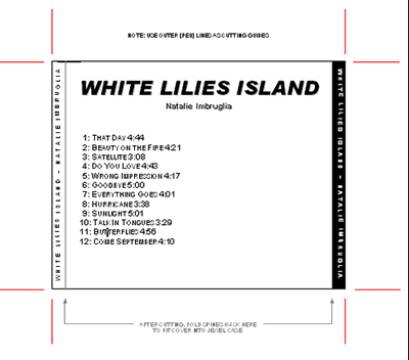
We chose the template ?CD Jewel case? and started working on our label. As
an example, we are created a label for Natalie Imbruglia?s ?White Lilies Island? album.
Before??
After?
Before?.
After??
Before?.
After?.
Track titles were downloaded from the Internet using the software's built
in tool. The whole process of creating the label was a matter of a very few
minutes, and with great ease.
4. Conclusion
AMF CD/DVD Jewel Case and Label Creator 3.8 - Page
4
Conclusion
The CD/DVD Jewel Case and Label Creator is an easy to use and simple solution
for your CD/DVD label needs. Using the Microsoft Word environment, it allows
the user to create labels using the already built-in tools, so no need to learn
any new functionality. Industry standard label layout formats are supported
as well which is a plus.
While simple to use, CD/DVD Jewel Case and Label Creator is missing some advanced
features it would be good to have. The process for creating a label for an
Audio CD could be more streamlined, like in a form of a step-by-step wizard.
Moreover, if you have a data CD/DVD (for example programs you have downloaded
from the internet, a software/mp3 collection, or a CD full of clip art) there
is no support for importing the folder contents of the CD/DVD into the layout
of the label. Apart from that, CD/DVD Jewel Case and Label Creator is a good
software for its money. It's shareware, so you can first try it to see if it
fits your needs before you decide to buy it.
Pros
- Easy to use (especially for users already familiar with Microsoft Word)
- Support for industry standard label layout formats
- Low cost
Cons
- No predefined layouts (for example Audio CD/ Data CD)
- Cannot import folder lists in the layout of the labels