Opera 11 Introduces Tab Stacking
Opera 11 beta introduces tab stacking, a better way to organize the open tabs on your browser.
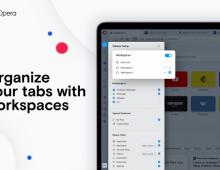
Traditionally, tabs were opened side-by-side, but now people using Opera can stack their tabs, grouping them by site or by theme. Tab stacking reduces clutter and makes it easier to identify and work with sets of open tabs.
In order to stack tabs, simply drag one tab on top of another. Hovering the mouse over a tab will cause the stack to expand in a visual preview. Clicking the arrow icon expands the current stack across the tab bar.
Opera 11 also introduces extensions, browser add-ons that enhance the capabilities of Opera. Thanks to a new developer mode in Opera 11 beta, extensions are even easier to make. Developers can use the developer mode to launch, test and package extensions quickly.
Mouse gestures provide a simple way to control Opera with a few simple mouse movements. In Opera 11, a new visual interface highlights mouse paths and helps guide the discovery, use and mastery of these powerful shortcuts.
Additional features of the new Opera 11 beta include:
* The address field now hides unnecessary information and puts the security status of each page front and center. Now, badges explain the security state of the site, giving consumers clear information about the sites they visit.
* Plug-ins can be set to load on-demand. This can give as much as 30 percent performance improvement.
* Extensions and Opera Unite applications are updated automatically through Operas update mechanism.
* Even more work has been done to boost browsing speed, particularly for Linux. Opera 11 for Linux is 15 to 20 percent faster on common benchmarks than Opera 10.63.
* Bookmarks are just a click away thanks to a new bookmarks bar that replaces Operas personal bar.
* Opera 11 is 30 percent smaller than Opera 10.63, despite including new features.
Opera 11 beta (English only) can be downloaded from http://www.opera.com/browser/next/.
In order to stack tabs, simply drag one tab on top of another. Hovering the mouse over a tab will cause the stack to expand in a visual preview. Clicking the arrow icon expands the current stack across the tab bar.
Opera 11 also introduces extensions, browser add-ons that enhance the capabilities of Opera. Thanks to a new developer mode in Opera 11 beta, extensions are even easier to make. Developers can use the developer mode to launch, test and package extensions quickly.
Mouse gestures provide a simple way to control Opera with a few simple mouse movements. In Opera 11, a new visual interface highlights mouse paths and helps guide the discovery, use and mastery of these powerful shortcuts.
Additional features of the new Opera 11 beta include:
* The address field now hides unnecessary information and puts the security status of each page front and center. Now, badges explain the security state of the site, giving consumers clear information about the sites they visit.
* Plug-ins can be set to load on-demand. This can give as much as 30 percent performance improvement.
* Extensions and Opera Unite applications are updated automatically through Operas update mechanism.
* Even more work has been done to boost browsing speed, particularly for Linux. Opera 11 for Linux is 15 to 20 percent faster on common benchmarks than Opera 10.63.
* Bookmarks are just a click away thanks to a new bookmarks bar that replaces Operas personal bar.
* Opera 11 is 30 percent smaller than Opera 10.63, despite including new features.
Opera 11 beta (English only) can be downloaded from http://www.opera.com/browser/next/.